3
2 Before You Begin
Before you begin the installation, make sure that you have the
items needed.
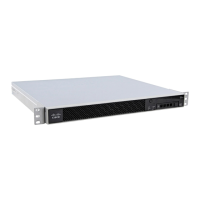
The following items are included with the Cisco C170 Email
Security Appliance:
• Quick Start Guide (this guide)
• Rails and adaptor kit
• Power cable(s)
• Ethernet cable for connecting the appliance to your
network
• Regulatory Safety and Compliance Information
You will need to provide the following items yourself:
• Rack cabinet enclosure (if rack-mounting the appliance)
• Phillips-head screwdriver for assembling rails
• 10/100 Gigabit Base-T TCP/IP LAN
• Desktop or laptop computer
• Web browser (or SSH and terminal software)
• Network and administrator information for the “Document
Network Settings” section on page 4 and “go live”
configuration
C170_QSG.fm Page 3 Wednesday, March 13, 2013 9:31 PM



 To Next Page