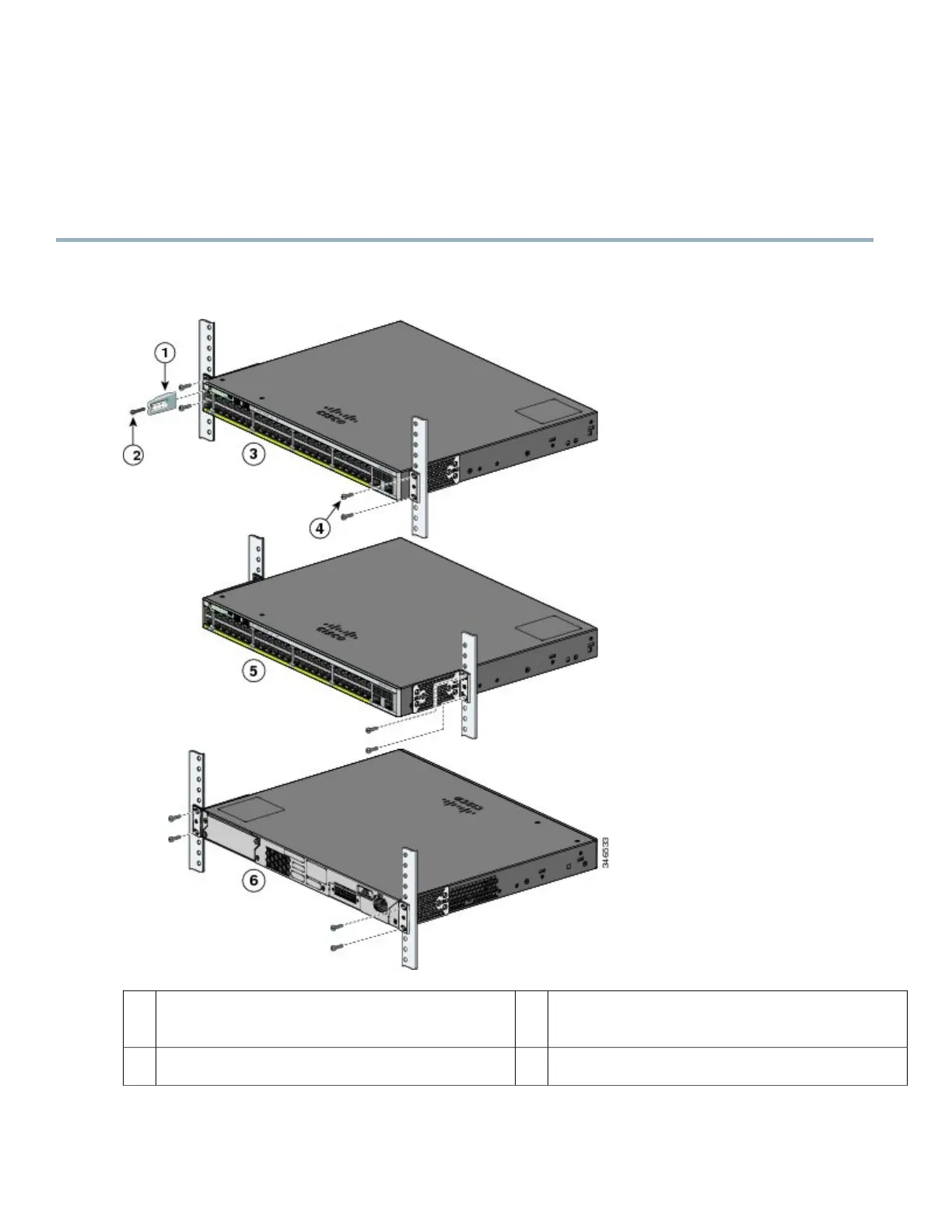
Mounting in a Rack
Procedure
Step 1
Use the four supplied Phillips machine screws to attach the brackets to the rack.
Step 2
Use the black Phillips machine screw to attach the cable guide to the left or right bracket.
Number-12 Phillips pan-head screws (48-0523-01) or
Number-10 Phillips pan-head screws (48-0627-01)
4Cable guide1
Mid-mounting position5Phillips machine screw, black (48-0654-01)2
18



 To Next Page