Data Sheet
© 2010 Cisco and/or its affiliates. All rights reserved. This document is Cisco Public Information. Page 3 of 28
Table 2. Configurations of Cisco Catalyst 2960 Series Switches with LAN Base Software
Cisco Catalyst 2960 Switch Model Description Uplinks Available PoE Power
1 Gigabit Uplinks with 10/100 Ethernet Connectivity
Cisco Catalyst 2960-48PST-L 48 Ethernet 10/100 PoE ports 2 one Gigabit Ethernet SFP ports and 2
fixed Ethernet 10/100/1000 ports
370W
Cisco Catalyst 2960-24PC-L 24 Ethernet 10/100 PoE ports 2 dual-purpose ports (10/100/1000 or SFP) 370W
Cisco Catalyst 2960-24LT-L 24 Ethernet 10/100 ports 2 Ethernet 10/100/1000 ports 123W
Cisco Catalyst 2960-24TC-L 24 Ethernet 10/100 ports 2 dual-purpose ports -
Cisco Catalyst 2960-48TC-L 48 Ethernet 10/100 ports 2 dual-purpose ports (10/100/1000 or SFP) -
Cisco Catalyst 2960-24TT-L 24 Ethernet 10/100 ports 2 Ethernet 10/100/1000 ports -
Cisco Catalyst 2960-48TT-L 48 Ethernet 10/100 ports 2 Ethernet 10/100/1000 ports -
1 Gigabit Uplinks with 10/100/1000 Ethernet Connectivity
Cisco Catalyst 2960G-24TC-L 20 Ethernet 10/100/1000 ports, 4 of
which are dual-purpose
4 dual-purpose ports (10/100/1000 or SFP)
Cisco Catalyst 2960G-48-TC-L 44 Ethernet 10/100/1000 ports, 4 of
which are dual-purpose
4 dual-purpose ports (10/100/1000 or SFP)
Compact Switches
Cisco Catalyst 2960-8TC-L 8 Ethernet 10/100 ports; compact size
with no fan
1 dual-purpose port (10/100/1000 or SFP)
Cisco Catalyst 2960PD-8TT-L 8 Ethernet 10/100 ports; compact size
with no fan
1 10/100/1000 PoE input port
Cisco Catalyst 2960G-8TC-L 7 Ethernet 10/100/1000 ports;
compact size with no fan
1 dual-purpose port (10/100/1000 or SFP)
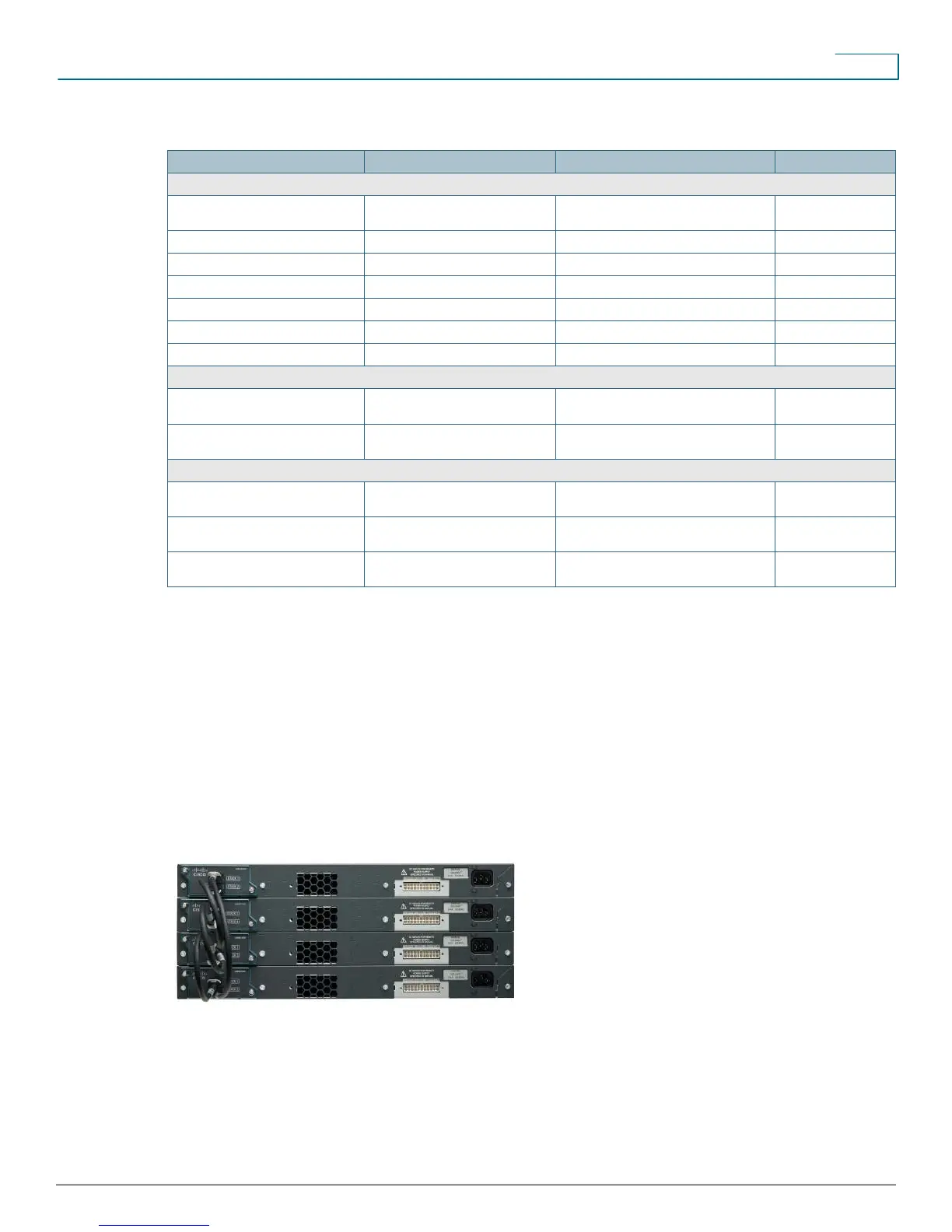
Cisco FlexStack Stacking
Cisco FlexStack stacking with a hot-swappable module and Cisco IOS
®
Software provides true stacking, all switches
in a stack act as a single switch unit. The Cisco FlexStack provides a unified data plane, unified configuration, and
single IP address management for a group of switches. The advantages of true stacking are lower total cost of
ownership through simplified management and higher availability. Cisco FlexStack supports cross-stack features
including EtherChannel, SPAN and FlexLink technology. A stack module can be added to any Cisco Catalyst 2960-S
switch with LAN Base software to quickly upgrade the switch to make it stack capable, and the switch added to the
stack will upgrade to the correct Cisco IOS
®
Software version and transparently become a stack member. Figure 3
shows the FlexStack stacking module for the Cisco Catalyst 2960-S.
Figure 3. Cisco Catalyst 2960-S Switches with Cisco FlexStack Modules and Stack Cabling











 To Next Page