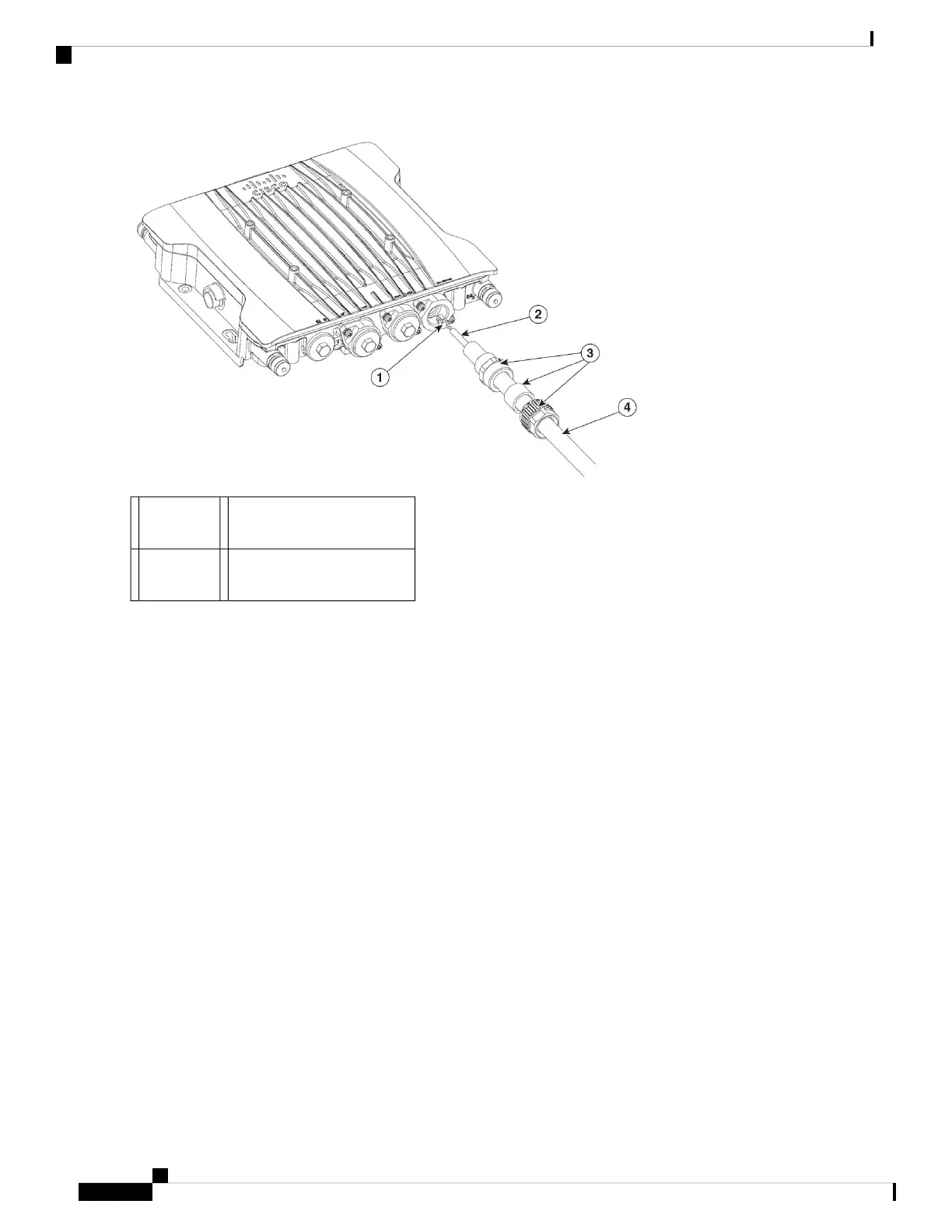
Gland (Ex) (not supplied)34P
Micro-Fit
1
Armored Cable (not
supplied)
4Wire2
Note
The recommended cable gland specification shall be M25x1.5, here, the M25 is the diameter (metric), 1.5 is the pitch,
the adapters should have approximately 7 threads. The recommended M25 connector cap O-ring temperature ratings
shall be greater than 91°C (195.8°F).
Step 2 Plug 4P connector cable into the DC connector in the chassis.
Step 3 Thread the Gland Connector body (with gasket) into the chassis.
Step 4 Insert the grommet into the ferrule, and press it into the body.
Step 5 Tighten the clamp nut onto the body until the grommet compresses onto the DC cable.
Installation Overview
20
Installation Overview
Connecting to the DC Power Port Using Certified Cable Gland or Flex Conduit





 To Next Page