2 Catalyst 10/100Base-T Ethernet Hub Upgrade
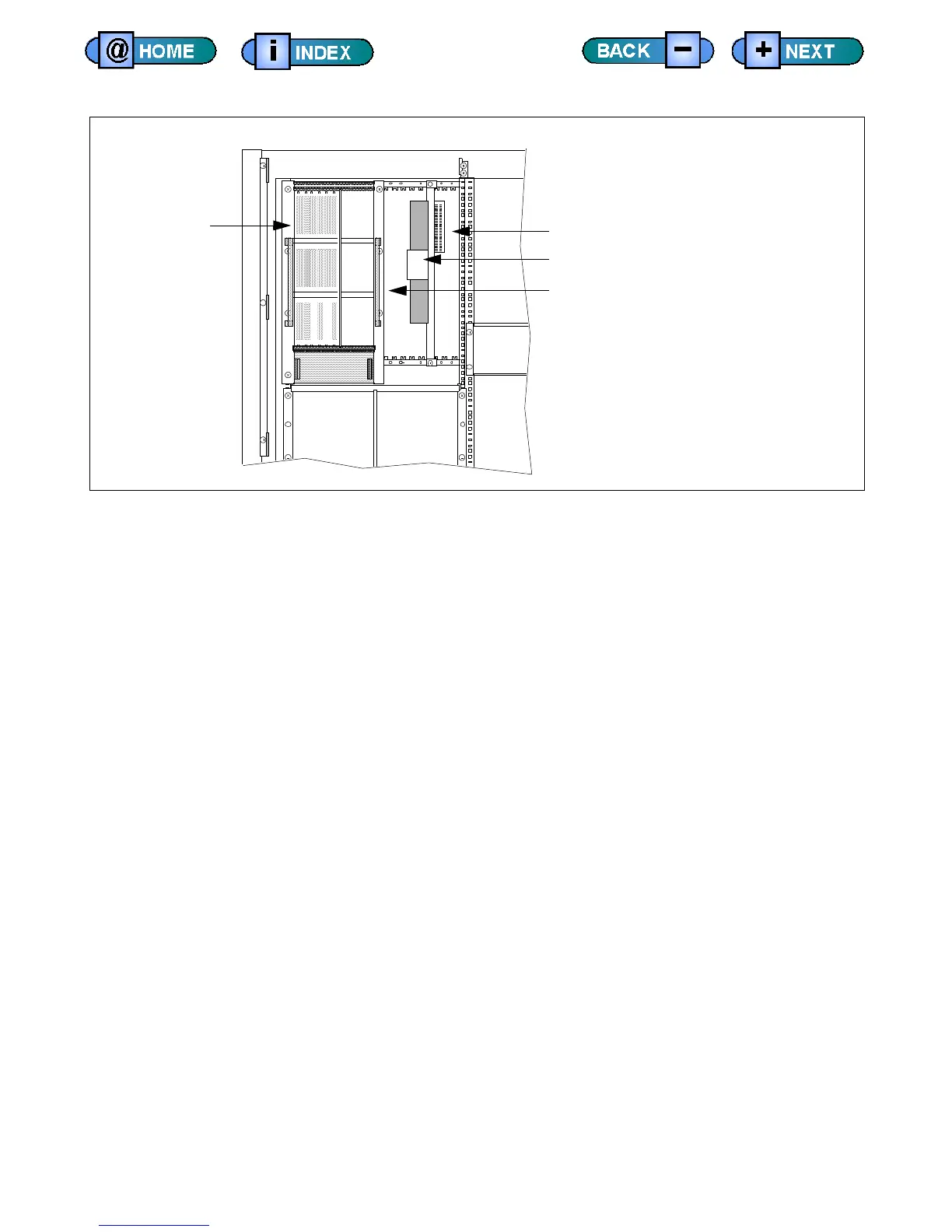
10/100Base-T Ethernet Hub Location -- Service Side
The following is a high-level list of steps for removing the 10Base-T ethernet
hub and installing the 10/100Base-T ethernet hub.
1) Using the necessary software commands, prepare the test system for
hardware installation.
2) Halt the computer and turn the system off.
3) Remove the service side test system covers.
4) Detach the AD958 user power panel sitting in front of the module
mounting cage.
5) Disconnect all cables from the 10Base-T ethernet hub.
6) Remove the 10Base-T ethernet hub.
7) Install the 10/100Base-T ethernet hub.
8) Reconnect cables.
9) Reattach the AD958 user power panel.
10) Replace the test system covers.
11) Turn on main and test system power.
12) Verify hardware installation.
13) Run checkers.
VME Card Cage
IEEE Bus Extender
10/100Base-T Hub
Module Mounting Cage











 To Next Page