Catalyst 10/100Base-T Ethernet Hub Upgrade 7
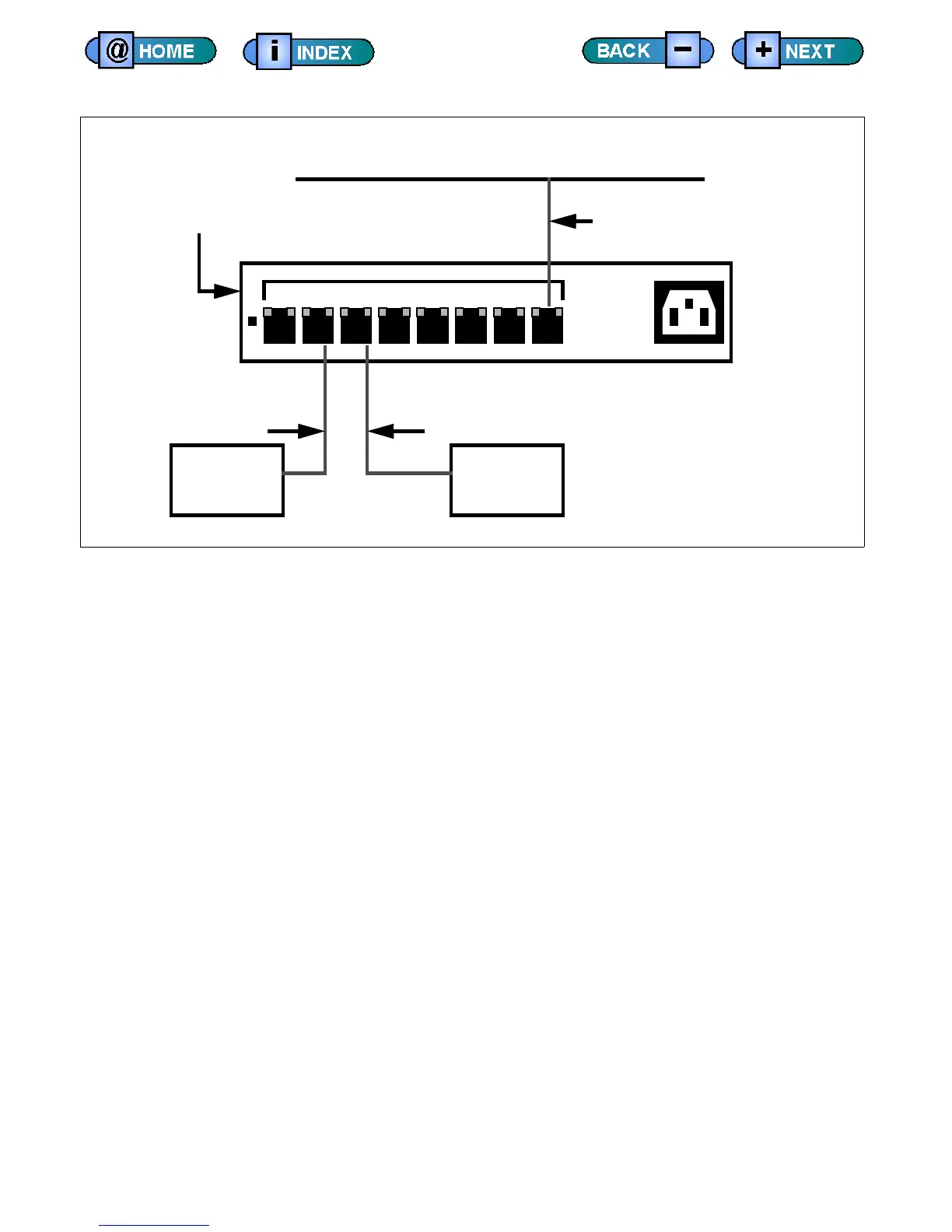
10/100Base-T Hub Cabling
Final Installation Steps
This section describes the final steps in the hub upgrade installation.
1) Replace the user power panel.
2) Replace the test system covers.
3) Set the hub’s normal/uplink crosslink switch to normal.
4) Set the hub’s duplex mode switches to auto.
5) Turn on main and test system power.
6) After boot is complete, log in as checkers and IMAGE.
7) Load checker and run.
1 2 3 4 5 6 7 8 100 ~ 240 VAC
Customer’s Factory Ethernet Network
Test
Computer
User
Computer
Cable 804-182-00
Cable PN 804-183-00
To Customer’s Network
10/100 Base-T Hub
PN 425-476-00
Cable 804-182-01











 To Next Page