Catalyst 10/100Base-T Ethernet Hub Upgrade 5
5) Disconnect the two 10Base-T hub cables (pn 804-182-00 and pn
804-182-01) and the AC power cable from the10Base-T hub. Coil the
cables and leave them in the options bay.
6) Remove power cables from the IEEE bus expander. Coil the cables and
leave them in the options bay.
7) Slide the IEEE/10Base-T hub mounting plate out of the options bay.
8) Remove the IEEE bus extender (if present) from the IEEE/10Base-T hub
mounting plate by loosening the captive screw attaching the bus extender
to the mounting plate.
9) Remove the ethernet hub/IEEE mounting plate by removing the four
screws securing it to the mainframe.
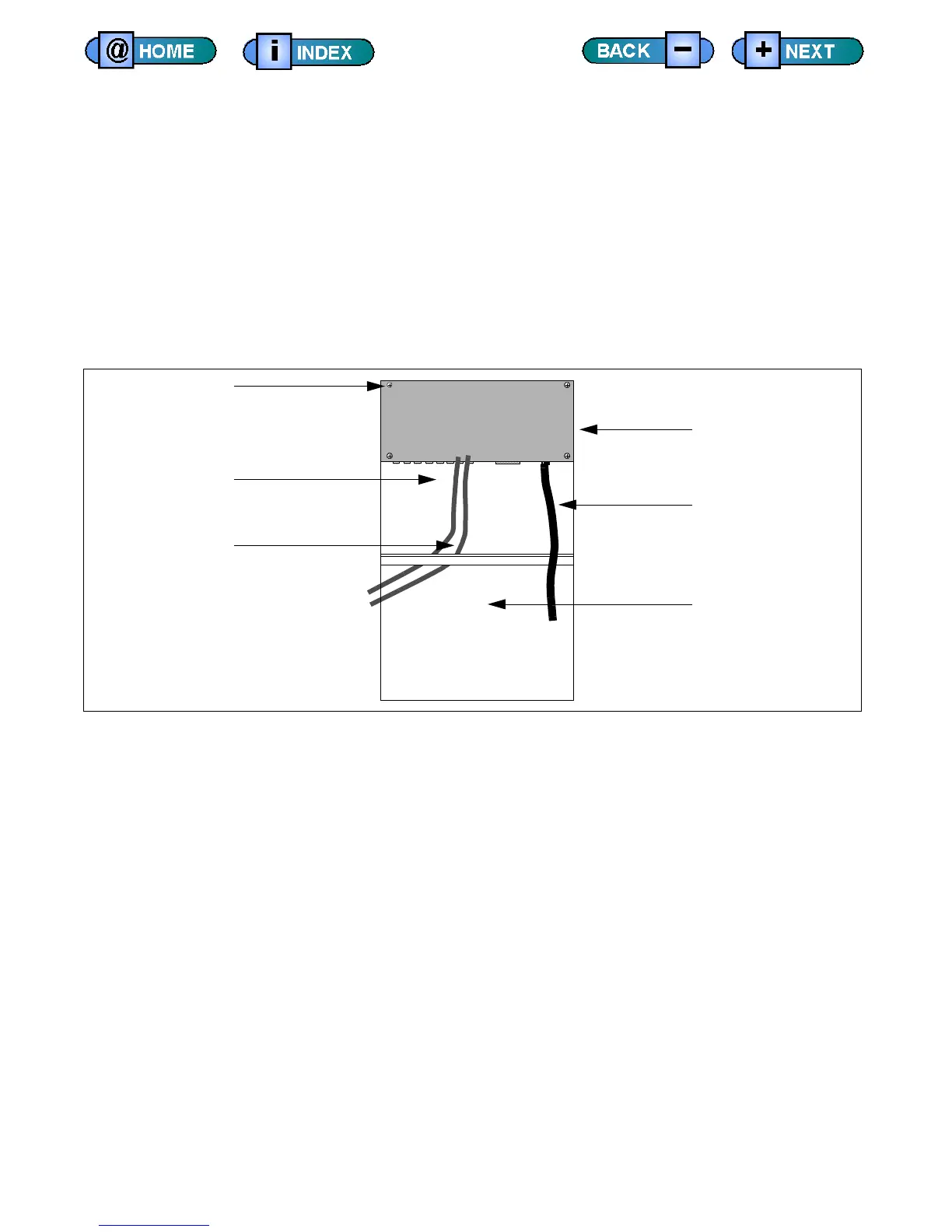
10Base-T Hub Mounting Assembly
Installing 10/100Base-T Hub Hardware
The following steps describe how to install a 10/100Base-T ethernet hub.
1) Attach the IEEE bus extender (if present) to the new mounting plate (pn
467-533-00).
2) Insert the new mounting plate assembly (pn 806-833-00) into the
mainframe.
To facilitate cable connections to the 10/100Base-T hub and IEEE bus,
tighten the mounting plate assembly screws after attaching cables.
Mounting Plate
RJ-45 Cable
Power Cable
10Base-T Hub
to Main Vault Port J6
(PN 804-182-00)
Hub (Port 1-8) to Tester Computer
RJ-45 Cable
(PN 804-182-01)
Hub (Port 1-8) to User Computer
Screws (x4)











 To Next Page