
 Need help?
Do you have a question about the Cisco CBS 250 Series and is the answer not in the manual?
Ensures necessary items are available before installing the network switch.
Details on mounting switches in a standard 19-inch rack unit, including steps and stability cautions.
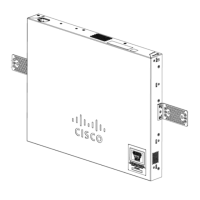
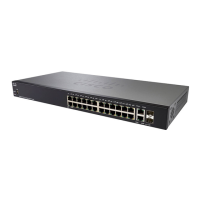
Steps for wall-mounting a 24-port switch using brackets, including safety cautions.
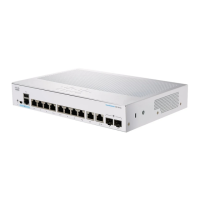
Instructions for wall-mounting an 8-port switch using mounting screws and a template.
Details switch models supporting PoE and considerations for connecting powered devices.
Discusses potential PoE detection issues and safety precautions for PSE devices.
Identifies ports, LEDs, and buttons on the switch's front panel for management and connectivity.
Explains global and per-port LED indicators for system status, stacking, and network activity.
Steps to access and configure the switch using its web-based interface, including default settings.
Detailed steps for configuring the switch via its console port using a serial connection and terminal utility.
Describes how to navigate the switch's web UI, including accessing features and subcategories.
Explains the differences between Basic and Advanced display modes in the web GUI and their impact on configuration options.
The Cisco CBS 250 Series Switch is a next-generation smart switch designed to provide powerful network performance and reliability for business networks. It offers a comprehensive suite of network features, combining advanced capabilities with an affordable price point, making it a suitable alternative to unmanaged or consumer-grade switches.
The Cisco CBS 250 Series Switches are primarily designed for network connectivity and management. They feature expandable Gigabit Ethernet ports, with options for Gigabit or 10-Gigabit uplinks, to support high-speed data transfer across the network. These switches are equipped with Layer-3 static routing capabilities, allowing for more efficient data forwarding between different network segments.
For enhanced security, the switches offer rich security features to protect network resources and data. They also provide multiple management options, including an easy-to-use web user interface and a command-line interface (CLI) for advanced users. The integration of Power over Ethernet Plus (PoE+) capability on certain models allows the switches to power connected devices such as VoIP phones, IP cameras, and wireless access points directly through the Ethernet cable, simplifying deployment and reducing the need for separate power outlets.
The switches are designed to be deployed and configured quickly, with the Smart Network Application facilitating a complete business network setup in minutes. They support various network protocols and features to ensure robust and scalable network operations.
The Cisco CBS 250 Series Switch offers flexible deployment options, including rack mounting and wall mounting.
Switches can be mounted in any standard 19-inch (approximately 48 cm) wide rack, occupying 1 rack unit (RU) of space (1.75 inches or 44.45 mm high). For stability, it is recommended to load the rack from bottom to top, placing the heaviest devices at the bottom to prevent tipping. The rack-mount kit includes two brackets and twelve screws for secure attachment. To install, one bracket is placed on the side of the switch, aligning the four holes with the screw holes, and secured with four screws. This process is repeated for the other side. Once both brackets are attached, the switch is ready for installation into a standard 19-inch rack.
The switches can also be wall-mounted using wall studs or a firmly attached plywood mounting backboard. When wall-mounting, it is crucial to follow safety regulations and avoid mounting the switch with its front panel facing up to prevent airflow restriction and ensure easier access to cables. The recommended orientation is with the front panel facing down or to the side. For a 24-port switch, a 19-inch bracket is attached to one side, and then the other bracket to the opposite side. After securing the brackets, the switch is mounted with the front panel facing down, ensuring it is securely attached to wall studs or a plywood-mounting backboard. For an 8-port switch, a template is used to align the mounting screw holes. The template is positioned so that the side marked "CABLE SIDE ENTRY" faces the floor. The template is then secured to wall studs or a plywood backboard. The adhesive strip on the bottom of the screw template is peeled off, and the template is attached to the wall. Two screws (3.7 mm or #27 drill bit for a 12.7 mm hole) are inserted into the slots on the screw template and tightened to secure the template. Once the template is removed, the switch is placed onto the mounting screws and slid down until it locks in place.
Certain models of the CBS 250 Series Switches support PoE, indicated by a "P" in their model number (e.g., CBSxxx-xxP-xx). These PoE switches act as Power Sourcing Equipment (PSE), supplying DC power to attached Powered Devices (PDs) like VoIP phones, IP cameras, and wireless access points. The switches can detect and supply power to pre-standard legacy PoE PDs. However, caution is advised as a PoE switch acting as a PSE might mistakenly detect and power another PSE (including other PoE switches) as a legacy PD. This can lead to improper operation of the PoE switch and its attached PDs. To prevent false detection, PoE should be disabled on ports connecting to other PSEs. It is also recommended to power up a PSE device with AC power before connecting it to a PoE switch. If a device is falsely detected as a PD, it should be disconnected from the PoE port, power-recycled with AC power, and then reconnected. The manual provides a table listing SKU names, descriptions, PoE PD Chipset Types, and PoE PSE Support (AF/AT) for various PoE models.
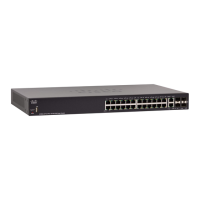
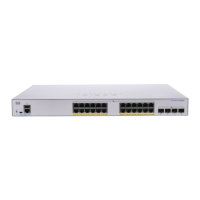
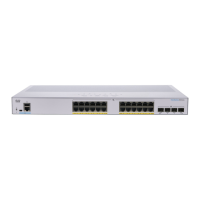
The front panel of the switch features various ports, LEDs, and a Reset button.
The switches feature global and per-port LEDs to indicate device status.
Switches can be configured via a web-based interface or a command-line interface (CLI) through the console port.
The web-based interface features a navigation menu at the top right of each UI page, listing main features. Users can access UI pages through cascading menus by clicking feature tabs and selecting subcategories. The product supports Basic and Advanced Display Modes.
The Cisco CBS 250 Series Switches incorporate features that support ongoing maintenance and troubleshooting.
 General
| Model | CBS250 Series |
|---|---|
| Operating Temperature | 0°C to 45°C (32°F to 113°F) |
| Port Type | Gigabit Ethernet |
| PoE Options | Available on select models (PoE, PoE+) |
| Switching Capacity | Up to 104 Gbps |
| Layer | Layer 2 |
| Management | Web-based GUI, CLI |
| Features | VLAN, QoS, Port Mirroring |
| Security Features | ACLs, 802.1X, Port Security |
| Form Factor | Rackmount, Desktop |
| Humidity | 10% to 90% non-condensing |
| Ports | 8, 24, 48 |
| Jumbo Frame Support | Up to 9KB |



 To Next Page