4
Cisco Virtual Office – End User Instructions for Cisco 1811 Router Set Up at Home or Small Office
78-18859-01
CONFIGURE YOUR ROUTER
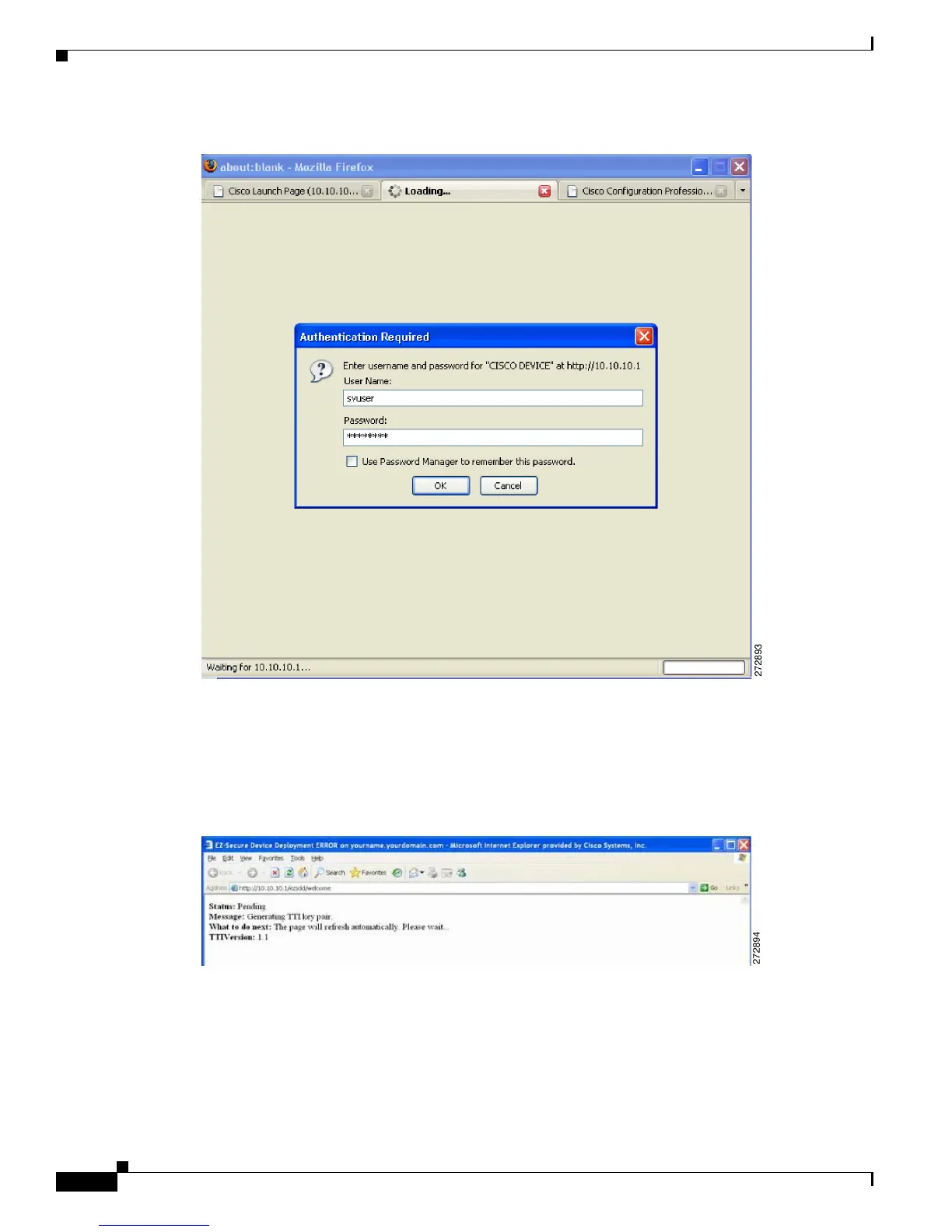
Figure 2 SDP Authentication
If you’re using DHCP, to initiate the SDP process, go to the PC which is connected to the CVO router
and open a browser window. Then type in the address bar: http://10.10.10.1/ezsdd/welcome. You will be
prompted to authenticate, and you must use username/password cisco/cisco.
You will see the screen shown in Figure 3 while the router prepares for the rest of the SDP process.
Figure 3 SDP Screen
Step 3
Securely download the CVO router configuration.
When the screen refreshes you will notice a field for site URL. Enter the URL provided by your network
administrator (Figure 4).



 To Next Page