
 Need help?
Do you have a question about the Cisco CP-6851-3PCC-K9 and is the answer not in the manual?
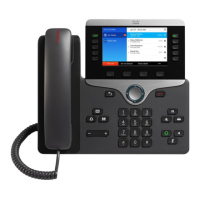
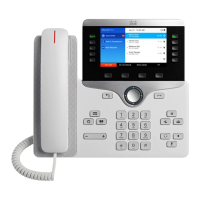
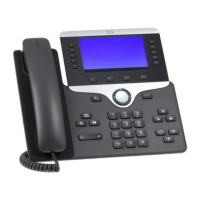
The Cisco IP Phone 6841 and 6851 Multiplatform Phones are communication devices designed for business environments, offering a range of features for efficient call management. This Quick Start Guide provides an overview of their functions, usage, and basic maintenance.
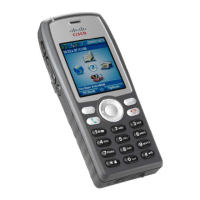
The primary function of these IP phones is to facilitate voice communication over an IP network. They support making and receiving calls, managing multiple lines, and accessing various call features. The phones are equipped with a display screen, a keypad for dialing, and several dedicated buttons for common functions.
While specific technical specifications like display resolution, processor type, or memory are not detailed in this quick start guide, the device is clearly an IP phone, meaning it connects to a network using IP protocols for voice communication (Voice over IP). The presence of a headset jack indicates support for external audio devices, enhancing hands-free communication. The phone's ability to display incoming call information, voicemail indicators, and line status suggests a robust internal operating system. The inclusion of softkeys indicates a dynamic user interface where button functions can change based on the context of the phone's operation.
The Cisco IP Phone 6841 and 6851 offer a comprehensive set of usage features for call handling:
Making Calls:
Answering Calls:
Call Management:
Audio Control:
Voicemail and Call History:
Customization:
These buttons are crucial for interacting with the phone. They allow users to view calls on a specific line, access features like Speed Dial, and manage held calls. The buttons illuminate to indicate their status:
While the guide doesn't detail specific hardware maintenance, the customization options for ringtone, screen backlight, and contrast can be considered user-level maintenance for optimal usability and comfort. The ability to view recent calls and access voicemail efficiently contributes to maintaining an organized communication workflow. For more in-depth maintenance or troubleshooting, the guide directs users to the full User Guide available online, suggesting that software updates or more complex configurations might be covered there. The "Copyright © 2018 Cisco Systems, Inc." and "September 2018" dates indicate that the device and its documentation are regularly updated and supported by Cisco.



 To Next Page
 General