EasyManua.ls Logo

Cisco ME-4924-10GE - User Manual

Cisco ME-4924-10GE
74 pages
Print Icon
To Next Page IconTo Next Page
Loading...
Corporate Headquarters
Cisco Systems, Inc.
170 West Tasman Drive
San Jose, CA 95134-1706
USA
http://www.cisco.com
Tel: 408 526-4000
800 553-NETS (6387)
Fax: 408 526-4100
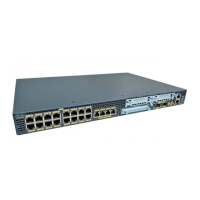
Cisco ME 4924-10GE Ethernet Switch
Hardware Installation Guide
September 2006
Text Part Number: OL-10071-01

Table of Contents

Questions and Answers

  • C
    Crystal BrownJul 30, 2025
    What to do if Cisco Network Router has poor performance?
    • T
      tsolisJul 30, 2025
      Poor performance or excessive errors in a Cisco Network Router can stem from several causes. One potential cause is a duplex autonegotiation mismatch; refer to the switch software configuration guide for details on identifying these mismatches. Another cause can be exceeding cabling distance or port statistics showing excessive frame check sequence (FCS), late-collision, or alignment errors; in this case, refer to the switch software configuration guide for displaying port statistics and your SFP documentation for cabling guidelines. Finally, a bad adapter in the attached device, indicated by excessive errors in port statistics, can be the cause; run the adapter card diagnostic utility to resolve this.
  • A
    Alejandro SinghAug 3, 2025
    How to fix no connectivity on Cisco Network Router?
    • S
      Shelby WangAug 4, 2025
      If your Cisco Network Router has no connectivity, it might be due to an incorrect or bad cable. This can happen if a crossover cable was used when a straight-through cable was needed, or vice versa, or if the cable is wired incorrectly. For correct pinouts and proper application of crossover versus straight-through cables, see the “Identifying a Crossover Cable” section on page B-2. Replace the cable with a tested, good cable. For 1000BASE-T connections, ensure you're using a twisted four-pair, Category 5 cable.
  • M
    Melissa YoungAug 8, 2025
    What to do if Cisco ME-4924-10GE Network Router does not recognize the SFP module?
    • L
      larrylamAug 8, 2025
      If the Cisco Network Router doesn't recognize the SFP module, it might be installed upside down or not properly snapped into the port. Verify that the SFP module is correctly oriented. Remove the SFP module and inspect the connector, module, and port for any physical damage. Replace the SFP module with a known good one.
  • M
    michaelgonzalesAug 14, 2025
    Why Cisco ME-4924-10GE switch port is placed in error-disabled state after SFP is inserted?
    • S
      Shirley OdonnellAug 14, 2025
      If the Cisco Network Router switch port is placed in an error-disabled state after inserting an SFP, the cause may be a bad or non-Cisco-approved SFP. Remove the SFP module from the switch and replace it with a Cisco-approved module. Use the errdisable recovery cause gbic-invalid global configuration command to verify the port status, and enter a time interval to recover from the error-disable state. Refer to the switch command reference guide for information on the errdisable recovery command.
  • M
    Morgan WalkerAug 25, 2025
    What does amber STATUS LED mean on Cisco ME-4924-10GE?
    • A
      Adam ThompsonAug 25, 2025
      If the STATUS LED on your Cisco Network Router is amber, it indicates a POST error has been detected. It may or may not be a fatal error. Contact Cisco Systems.
  • M
    Matthew VelasquezSep 10, 2025
    How to fix unreadable characters on Cisco ME-4924-10GE Network Router management console?
    • J
      Joshua ObrienSep 12, 2025
      If you see unreadable characters on the management console of your Cisco Network Router, this is due to an incorrect baud rate. Reset the emulation software to 9600 baud.

Summary

Cisco ME 4924-10 GE Installation Preface

Installation Guide Audience and Purpose

Identifies the intended audience and purpose of the hardware installation guide.

Installation Guide Organization Overview

Explains the structure and chapter breakdown of the hardware installation manual.

Cisco Installation Guide Conventions and Warnings

Guide Warning and Caution Definitions

Defines symbols and statements used for notes, cautions, and warnings.

Cisco ME 4924-10 GE Related Documentation and Resources

Obtaining Cisco Product Documentation and Support

Information on accessing Cisco documentation, websites, and obtaining support.

Cisco Product Documentation DVD and Feedback

Ordering Cisco Product Documentation

Instructions for ordering printed copies of Cisco technical documentation.

Providing Feedback on Cisco Documentation

How to submit feedback regarding Cisco technical documentation.

Cisco Product Security Vulnerability Overview

Information on reporting security vulnerabilities and obtaining security advisories.

Reporting Cisco Product Security Issues

Cisco Product Alerts and Field Notices

Information on receiving notifications about product modifications and updates.

Getting Cisco Technical Support

Cisco Technical Support and Documentation Website

Accessing Cisco's online resources for troubleshooting and technical issues.

Submitting Cisco Technical Service Requests

Definitions of Service Request Severity Levels

Standard definitions for classifying the severity of service requests.

Obtaining Additional Cisco Publications and Information

Information on accessing more Cisco products, technologies, and network solutions.

Cisco ME 4924-10 GE Product Overview

Cisco ME 4924-10 GE Switch Features

Details the switch's capabilities, including hardware and software features.

Cisco ME 4924-10 GE Front Panel Description

Describes the components and ports located on the front of the switch.

Cisco ME 4924-10 GE Rear Panel Description

Details the components on the rear of the switch, including power and fan.

Cisco ME 4924-10 GE Switch Installation Guide

Preparing for Cisco ME 4924-10 GE Installation

Covers warnings, guidelines, and package verification before installation.

Verifying Cisco ME 4924-10 GE Switch Operation

Steps to power on the switch and verify its initial power-on self-test (POST).

Rack-Mounting the Cisco ME 4924-10 GE Switch

Detailed instructions for securely mounting the switch into a rack.

Installing and Removing SFP Modules

Procedures for inserting and removing Small Form-Factor Pluggable modules.

Cisco ME 4924-10 GE Power Supply Connections

Cisco ME 4924-10 GE Grounding Requirements

Details the grounding requirements for AC and DC power installations.

Connecting AC Power to the Switch

Step-by-step guide for connecting the Cisco ME 4924-10GE to an AC power source.

Connecting DC Power to the Switch

Step-by-step guide for connecting the Cisco ME 4924-10GE to a DC power source.

Cisco ME 4924-10 GE Troubleshooting Guide

Understanding Cisco Switch POST Results

Interpreting Power-On Self-Test (POST) results using switch LEDs.

Diagnosing Common Cisco Switch Problems

Identifies common switch issues like performance and connectivity.

Troubleshooting Cisco Switch Hardware Components

Guides on diagnosing and resolving hardware-related problems.

Troubleshooting Cisco Switch Power Supply Issues

Steps to isolate and resolve problems with the switch's power supply.

Cisco ME 4924-10 GE Technical Specifications

Cisco ME 4924-10 GE Environmental Specifications

Details operating temperature, humidity, and altitude requirements.

Cisco ME 4924-10 GE Physical Characteristics

Provides dimensions, weight, and airflow specifications for the switch.

Cisco ME 4924-10 GE AC Power Specifications

Lists AC input voltage, frequency, and output power ratings.

Cisco ME 4924-10 GE DC Power Specifications

Lists DC input voltage range, output voltage, and current ratings.

Cisco ME 4924-10 GE Connector and Cable Specifications

Switch Connector Specifications Overview

Describes the connectors used for connecting the switch to other devices.

1000 BASE-T Device Connection Guidelines

Specifies cable types for connecting to 1000BASE-T devices.

Cisco ME 4924-10 GE SFP Module Ports

Details the Small Form-Factor Pluggable (SFP) module ports.

Cisco ME 4924-10 GE Console Port Information

Describes the console port connector, pinouts, and signaling.

Cisco ME 4924-10 GE Initial Switch Configuration

Connecting the Switch for Initial Setup

Steps to connect a PC or terminal to the switch console port.

Starting Terminal Emulation Software

Instructions for launching terminal emulation software for configuration.

Connecting the Switch to a Power Source

Guide for connecting the switch to AC or DC power for initial setup.

Entering Initial IP and System Configuration

Configuring IP settings, hostname, and other essential parameters.

Cisco ME-4924-10GE Specifications

General IconGeneral
Form FactorRack-mountable
Uplink Ports4 x 10 Gigabit Ethernet
Power DeviceInternal power supply
ModelME 4924-10GE
Routing ProtocolOSPF, RIP, IS-IS
Remote Management ProtocolSNMP, CLI
FeaturesQuality of Service (QoS), VLAN support
Compliant StandardsIEEE 802.1D, IEEE 802.1Q, IEEE 802.1p, IEEE 802.3ad
Voltage RequiredAC 120/230 V
Operating Temperature32 °F to 104 °F (0 °C to 40 °C)
Storage Temperature-13 °F to 158 °F (-25 °C to 70 °C)
Humidity10 - 95% (non-condensing)
ManagementCLI

Related product manuals