In-Room Control on Touch10
for Cisco TelePresence
MX200 G2, MX300 G2,
MX700, MX800,
SX10, SX20, SX80
Collaboration Endpoint
software version CE8.2
D15358.02 - JULY 2016
www.cisco.com
© 2016 Cisco Systems, Inc.
All rights reserved.
36
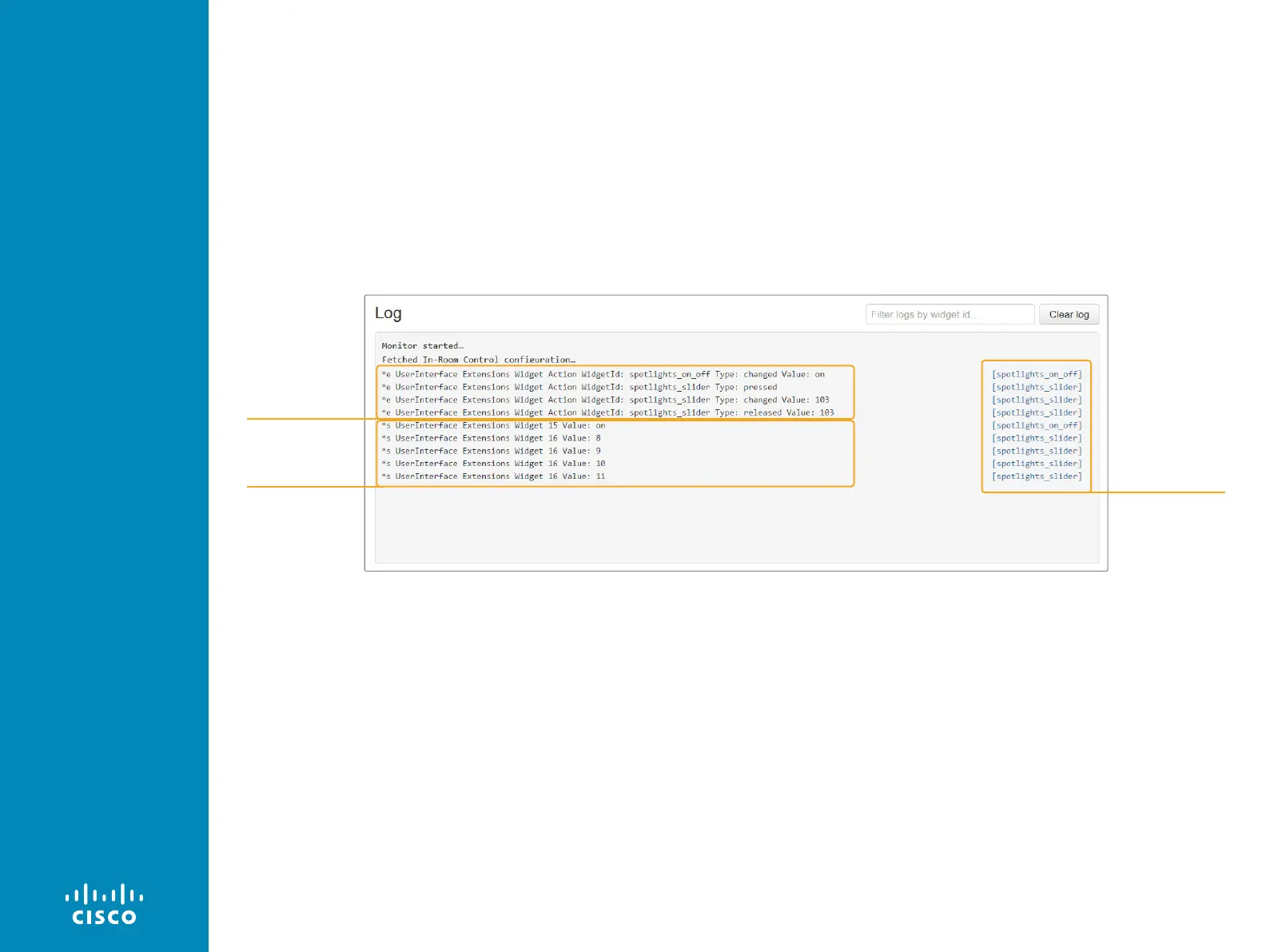
Check for events and status updates
All events and status updates related to widgets appear immediately
in the Log window. Events are prefixed with *e, and statuses are
prefixed with *s.
Events appear when you use the controls on the Touch 10 user
interface, and the status is updated when a command, which
changes the video system’s status, is sent to the video system.
Widget ID
Events
Status












 To Next Page