Additional functions on the front panel are described below, from left to right.
Reset button
Insert a paper clip if a reset is required.
• A brief, momentary press: To delete a downloaded
configuration and reboot.
• Press and hold for more than 10 sec: To force the
unit into a full factory reset.
USB port
USB 2.0 for 3G/4G wireless cards. Traffic status is
indicated by the USB LED.
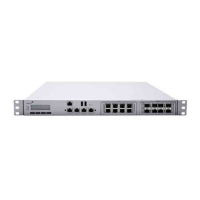
Interface modules 1 - 2 Interface modules for extended connectivity.
SFP Combo ports
For optional SFP-SX (fiber) or SFP-TX (RJ45 copper)
GbE connectivity. The functionality of ports 8 and 8F,
and ports 9 and 9F, is mutually exclusive. Only one port
of a pair is supported at a time.
Using MX Expansion Slots and Modules
The MX400 has 2 expansion slots which can accept the following Meraki Interface Modules:
• IM-8-CU-1GB: Meraki 8 x 1 GbE Copper Interface Module for MX400 and MX600.
• IM-8-SFP-1GB: Meraki 8 x 1 GbE SFP Interface Module for MX400 and MX600.
• IM-2-SFP-10GB: Meraki 2 x 10 GbE SFP+ Interface Module for MX400 and MX600.
When replacing an interface module, follow the steps below:
1. Power down the MX400. Interface Modules are not hot-swappable.
2. Insert the new interface module or modules.
3. Power up the MX400.
4. Dashboard will automatically recognize the new module or modules.
Please take caution when working with Interface Modules. Failure to follow the process above can corrupt the unit and
void warranty.
3



 To Next Page