User documentation and support
User documentation for SpeakerTrack 60:
http://www.cisco.com/go/telepresence/docs
Navigate to: Collaboration Endpoints > Collaboration Peripherals >
TelePresence Peripherals > TelePresence SpeakerTrack 60
For support, go to: http://www.cisco.com/support
Finish up
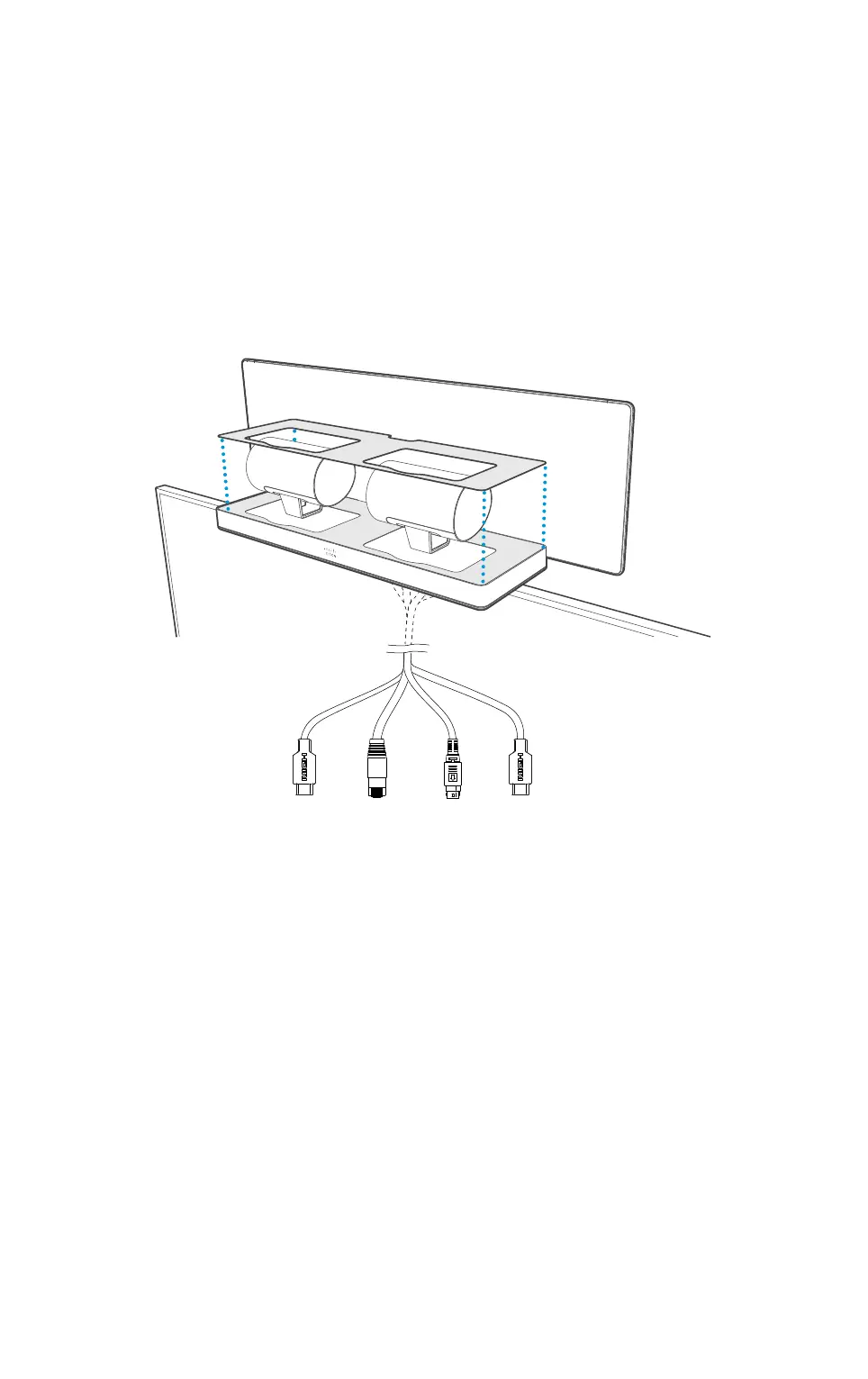
• Move the two cameras into standby position as illustrated and carefully slide the cover
plate (A) on place.
• Use a cable management for a good aesthetic appearance.
• Connect the Ethernet and HDMI cables to the codec, see the codec documentation for
further information.
• Connect the power cable to the power mains.
HDMI
left
camera
Ethernet Power HDMI
right
camera












 To Next Page