Configure
Network Diagram
These are the configurations of the document,
Set the best-effort class for MTU 9216
●
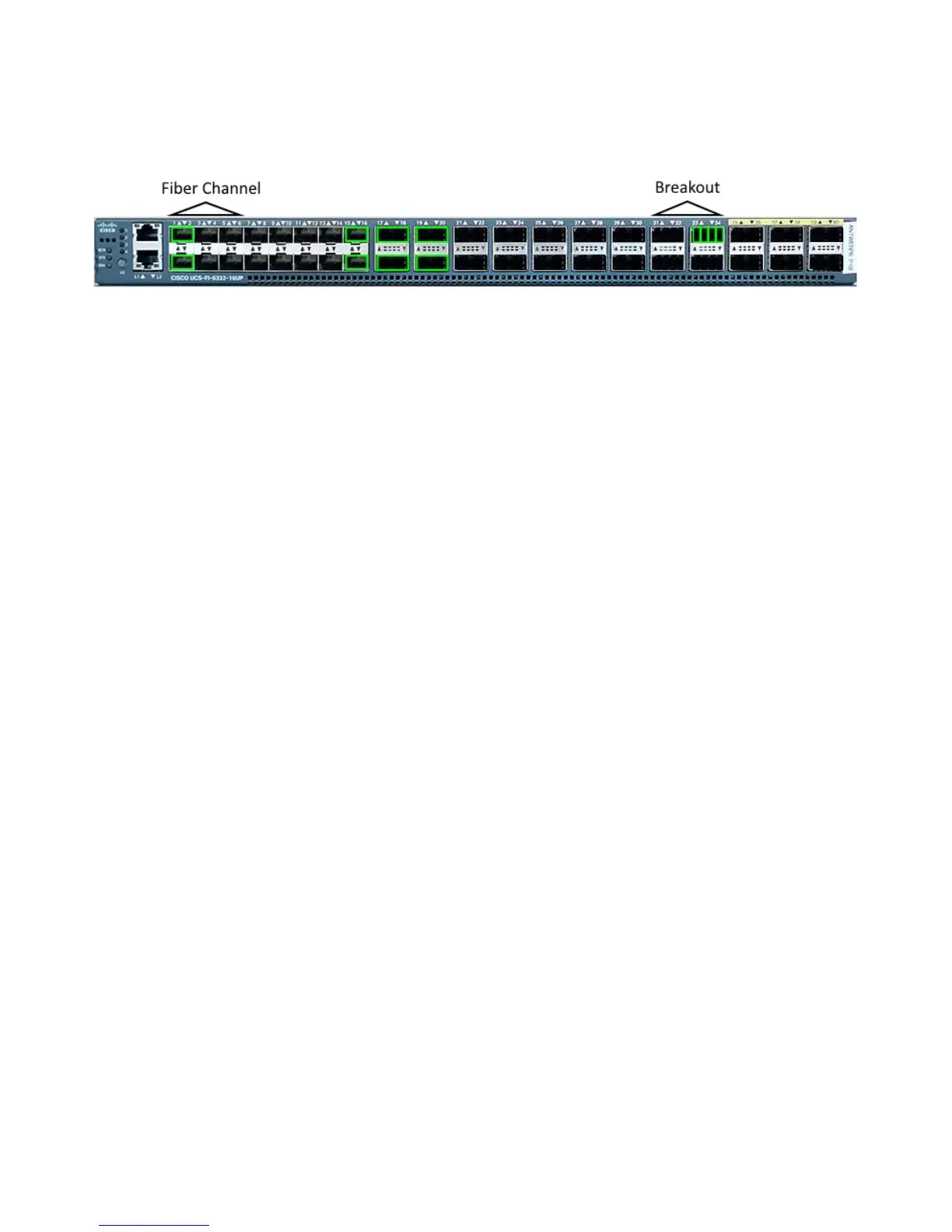
Configure ports 1/1-1/6 as Fibre Channel
●
Configure ports 1/31-1/34 as 4x10GE Breakout Ports
●
System QoS Policy
Configure the best-effort system QoS policy for jumbo framing. Unlike previous fabric interconnect
generations the 6300 series requires a reload when modifying global QoS policies.
UCS-6332-A# scope eth-server
UCS-6332-A /eth-server # scope qos
UCS-6332-A /eth-server/qos # scope eth-best-effort
UCS-6332-A /eth-server/qos/eth-best-effort # set mtu 9216
UCS-6332-A /eth-server/qos/eth-best-effort *# top
Unified Ports for Fibre Channel
Unified Port are number 1/1-16 on the 6332-16UP. Fibre Channel port modes must be configured
such that the last FC port occupies port id 6,12,16.This results in a minimum of six FC ports and a
maximum of sixteen.
Valid port combinations are:
Ethernet: 1/1-1/16
●
FC: 1/1-1/6 Ethernet: 1/7-1/16
●
FC: 1/1-1/12 Ethernet: 1/13-1/16
●
FC: 1/1-16
●
UCS-6332-A *# scope fc-uplink
UCS-6332-A /fc-uplink *# scope fabric a
UCS-6332-A /fc-uplink/fabric* # create interface 1 1
UCS-6332-A /fc-uplink/fabric/interface* # up
UCS-6332-A /fc-uplink/fabric* # create interface 1 2
UCS-6332-A /fc-uplink/fabric/interface* # up
UCS-6332-A /fc-uplink/fabric* # create interface 1 3
UCS-6332-A /fc-uplink/fabric/interface* # up
UCS-6332-A /fc-uplink/fabric* # create interface 1 4
UCS-6332-A /fc-uplink/fabric/interface* # up
UCS-6332-A /fc-uplink/fabric* # create interface 1 5
UCS-6332-A /fc-uplink/fabric/interface* # up
UCS-6332-A /fc-uplink/fabric* # create interface 1 6










 To Next Page