14
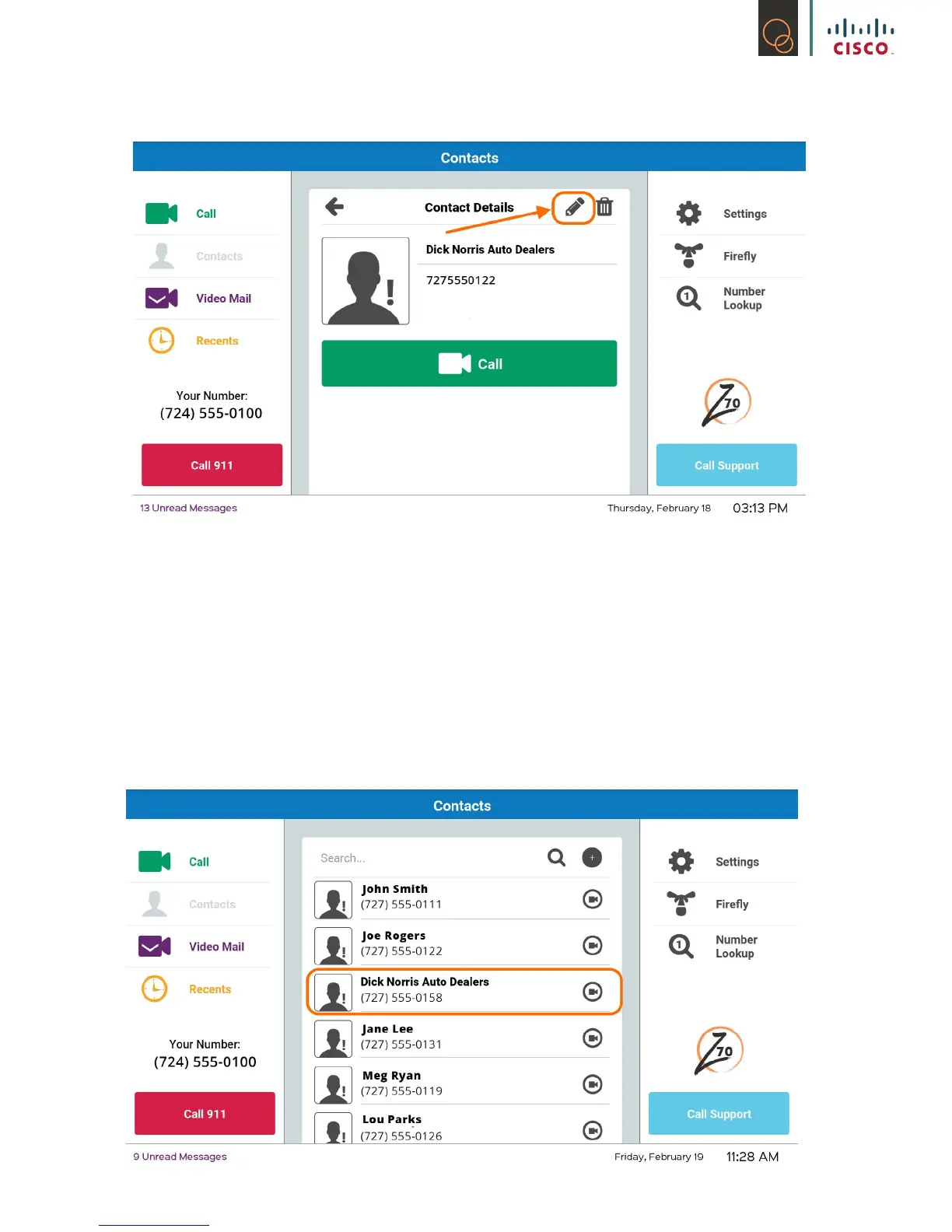
2) In the top right corner of the contact information, select the pencil icon
3) You are now able to edit and update your contact with the keyboard on the screen just like
Step #3 and #4 in 4.1.2: How to Add
4) Once the information is updated, click on Done
5) Your contact’s information has been updated!
4.1.4 How to Delete
1) Select the specic contact you want to delete



 To Next Page