27
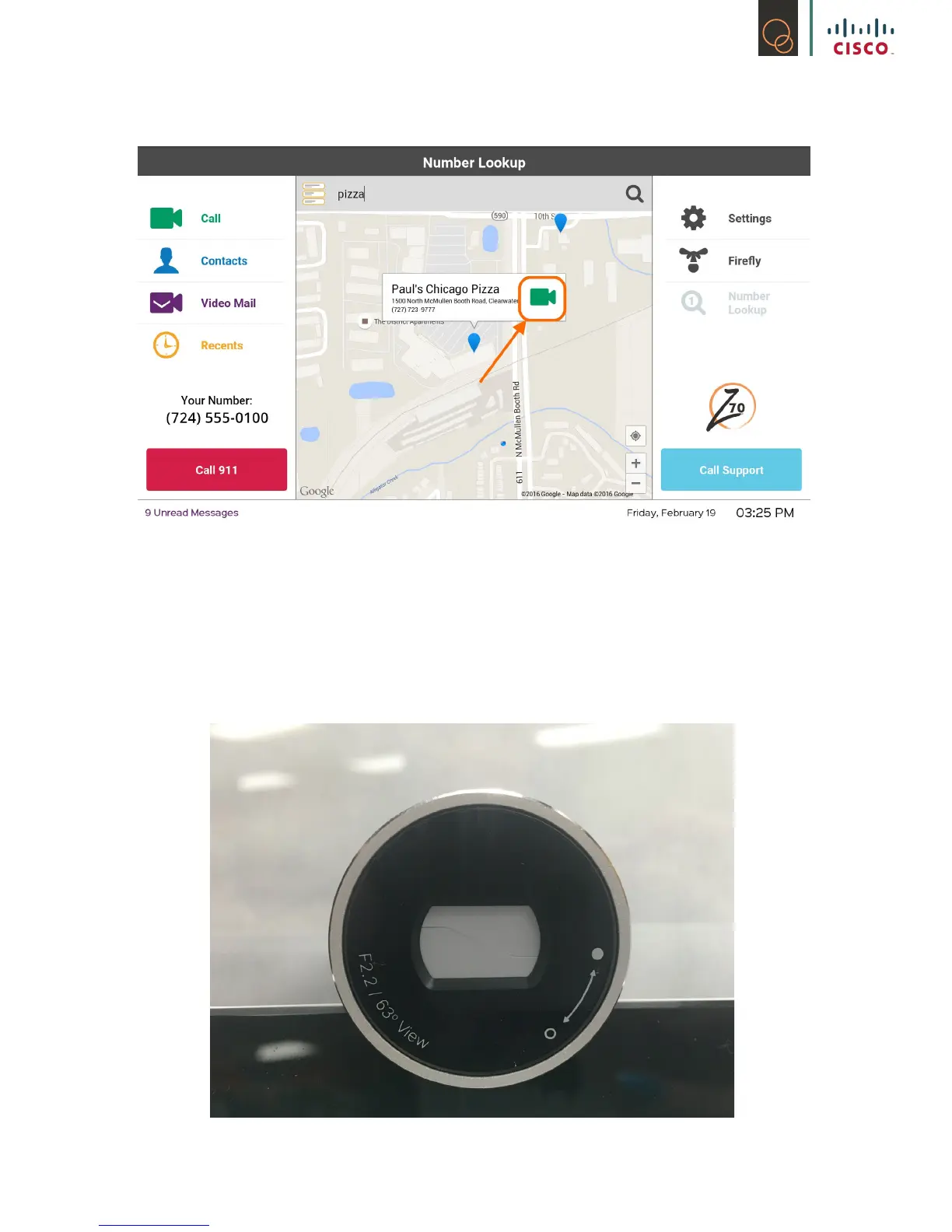
7) Touch the green camera icon to call the business or restaurant through our friendly
interpreters!
5.4 Adjusting Webcam/Privacy Screen
The Z70 comes with a built in webcam, which can be adjusted for best viewing capabilities. There
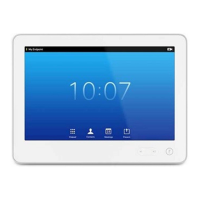
is also a silver dial on the webcam itself, that when adjusted, will open and close the shutter on the
webcam.
When the webcam shutter is closed, it will look like this:
All calls made with the privacy shutter closed will display a black screen to the caller on the other
end.



 To Next Page