7
3. Settings (Dark vs. Light)
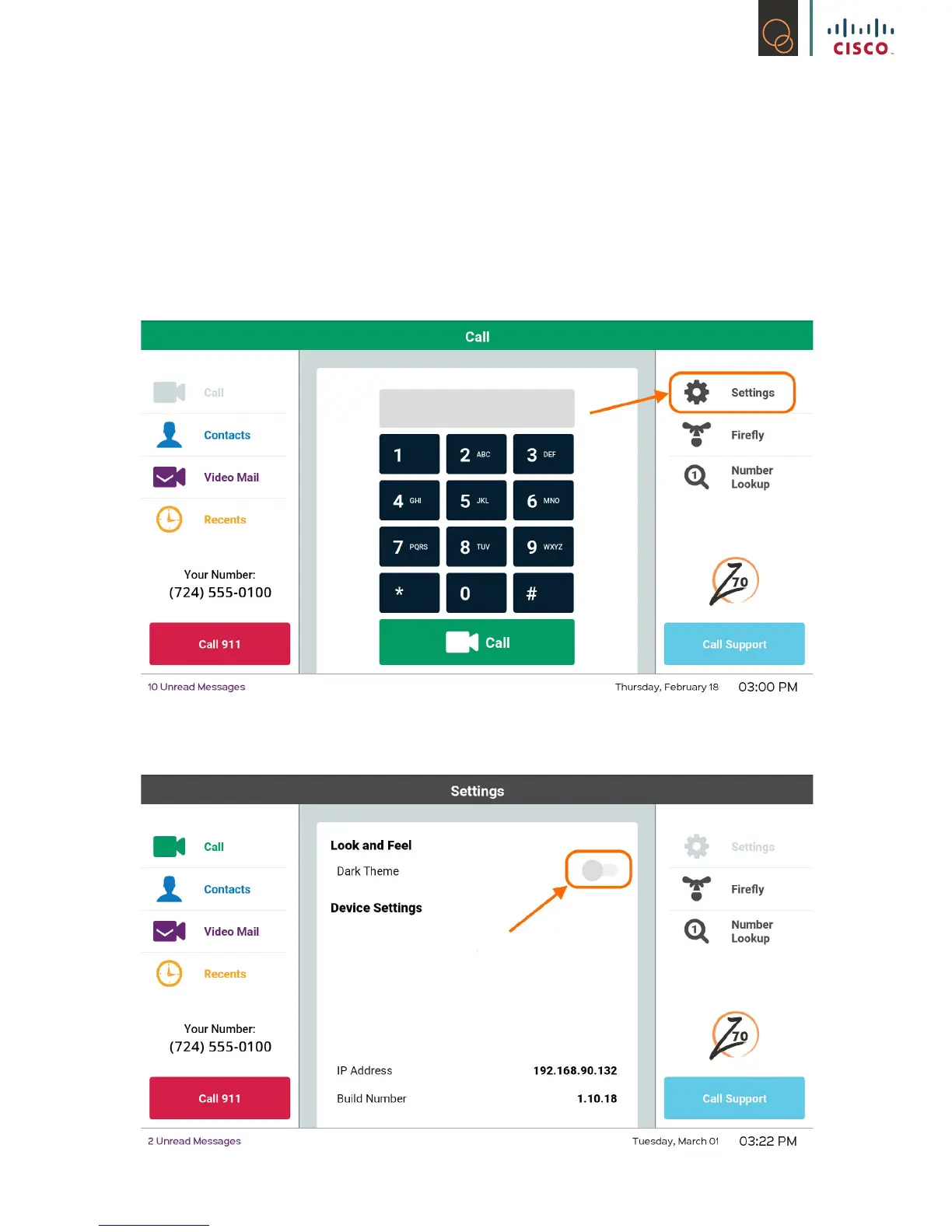
Once your Z70 is turned on, you have the option of changing the theme. We have provided two
different types of themes, Dark and Light.
Please feel free to play around with both themes until you decide which one works best for you.
1) Go to Settings on your Z70
2) Go to Look and Feel, touch the circle.



 To Next Page