How to set up Chime Zone
Chime is a low security facility for use when the system is unset. It is particularly useful in a shop to
warn of customers presence, or in a house to warn when a back door has been opened. When a
Chime zone detects movement the system will produce a brief two–tone sound, and the Zone
indicator will light.
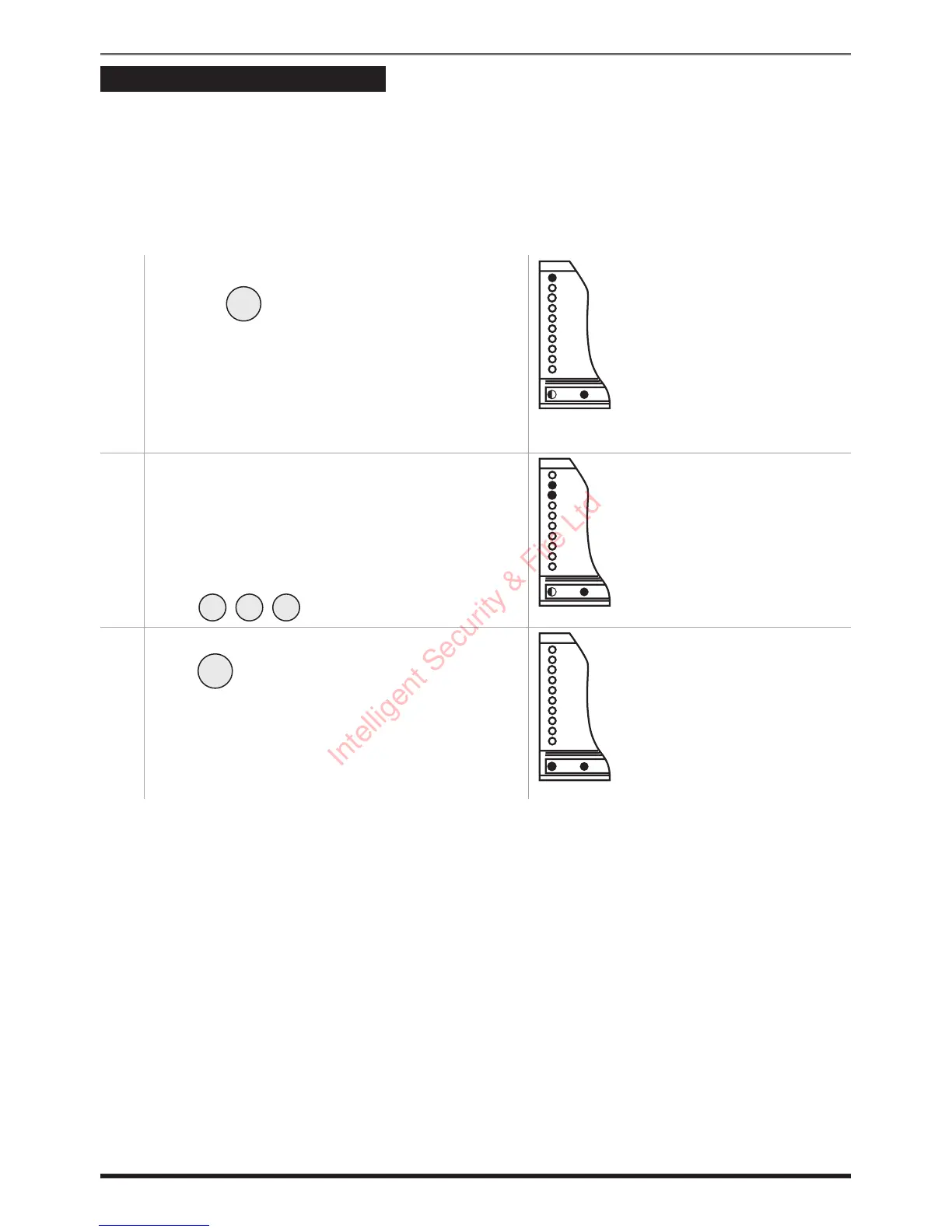
To set any Zone to Chime:
1. The green Day indicator should be lit.
Press the button, and the system will
produce a brief chime tone, the Day indicator
will flash, and the Zone indicators will light to
show those Zones that are already set-up for
Chime (possibly none).
2. Momentarily press the number of the zone to
toggle it in and out of chime.
For this example we have Zone 1 in chime and
we want to de-select Zone 1 chime and select
Zones 2 and 3 to chime.
Press .
3. When you have finished using the Chime mode
press .
9
Citadel XR2/XR2+ G3 intruder system
Chime
ZONE 1
ZONE 2
ZONE 3
ZONE 4
ZONE 5
ZONE 6
ZONE 7
ZONE 8
Tamper
Attack
Day
Remote Ke



 To Next Page