9
English
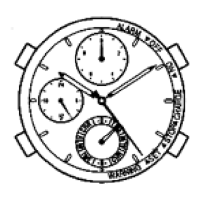
4. Pull out button (C) to set the alarm indication hand to the "ON"
position.
5. The alarm will sound when the hour hand reaches the alarm hand.
[Switching the alarm ON and OFF]
Button (C) pulled out to the 1st position: Alarm "ON" •
Button (C) returned to the normal position: Alarm "OFF" •
The alarm ON/OFF may be indicated on the display panel depending on the model. •
[Stopping the alarm]
While the alarm is sounding, return button (C) to the normal position to •
stop the alarm.
[Alarm sound]
The alarm will sound for 15 seconds followed by 2 minutes and 45 seconds •
of silence each time. The alarm sound will repeat 5 times until the alarm is
set to OFF.
Using the alarm











 To Next Page