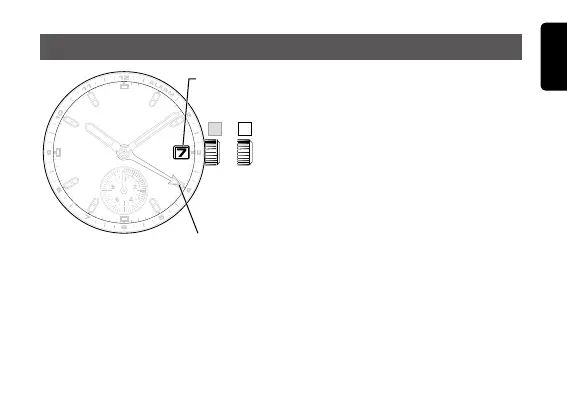
7
English
1. Pull the crown out to position 1.
2. Turn the crown counterclockwise
to set the date.
Pleasenotethatifyouturnthecrownclockwise, •
the alarm hand will move, which means that
the alarm set time will be changed.
If the date is set between the hours of around •
9:00PMand1:00AM,thedatemaynotchange
on the next day. Before setting the date, be sure
to move the hands outside of this time range.
The date is displayed based on a 31-day cycle. •
For months with 30 days and February, the date
should be manually set to the first day of the
following month by turning the crown.
3. After the date has been set, push the crown back to position 0.
Setting the date
Alarm hand
Date
indication











 To Next Page