6
1. Pull the crown out to position 2.
The second hand advances rapidly and stops at the 0 second position.
2. Turn the crown to set the hour and minute hands.
•Thedatechangesat12:00AM.PayattentiontoAMandPMwhensettingthetime.
3. When the crown is pushed back to position 0 by a time signal,
the watch starts running again.
<Tips for Accurate Time Setting>
•
First of all, with the second
hand stopped at the 0 second
position, advance the minute
hand 4 to 5 minutes ahead of
the correct time. Secondly,
adjust it back to the correct
time. Finally, push in the
crown by a time signal to set
the time
accurately.
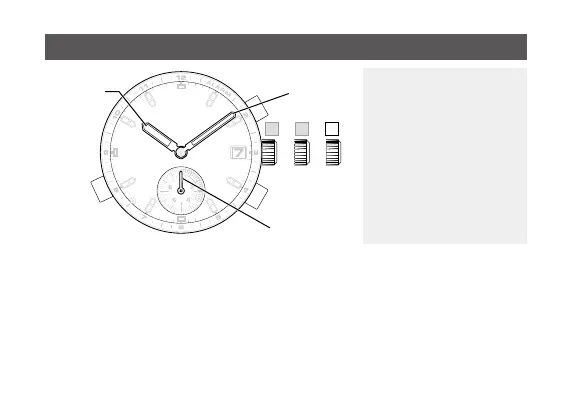
Setting the time
Minute hand
Hour hand
Second hand








 To Next Page