8
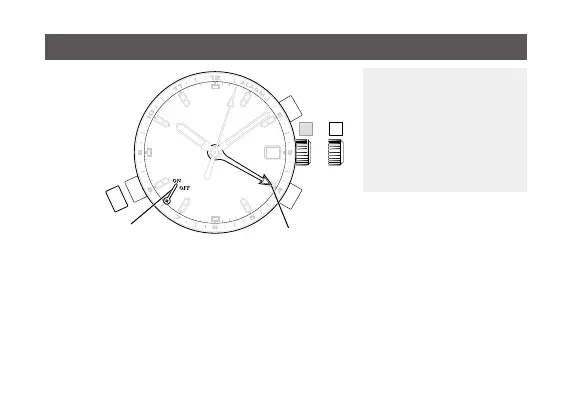
The alarm can be set •
based on the 12-hour
clock. With alarm ON
(while button (C) is pulled
out), the alarm will sound
when the hour hand
reaches the alarm hand.
[Setting the alarm time]
1. Pull the crown out to position 1.
2. Turn the crown clockwise to set the alarm hand to the desired time.
Pleasenotethatifyouturnthecrowncounterclockwise,thedatewillbechanged. •
3. Push the crown back to position 0.
Using the alarm
Alarm hand
Alarm indication hand
Button (C)










 To Next Page