H24*
Abbreviated instruction
CITIZEN WATCH CO., LTD.
Checking the reference position
1. Pull the crown out to position
1
.
2. Press and hold the lower right button
Ⓐ
for 5 seconds
or more.
e hands and date indication move to the current reference
positions stored in memory.
• No operations are available while the hands and date
indication are moving.
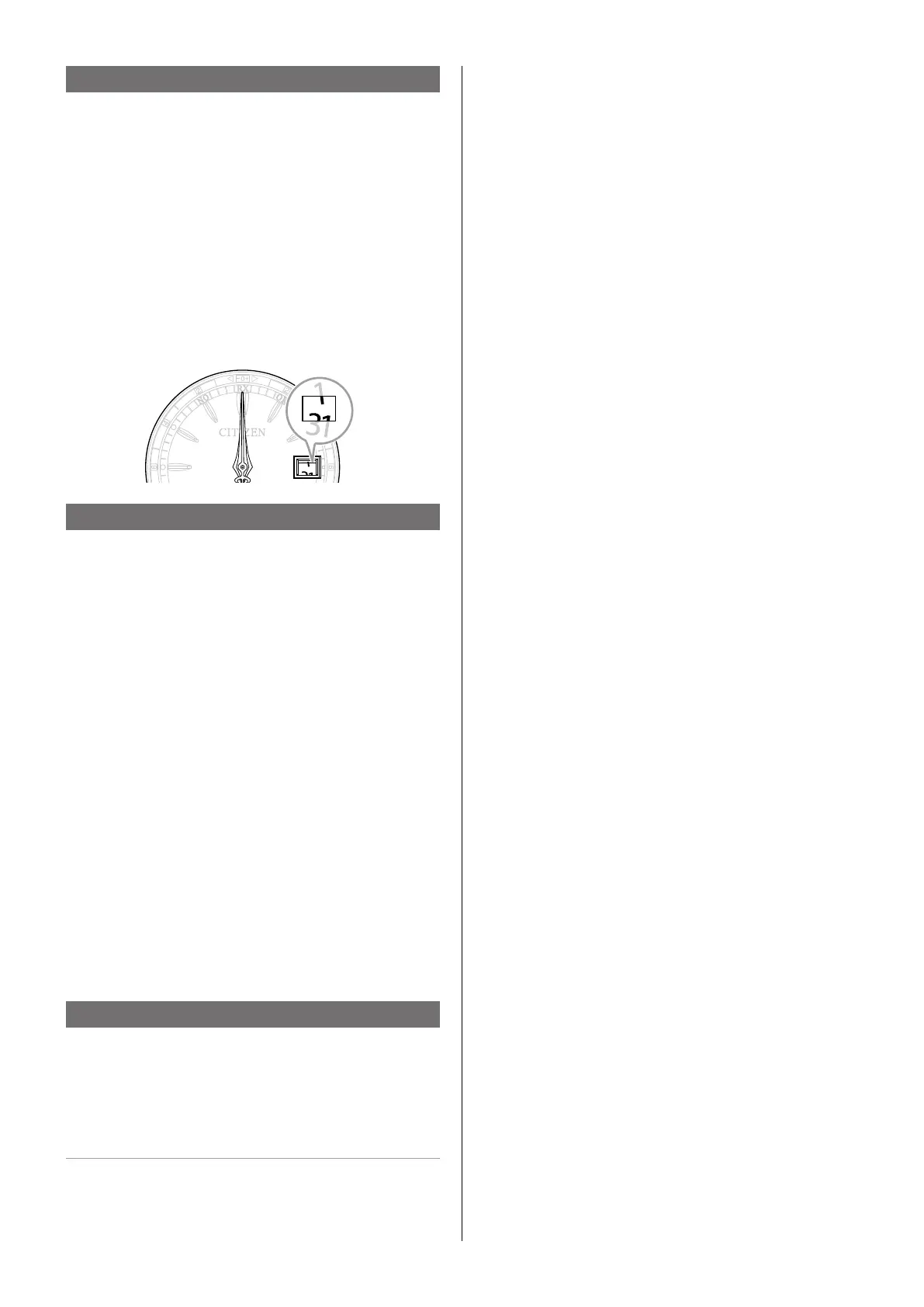
• Correct reference positions:
All hands: 12 o’clock position
Date indication: midway between “31” and “1”
When the current reference position is dierent from the correct
one, adjust the position following the steps of “Correcting the
reference position”.
3. Push the crown in to position
0
to nish the procedure.
e hands returns to time indication.
Correcting the reference position
1. Pull the crown out to position
1
.
2. Press and hold the lower right button
Ⓐ
for 5 seconds
or more.
e hands and date indication move to the current reference
positions stored in memory.
3. Pull the crown out to position
2
.
e hour hand moves slightly.
4. Rotate the crown to adjust the hour hand to the
12 o’clock position and the date indication to the
halfway between “31” and “1”.
• e hour hand and date indication move synchronously.
• When you rotate the crown quickly, the hand will move
continuously. To stop the rapid movement, rotate the crown.
5. Press and release the lower right button
Ⓐ
.
e minute and second hands move.
• ey may show no motions when their position is correct.
6. Rotate the crown to adjust the minute and second
hands to the 12 o’clock.
• Rotation of the crown does not move the hands when their
position is correct. Adjust the position of the hands manually
when their position is not correct. Consult an autorized service
center when the position cannot be corrected manually.
7. Push the crown in to position
0
to nish the procedure.
e hands returns to time indication.
Resetting the watch — All Reset
1. Pull the crown out to position
2
.
2. Press and hold the lower right button
Ⓐ
for 7 seconds
or more.
All Reset is completed as all the hands stop.
• It may take up to about 6 minutes until all of them stop.
After All Reset
Aer All Reset, adjust the reference position.
Execute the city or time zone setting and receive signals manually
(on-demand reception) to adjust the time and calendar aer that.


 To Previous Page
 Loading...