1/3
H950 Abbreviated instruction
• This watch is solar-powered. Expose the dial to light and use it sufficiently charged.
• To see details of charging time, specifications, and operations, refer to the instruction manual:
H950 instruction manual
English
Component identification
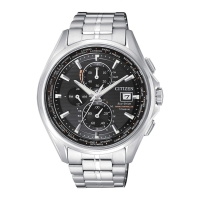
Hour hand
Minute hand
24-hour hand
RX: Reception-in-
progress indication
OK/NO:
Reception result
indication
Second hand
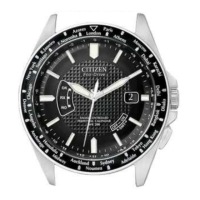
Area name / time zone
Date indication
Function hand
• Day of week
• Power reserve
• Summer time setting
(SMT ON/OFF)
Button
A
Button
B
Crown
• Actual appearance may differ from the illustration.
• The crown has two positions when pulling it out.
Checking the power reserve
1.
Push the crown in to position
0
.
2.
Press and release the lower right button
A
.
The function hand indicates the power reserve amount.
Level
3 2 1 0
Indication
Duration
(approx.)
2 - 1 year 1 year - 16 days 16 - 10 days
10 days or
shorter
Meaning
Power reserve is
sufficient.
Power reserve is
OK.
Power reserve is
getting low.
Insufficient
charge warning
has started.
OK for normal use Charge immediately
3.
Press and release the lower right button
A
to finish the
procedure.
Checking the reception result of the satellite signal
1.
Push the crown in to position
0
.
2.
Press and release the lower right button
A
.
The tail of the second hand indicates the result of the last reception.
Indication Reception result
OK
The reception was successful.
The corrected time is indicated.
NO
The reception failed.
The time is not corrected and the previously set time resumes.
3.
Press and release the lower right button
A
to finish the
procedure.
Setting the world time
Checking the world time
1.
Push the crown in to position
0
.
2.
Press and release the upper right button
B
.
The second hand indicates the current world time setting and the function
hand indicates the summer time information.
3.
Press and release the upper right button
B
to finish the
procedure.
• It returns to current time indication automatically in about 10 seconds
without pressing the button.
Setting the world time
1.
Pull the crown out to position
1
.
The second hand indicates the current world time setting and the function
hand indicates the summer time information.
2.
Rotate the crown to select an area.
• Refer to
How to read indication of the world time setting
and
Table
of time zones and representative areas
for the details of the time zone
setting.
• Each time you change the area, the time and date of the selected area is
shown.
3.
Push the crown in to position
0
to finish the procedure.
Crown's position
0 1 2



 To Next Page
 General