EasyManua.ls Logo

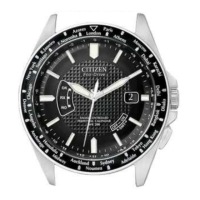
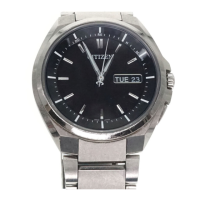
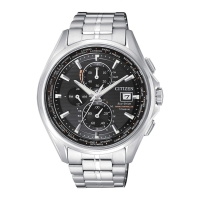
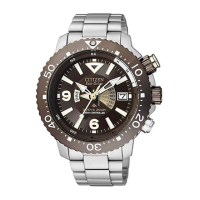
Citizen H162 - User Manual

Citizen H162
74 pages
Print Icon
To Next Page IconTo Next Page
Loading...
1
Expose the watch dial to light and charge the watch fully
before use. (See page 50)
For optimum performance, expose the watch dial to
direct sunlight for several hours at least once a month.
Thank you for your purchase of this Citizen watch.
Before using the watch, please read this instruction manual carefully to ensure
correct use.
After reading the manual, store it in a safe place for future reference.
Special notice
Due to special technologies, with the exception of the band, this watch must be
repaired only at an Authorized CITIZEN Service Center.
All requests for repairs must be directed to
an Authorized CITIZEN Service Center
.

Questions and Answers

  • D
    dillon07Aug 11, 2025
    How to fix incorrect time on Citizen H162 after successful reception?
    • T
      Terry GlennAug 11, 2025
      If the correct time and calendar are not indicated on your Citizen Watch after a successful reception, you should check the time difference setting, verify and correct the reference position, and check the daylight saving time setting.
  • L
    llawrenceAug 17, 2025
    What to do if my Citizen Watch second hand moves once every 2 seconds?
    • T
      timothycooperAug 17, 2025
      If the second hand on your Citizen Watch is moving once every 2 seconds, it indicates that the watch needs to be charged.
  • R
    Richard HendrixAug 23, 2025
    Why is Citizen H162 reception unsuccessful?
    • D
      David AndrewsAug 25, 2025
      If reception is unsuccessful in a receivable area, avoid things that could interfere with the time signal. Place the Citizen Watch with the 9:00 position facing toward the station and do not move the watch until the reception is finished.
  • D
    deniseallenAug 29, 2025
    What to do if Citizen H162 hands start turning rapidly?
    • H
      hgreeneAug 29, 2025
      If the hands on your Citizen Watch start turning rapidly as you take it out of the case, the watch is canceling the power save feature. Wait until the rapid movement stops.
  • R
    Rodney SmithSep 4, 2025
    What to do if the dive mode hand does not move to “DIVE” on my Citizen Watch?
    • C
      Carol WoodSep 4, 2025
      If the dive mode hand on your Citizen Watch does not move to 'DIVE', activate the mode after the reference position check or after the change of date and day of the week has finished. Also, charge the watch if the second hand is moving once every 2 seconds.

Citizen H162 Specifications

General IconGeneral
ModelH162
Case MaterialStainless Steel
Band MaterialStainless Steel
Water Resistance100 meters
Case Diameter42mm
CrystalMineral Crystal
FunctionsDate
Dial ColorBlack

Related product manuals