46
Correctingthereferenceposition
Correct the hands and indication to make them show their correct reference
positions.
•Adjust the time after finishing correction of the reference position.
1
Stop altitude measurement or compass function
and check the power reserve indication.
•Charge the watch if the power reserve is lower than
“2”.
2
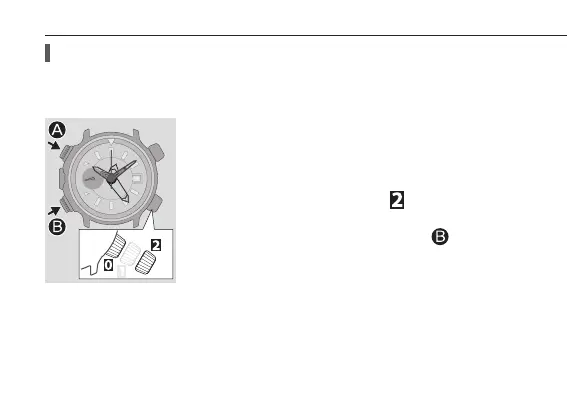
Pull the crown out to position
.
The hands move to their reference position.
3
Press and hold the lower left button
for 2
seconds or more.
The reference position of the 1 000 ft hand (compass
hand) becomes adjustable.
•The 1 000 ft hand (compass hand) and the 25 ft hand
move left when other hand is adjusted.
Checking and correcting the reference position




 To Next Page