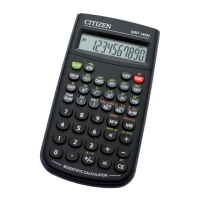
SR17C-E-0716.doc SIZE: 140x75mm SCALE 2:1 2003/10/4
-E2-
BASIC DEFINITIONS
The Keys
To keep your calculators as compact as possible, some keys have
more than one function. You can change the function of a key by
pressing another key first, or by setting the calculator in a certain
mode.
The following pages give you more detailed explanation of each key’s
use and function.
[ 2ndF ] Second Function Select Key
Some keys have a second function inscribed above them. To perform
this second function, press [ 2ndF ]. “ 2F ” appears in the display then
press the key.
GENERAL KEYS
[ 0 ] ~[ 9 ] [Θ] Data Entry keys
Press these keys in their logical sequence to enter numbers.
[ + ] [ – ] [ x ] [ ÷ ] [ = ] Basic Calculation Keys
Press these keys in their logical sequence for addition, subtraction,
multiplication, division, and to display answers.
[ ON/C ] Power On / Clear Key
Press [ ON/C ] to turn on the calculator and to clear everything except
the contents of the memory, constant memory(Ka, Kb), and program
memory.
[ CE ] Clear Entry Key
Press [ CE ] to erase incorrect entries.
[ 00Æ0 ] Right Shift Key
Press to clear the last significant digit of the number displayed.
(Ex.) 123456 123456.
[ 00Æ0 ] 12345.
[ 00Æ0 ] 1234.
[ +/– ] Sign Change Key
Press [ +/– ] to change the displayed number from positive to negative
or from negative to positive.
MEMORY KEYS
[ MR ] Memory Recall Key
Press [ MR ] to display the contents of the memory.
[ XÆM ] Memory Store Key
Press [ XÆM ] to store the displayed value into memory. Any previous
value in memory is automatically erased.


 To Next Page