English Micro-Touch® Stabilizer (Dual-Sided Table Mount)
2
SETTING UP MICRO-TOUCH
®
STABILIZER (DUAL-SIDEDTABLE MOUNT)
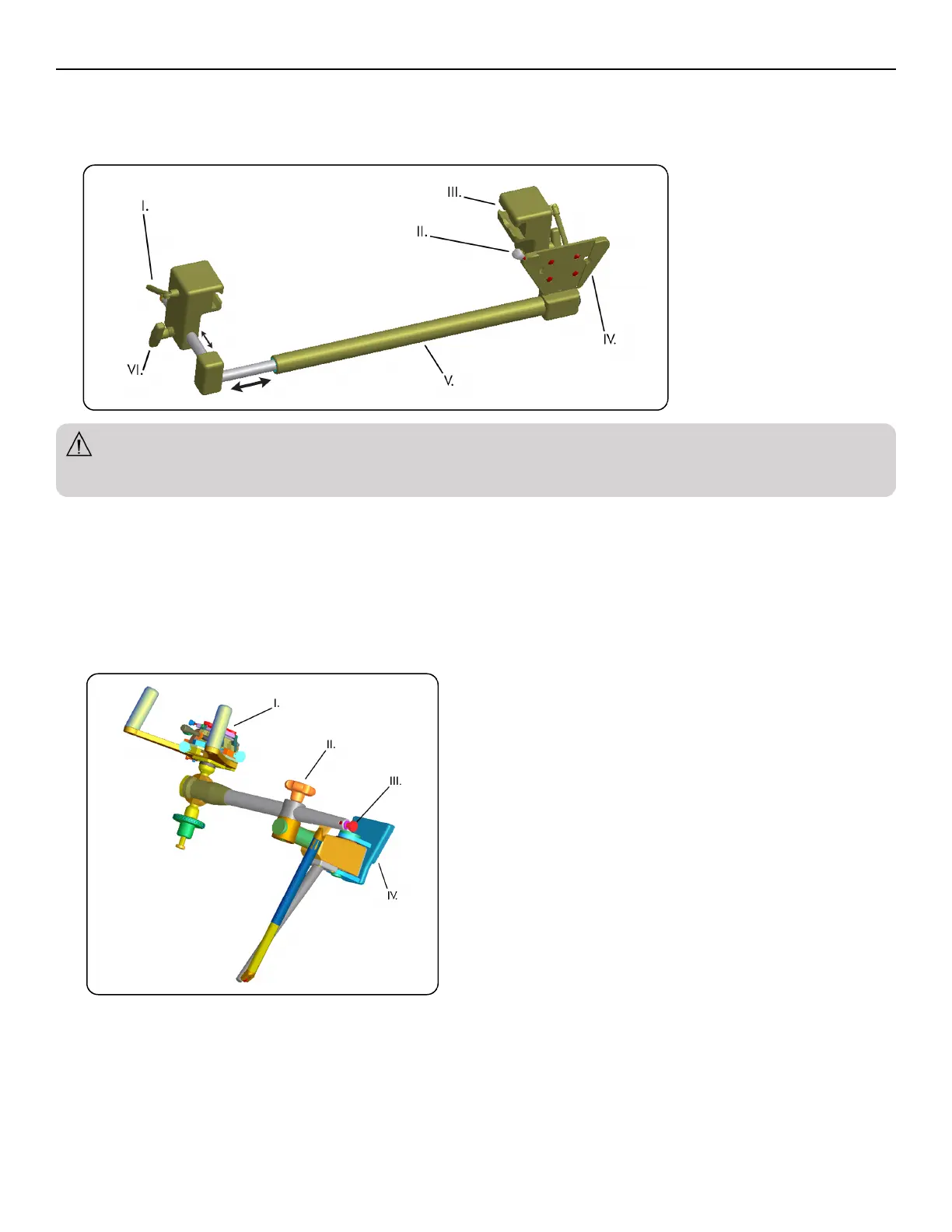
1. Loosen all knobs and levers on table mount before removing from transportation stand. Grasp rail clamps and slide entire apparatus into position on
end of table. Lock rail clamps onto table by tightening rail clamp levers on both sides at similar distance from the end of rails. Position crossbar at
desired distance from end of table to avoid any interference with table mechanisms and tighten both crossbar positioning knobs to secure.
WARNING
n This system consists of crossbar with attached rail clamps and dovetailed mounting plate for stabilizer. The rail clamps are designed to fit the
rectangular side-rails of standard sized operating and cystoscopy tables.
I. Rail clamp levers
II. Stabilizer quick connect knob
III. Rail clamp
IV. Stabilizer mounting plate
V. Crossbar
VI. Crossbar positioning knobs
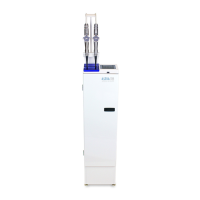
2. Remove stabilizer from transportation stand. Fit dovetailed mounting plate to mating stabilizer mounting plate on table mount. Secure with stabilizer
quick connect knob. Release locking control knob and manually position the fine adjustment mechanism (FAM) in a convenient position to facilitate
positioning of fine adjustment controls and attachment of stepper. Tighten locking control knob to secure.
I. Fine Adjustment Mechanism (FAM)
II. Locking control knob
III. Weight adjustment knob
IV. Dovetail mounting plate



 To Next Page