4
Operating Manual
For Mobile Phone
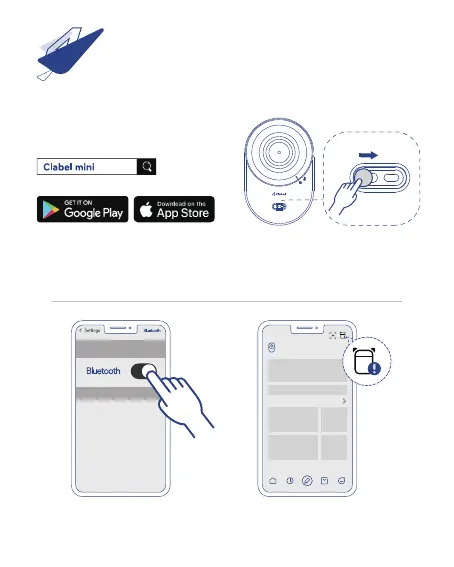
2、Flick the switch and hold for 2 seconds
to switch on the printer. Check if the LED
indicator is on.
1、Download label editing app "Clabel mini"
from Google Play Store or Apple APP Store
and install it.
4、Open “Clabel mini” and tap on the[icon]
in the upper right corner.
3、Click “Settings” on the phone and
set “Bluetooth” to ON.



 To Next Page