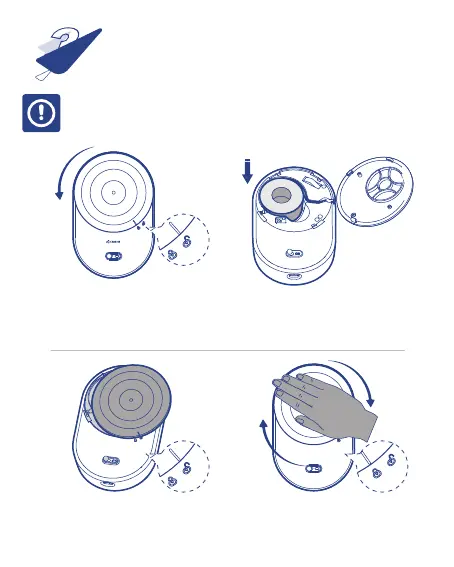
1、 Open the top cover by pressing
it with your palm and gently
rotating it to the left.
2、 Load the paper with coated up
into the compartment.
3、 Place the top cover into
its home position.
4、 Close the top cover by pressing it
with your palm and gently rotate
it to the right.
Label Paper Loading
3
⦿ Make sure the label is not stuck in the compartment when inserted or removed.
⦿ Make sure the top cover is well assembled before use.



 To Next Page