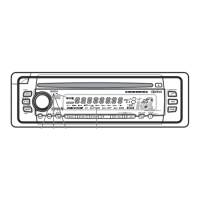
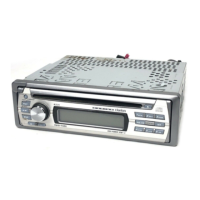
Major button operations when external equipment
is
connected to this
unit
• When the Sirius Satellite
Radio is connected
* For details, see the section "Sirius
Satellite Radio operations".
[SAT] (Satellite) button
• Use to switch to SIRIUS mode.
• Switch the band.
[SEEK/MAN] (Seek/Manual) button
• Seek
or
manual tunings while
in
the radio
mode.
[MENU] (Title) button
• Use to perform title scroll.
[CAT] (Category) button
• Enter the category selection mode.
• When held depressed for 1 second or longer,
category scan is performed.
[DIRECT] (1-6) buttons
• Stores a station into memory or recall it
directly.
[DISP] (Display) button
• When held depressed for 1 second or longer,
switches title.
[~~],
[~~]
buttons
• Select a station.
• When the
CD
changer
is
connected
* For details, see the section
"CD
Changer
Operations".
[CD/CDC] (CD/CD changer) button
• Use to switch between CD and CD changer
mode.
[f-DISC~]
(Disc up/down) buttons
• Select the desired CD
in
the CD changer.
[RANDOM] button
• Perform random play. Also perform disc
random play when the button is pressed and
held.
[REPEAT] button
• Perform repeat play. When this button is
pressed and held, single disc repeat play is
performed.
[SCAN] button
• Perform scan play for 10 seconds of each
track. Disc scan play is performed when the
button is pressed and held.
[~~],
[~~]
buttons
• Select a track when listening to a disc.
• Press and hold the button for 1 second
or
longer to switch to fast-forward/fast-rewind.
[~/II/MUTE]
(Play/Pause/Mute) button
• When held depressed for 1 second or longer,
performs Play
or
Pause.
CMD4
7



 To Next Page