EasyManua.ls Logo

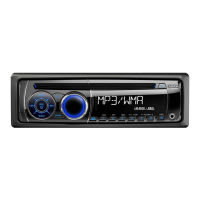
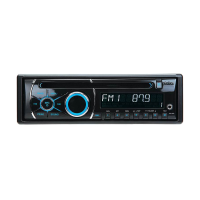
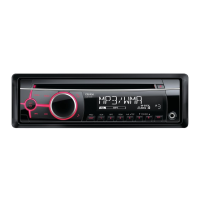
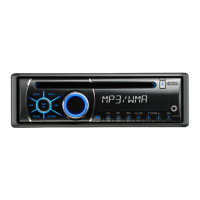
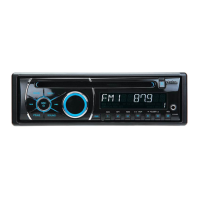
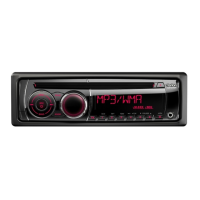
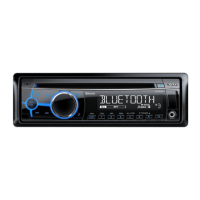
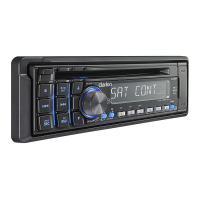
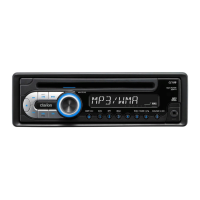
Clarion CZ109 - User Manual

Clarion CZ109
19 pages
Print Icon
To Next Page IconTo Next Page
Loading...
CD/MP3/WMA RECEIVER
AUTORADIO CD/MP3/WMA
RECEPTOR CD/MP3/WMA
CZ109
Owner’s manual
Mode d’emploi
Manual de instrucciones

Other manuals for Clarion CZ109

Questions and Answers

  • P
    psinghJul 30, 2025
    What to do if there is no sound from my Clarion CZ109 Car Receiver with amplifiers or power antenna?
    • N
      Nicholas ParkerJul 30, 2025
      If you're not getting any sound from your Clarion Car Receiver when using amplifiers or a power antenna, the power antenna lead may be short-circuited, or the amplifiers/antenna might need too much current to power on. Here's what to do: 1. Turn the unit off. 2. Disconnect all wires from the power antenna lead and check for short circuits with an ohm meter. 3. Turn the unit back on. 4. Reconnect each amplifier remote wire to the power antenna lead one at a time. If the amplifiers shut off before all wires are connected, use an external relay to provide the necessary remote-on voltage.
  • K
    Kayla YoungAug 8, 2025
    Why won't my Clarion CZ109 turn on?
    • W
      williamsmeghanAug 8, 2025
      If your Clarion Car Receiver doesn't power on and there's no sound, it might be due to a blown fuse. Replace it with a fuse that has the same amperage as the old one. Alternatively, the wiring may be incorrect. Double-check the "Installation/Wire connection Guide" to ensure proper wiring.
  • J
    Jesse SmithAug 19, 2025
    What to do if buttons don't work and the display is not accurate on Clarion CZ109?
    • K
      Kelsey CollinsAug 19, 2025
      If the buttons on your Clarion Car Receiver aren't working and the display is inaccurate, it could be a microprocessor malfunction caused by noise. Try turning off the power, then press the [RELEASE] button Reset button and remove the DCP. Use a thin rod to hold the reset button depressed for 2 seconds. If there is a disc loaded, eject it and load it again before attempting to play it. Alternatively, the DCP or main unit connectors might be dirty. Wipe them clean with a soft cloth dampened with cleaning alcohol.

Summary

Key Features of the Clarion CZ109

Built-in IR Eye and RCA Output

Describes the built-in IR Eye for remote control and the 4ch/2V RCA output with non-fader volume control.

Important Safety Precautions

Handling Compact Discs and Display

Provides guidance on handling CDs, including storage, and notes on display screen behavior in cold temperatures.

Unit Controls and Functions

Main Unit Button Layout

Identifies buttons on the main unit, explaining functions for release, source, sound, tuning, and playback.

Basic Unit Operations

CD;MP3;WMA Operations

Common Operations and Settings

Troubleshooting Common Issues

General Unit Troubleshooting

Solutions for power, wiring, button, display, and unit cleanliness problems.

CD;MP3;WMA Playback Problems

Addresses issues with discs, file encoding, file systems, noise, and file naming.

Error Displays and Solutions

CD;MP3;WMA Error Code Reference

Lists common error codes for CD/MP3/WMA playback and their respective solutions.

Clarion CZ109 Specifications

General IconGeneral
BrandClarion
ModelCZ109
CategoryCar Receiver
LanguageEnglish

Related product manuals