EasyManua.ls Logo

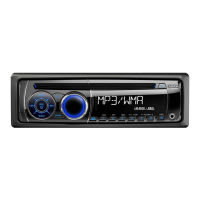
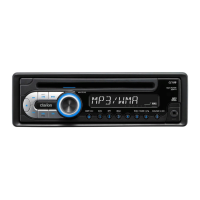
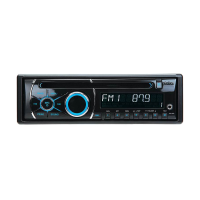
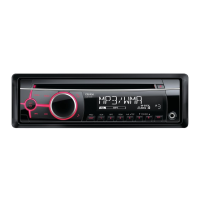
Clarion CZ104E - User Manual

Clarion CZ104E
15 pages
Print Icon
To Next Page IconTo Next Page
Loading...
CZ104E
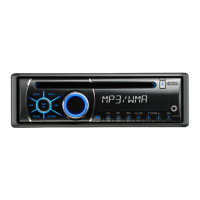
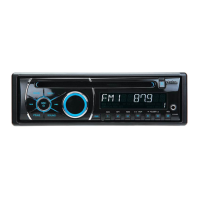
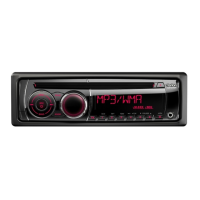
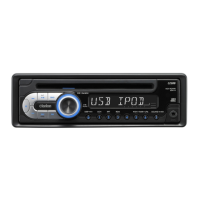
CD-/USB-/MP3-/WMA-RECEIVER
LECTEUR CD/USB/MP3/WMA
CD/USB/MP3/WMA-RECEIVER
RICEVITORE CD/USB/MP3/WMA
CD/MP3/WMA-ONTVANGER
RECEPTOR CD/USB/MP3/WMA
CD/USB/MP3/WMA-RECEIVER
ODTWARZACZ CD/USB/MP3/WMA
ΔΕΚΤΗΣ CD/USB/MP3/WMA
РЕСИВЕР ДЛЯ ВОСПРОИЗВЕДЕНИЯ КОМПАКТ-ДИСКОВ,
ФАЙЛОВ MP3 И WMA С USB
Owner's manual & Installation manual
Mode d'emploi et manuel d'installation
Benutzerhandbuch und Montageanleitung
Manuale dell'utente e manuale di installazione
Gebruikershandleiding en installatiehandleiding
Manual del usuario y Manual de instalación
Bruksanvisning och installationsanvisning
Podręcznik użytkownika i podręcznik instalacyjny
Εγχειρίδιο λειτουργίας & Εγχειρίδιο εγκατάστασης
Руководство пользователя и руководство по установке


Questions and Answers

  • E
    Elizabeth JohnsonAug 10, 2025
    What to do if my Clarion Car Receiver shows 'No File' and there's no sound?
    • M
      moorewilliamAug 10, 2025
      If your Clarion Car Receiver displays 'No File' and you hear no sound, it's likely because your USB device doesn't have any MP3 or WMA files stored on it. Make sure to properly store MP3/WMA files on the USB device.
  • J
    Jeffrey TurnerAug 21, 2025
    Why does the sound skip or is noisy on my Clarion Car Receiver?
    • J
      Jamie HubbardAug 21, 2025
      If the sound from your Clarion Car Receiver skips or is noisy, the MP3/WMA files may not be encoded properly. Try using MP3/WMA files that are encoded correctly.
  • R
    rwileyAug 31, 2025
    What to do if my Clarion CZ104E Car Receiver doesn't recognize the USB device?
    • G
      George StanleyAug 31, 2025
      If your Clarion Car Receiver doesn't recognize the USB device, it might be damaged. Try disconnecting and reconnecting the USB device. If it's still not recognized, replace it with a different USB device.

Summary

Precautions

Controls

Control Panel Operation

Details operational panel layout, button functions, and DCP management.

Operations

Basic Operations and Setup

Covers power, volume, source selection, system, and audio settings.

Radio Operations and Tuning

Guides radio tuning, storing, reception features, and PTY selection.

CD;MP3;WMA Operations

USB Operations

AUX Operations

Trouble Shooting

Error Displays

Error Message Resolution

Identifies common error displays and their solutions.

Installation; Wire Connection Guide

Installing the Source Unit

Step-by-step guide for installing the main unit.

Clarion CZ104E Specifications

General IconGeneral
Display TypeLCD
Tuner TypeFM/AM
BluetoothYes
USB PortYes
Aux InputYes
Preamp Outputs2
Supported FormatsMP3, WMA
Audio formatsMP3, WMA
EqualizerYes
Equalizer bands quantity3
Pre-out ports2
DIN size1 DIN
Channels4
Remote ControlOptional

Related product manuals