EasyManua.ls Logo

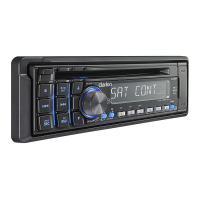
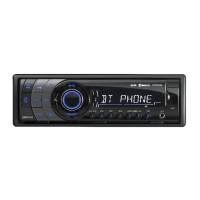
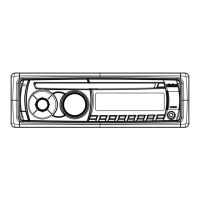
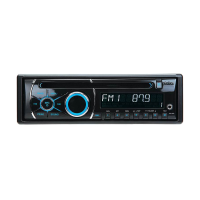
Clarion CZ305 - User Manual

Clarion CZ305
20 pages
Print Icon
To Next Page IconTo Next Page
Loading...
Bluetooth
®
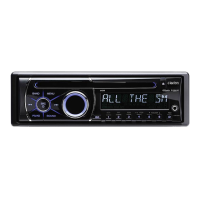
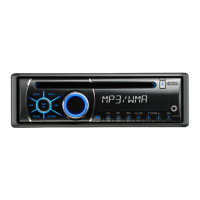
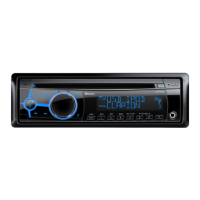
CD/USB/MP3/WMA RECEIVER
LECTEUR Bluetooth
®
CD/USB/MP3/WMA
RECEPTOR Bluetooth
®
CD/USB/MP3/WMA
Owner's manual & Installation manual
Mode d'emploi et manuel d'installation
Manual de instrucciones y de instalación
CZ305

Questions and Answers

  • C
    Christopher GlennSep 23, 2025
    Why is the sound bad when my Clarion Car Receiver is first turned on?
    • A
      April Maxwell DDSSep 23, 2025
      If the sound is bad when your Clarion Car Receiver is first turned on, condensation may have formed on the internal lens because the car was parked in a humid place. Let it dry for about 1 hour with the power on.
  • B
    Brandon CarterAug 25, 2025
    What to do if my Clarion CZ305 sound skips or is noisy?
    • H
      holmeskellyAug 25, 2025
      If the sound from your Clarion Car Receiver skips or is noisy, the compact disc might be dirty (clean it with a soft cloth) or heavily scratched or warped (replace it with a compact disc with no scratches).
  • V
    Veronica ThomasAug 25, 2025
    Why I cannot pair my device with Clarion CZ305 Car Receiver via Bluetooth?
    • P
      Patrick GarzaAug 26, 2025
      If you cannot pair your Bluetooth-enabled device with the Clarion Car Receiver, the device might not support the profiles required for the system (use another device to connect). Also, the Bluetooth function of the device may not be enabled (refer to the user manual of the device for how to enable the function).
  • M
    margaretyoungAug 26, 2025
    Why does my Clarion Car Receiver sound skip or is noisy?
    • M
      Matthew MartinAug 27, 2025
      If the sound from your Clarion Car Receiver skips or is noisy, the MP3/WMA files may not be encoded properly. Use properly encoded MP3/WMA files.
  • K
    kevin61Aug 27, 2025
    Why does my Clarion Car Receiver reset when the engine is off?
    • R
      Ricardo HunterAug 27, 2025
      If your Clarion Car Receiver unit resets itself when the engine is off, it is likely due to an incorrect connection between the ACC and the battery. Check the wiring and correct it to resolve this issue.
  • M
    michaellyonsSep 13, 2025
    Why does my Clarion Car Receiver sound skip or is noisy with CDs?
    • E
      Elizabeth RamirezSep 14, 2025
      If your Clarion Car Receiver is producing sound that skips or is noisy, and you are using a compact disc, the disc may be dirty. Clean the compact disc with a soft cloth. Alternatively, the compact disc may be heavily scratched or warped, in which case you should replace it with one that is not scratched.
  • R
    Ronald OsborneSep 12, 2025
    Why is there no/low audio output from my Clarion Car Receiver?
    • G
      George CarterSep 12, 2025
      If you are experiencing no or low audio output from your Clarion Car Receiver, there could be several reasons. First, check the wiring to ensure proper audio output connection. Also, make sure the volume isn't set too low and increase it if needed. Damaged speakers can also cause this issue, so consider replacing them. An imbalanced volume setting can also lead to low output, so adjust the channel balance to the center position. Finally, ensure that the speaker wiring is not in contact with any metal parts of the car; if it is, insulate the connections.
  • K
    Kelsey BoydSep 12, 2025
    What to do if my Clarion Car Receiver won't power on, buttons don't work, and the display is inaccurate?
    • A
      Alexandra MartinSep 12, 2025
      If your Clarion Car Receiver unit cannot power on and nothing happens when buttons are pressed, and the display is not accurate, the microprocessor may have malfunctioned due to noise or other factors. To resolve this, turn off the power and remove the DCP. Then, press the [RESET] button with a thin rod. Note that pressing the [RESET] button will turn off the ACC power and clear stored frequencies of radio stations and audio settings.
  • A
    Andrea JonesSep 4, 2025
    Why is the audio quality poor after Bluetooth connection with Clarion CZ305 Car Receiver?
    • E
      Erin WalkerSep 4, 2025
      If the audio quality is poor after connecting to your Clarion Car Receiver via Bluetooth, it might be due to the microphone not being correctly positioned (adjust the position of the microphone, for example, place it onto the dashboard close to the driver) or poor Bluetooth reception (move the device closer to the audio system or remove any obstacle between the device and the system).
  • D
    Derek ValenzuelaSep 2, 2025
    What to do if my Clarion CZ305 Car Receiver USB device is not recognized?
    • K
      Kendra OrozcoSep 2, 2025
      If your Clarion Car Receiver doesn't recognize the USB device, it might be damaged or the connectors could be loose. Try disconnecting and reconnecting the USB device. If it's still not recognized, replace it with a different USB device.

Summary

Precautions

FCC Statement and Compliance

Details compliance with FCC rules, including interference and radiation exposure.

Controls

Operational Panel Layout

Diagram and explanation of the front panel controls and their functions.

Button Functions Overview

Detailed explanation of each button's function in different modes.

Cautions on Handling

Operations

Basic Operations and Setup

Covers power on/off, volume adjustment, source selection, and display settings.

Audio Setup and Sound Effects

Guide to adjusting EQ, balance, fader, and other audio parameters.

Radio Tuning and Operations

Instructions for selecting radio bands, manual/auto tuning, and preset storage.

Bluetooth Hands-free and Audio Streaming

Pairing, making calls, and streaming audio wirelessly via Bluetooth.

Trouble Shooting

SiriusXM Advisory Messages

Explanation of various advisory messages from SiriusXM service.

Installation; Wire Connection Guide

Installing the Source Unit

Step-by-step guide for physically installing the main unit into the vehicle.

Wiring and Connection Guide

Detailed diagrams and instructions for connecting all wires and cables.

Clarion CZ305 Specifications

General IconGeneral
MP3 playbackYes
AM band range530 - 1710 kHz
FM band range87.9 - 107.9 MHz
Supported radio bandsAM, FM
Display typeLCD
DIN size-
Impedance4 Ω
Output power- W
Product colorBlack
Disc types supportedCD-R, CD-RW
Audio output channels4.0 channels
Maximum power per channel21 W
Signal-to-Noise Ratio (SNR)93 dB
USB version2.0
Bluetooth version2.1+EDR
USB ports quantity1
Output voltage4 V
Weight and Dimensions IconWeight and Dimensions
Weight2970 g

Related product manuals