EasyManua.ls Logo

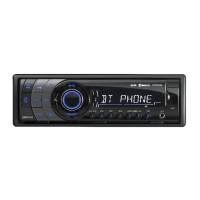
Clarion CZ302 - User Manual

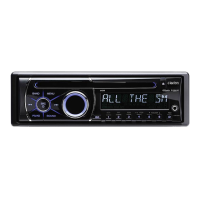
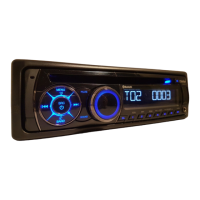
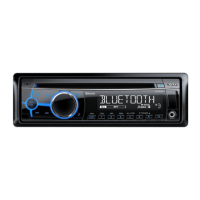
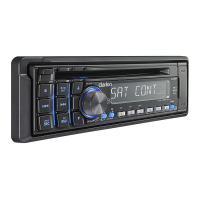
Clarion CZ302
23 pages
Print Icon
To Next Page IconTo Next Page
Loading...
Owner's manual & Installation manual
Mode
d'emploi
et
manuel d'installation
Manual
de
instrucciones y
de
instalaci6n
CZ302
Bluetooth®
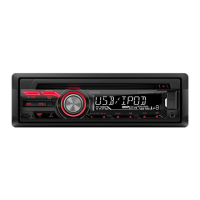
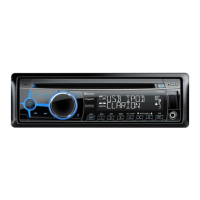
CD/USB/MP3/WMA RECEIVER
LECTEUR
Bluetooth®
CD/USB/MP3/VVMA
RECEPTOR
Bluetooth®
CD/USB/MP3/WMA

Other manuals for Clarion CZ302

Questions and Answers

  • C
    crystalthomasAug 17, 2025
    Why is the audio quality poor with Bluetooth on my Clarion CZ302?
    • N
      nicholas53Aug 17, 2025
      If the audio quality from your Clarion Car Receiver is poor after connecting a Bluetooth device, the microphone may not be correctly positioned. Adjust its position, such as sticking it onto the dashboard near the driver. Also, poor Bluetooth reception could be the issue. Try moving the device closer to the car audio system or removing any obstacles between the device and the system.
  • M
    morganbrandonAug 19, 2025
    Why does the sound skip on my Clarion CZ302 Car Receiver?
    • A
      Ashley JonesAug 19, 2025
      If your Clarion Car Receiver's sound skips or is noisy, the compact disc may be dirty. Clean the compact disc with a soft cloth. Alternatively, the compact disc may be heavily scratched or warped. Replace it with a compact disc that has no scratches.
  • C
    christophercopelandAug 22, 2025
    Why does my Clarion CZ302 Car Receiver reset itself?
    • A
      asolisAug 22, 2025
      If your Clarion Car Receiver unit resets itself when the engine is off, the connection between ACC and the Battery may be incorrect. Check the wiring and correct it.
  • D
    Debra RiddleAug 25, 2025
    Why won't my Clarion Car Receiver unit power on?
    • D
      Derrick FloydAug 26, 2025
      If your Clarion Car Receiver unit will not power on, the unit fuse may be blown. Replace it with a new fuse of the correct rating. Alternatively, the car battery fuse may be blown, so replace that with a new fuse of the correct rating as well.
  • V
    Victor BrownAug 27, 2025
    What to do if there's no audio output from my Clarion CZ302?
    • V
      vjohnsonAug 27, 2025
      If you are experiencing no or low audio output from your Clarion Car Receiver, check the wiring and correct any improper audio output connections. Also, make sure the volume isn't set too low; increase the volume level. Damaged speakers can also cause this issue, so consider replacing them. Heavily biased volume balance can also lead to this problem; adjust the channel balance to the center position. Finally, ensure that speaker wiring is not in contact with any metal part of the car, and insulate all speaker wiring connections if needed.
  • J
    Jessica ThomasAug 30, 2025
    What to do if Clarion CZ302 Car Receiver USB device is not recognized?
    • S
      smithbonnieAug 30, 2025
      If your Clarion Car Receiver is not recognizing your USB device, the USB device itself might be damaged. Try disconnecting and reconnecting the USB device. If it’s still not recognized, try replacing it with a different USB device. Also, check that the connectors are not loose.
  • M
    Michelle JonesSep 2, 2025
    Why is the sound quality so bad on my Clarion CZ302 Car Receiver?
    • Q
      qbrownSep 2, 2025
      If you are experiencing poor sound quality or distortion with your Clarion Car Receiver, it may be due to using a non-standard disc. Try using a standard disc. It could also be that the speaker power rating does not match the unit, in which case you should replace the speakers. Check the wiring and correct any wrong connections. A shorted speaker can also cause this issue; check the wiring and correct it.
  • R
    Ronald DominguezSep 5, 2025
    What to do if my Clarion CZ302 Car Receiver disc cannot be loaded?
    • J
      Joseph CabreraSep 5, 2025
      If your Clarion Car Receiver cannot load a disc, another disc may already be loaded. Eject the disc before loading the new one. Alternatively, there may be an object installed inside the unit. Remove the object inside the unit.
  • N
    Nicole HammondSep 7, 2025
    What to do if Clarion Car Receiver says 'No File'?
    • E
      Erik HopkinsSep 7, 2025
      If you hear no sound and the display shows “No File” on your Clarion Car Receiver, it may be because no MP3/WMA file is stored on the USB device. Store these files properly on the USB device.
  • J
    Jeffrey MilesSep 12, 2025
    Why is Clarion CZ302 Car Receiver sound bad when power is first turned on?
    • D
      Daniel FerrellSep 12, 2025
      If the sound is bad when the power is first turned on in your Clarion Car Receiver, condensation may have formed on the internal lens when the car is parked in a humid place. Let it dry for about 1 hour with the power on.

Summary

1. FEATURES

Expandable Systems and Connectivity Overview

Overview of system expansion options and device connectivity ports.

Product Compatibility Overview

Details on compatibility with iPod, iPhone, Bluetooth, and SiriusXM.

Front Panel and Generalities

Body Cleaning and Maintenance

Instructions for cleaning the unit's exterior body.

Detachable Control Panel (DCP) Handling

Procedures for removing, attaching, and storing the detachable control panel.

3. CONTROLS

Operational Panel Layout

Identification and function of buttons on the main unit's front panel.

Button Functions Overview

Detailed explanation of each button's operation and modes.

Remote Control Usage Guide

Instructions for operating the unit using the remote control.

4. CAUTIONS ON HANDLING

Disc Handling, Storage, and Cleaning

Guidelines for proper handling, storage, and cleaning of discs to prevent damage.

5. OPERATIONS

Basic Unit Operations

Core functions like power, mute, volume, source selection, and display.

System Setup and Configuration

How to configure system settings like clock, display, and audio preferences.

Bluetooth Device Management

Pairing, connecting, and managing Bluetooth enabled devices.

Continuing Operations

Audio Setup and Sound Customization

Adjusting audio settings, EQ, balance, fader, and sound effects.

Radio Tuning and Reception Features

How to select radio bands, tune stations, use auto tuning, and preset scans.

Continuing Operations

SiriusXM Satellite Radio Operations

Tuning channels, category browsing, and preset scans for SiriusXM.

SiriusXM Parental Controls and Alerts

Managing parental locks, setting up artist/song alerts.

SiriusXM Replay and iTunes Tagging

Using replay functions and tagging songs for iTunes.

Continuing Operations

CD;MP3;WMA File Playback and Handling

Playing and managing CD, MP3, and WMA files, including precautions.

USB Device Operations and File Access

Connecting and accessing files from USB storage devices.

Continuing Operations

CD;MP3;WMA Playback Controls

Detailed controls for CD/MP3/WMA playback, including folder select and search.

USB Device Connection and File Management

Steps for connecting USB devices and managing files.

Continuing Operations

iPod & iPhone Operations and Navigation

Connecting, navigating menus, and using iPod/iPhone features.

Pandora Internet Radio Integration

Listening to Pandora internet radio via connected iPod/iPhone.

Continuing Operations

iPod;iPhone Skip, Play;Pause, and Connection

Controls for skipping tracks, play/pause, and connecting iPod/iPhone.

Bluetooth Handsfree and Call Management

Pairing phones, making/receiving calls, and managing call history.

Continuing Operations

Bluetooth Audio Streaming and ID3 TAG Display

Streaming audio via Bluetooth and displaying song information.

AUX Operations and Input Sensitivity

Connecting and configuring auxiliary audio sources.

6. TROUBLE SHOOTING

General Troubleshooting Steps

Common problems and solutions for unit power, display, and output.

Disc Player and USB Device Issues

Troubleshooting problems related to disc loading, sound, and USB insertion.

Bluetooth and SiriusXM Troubleshooting

Solutions for Bluetooth pairing, connection, and SiriusXM reception issues.

SiriusXM Advisory Messages

Explanations and solutions for specific SiriusXM error messages.

7. ERROR DISPLAYS

Disc Error Messages and Solutions

Displays and causes of errors related to disc insertion and format.

8. SPECIFICATIONS

Tuner and Audio System Specifications

Technical details for FM/AM tuners and audio amplifier output.

General Unit and Component Specifications

Physical dimensions, power supply, and component specifications.

Connectivity and Power Specifications

Technical details for USB, Bluetooth, and power requirements.

9. INSTALLATION; WIRE CONNECTION GUIDE

Pre-Installation Preparation and Cautions

Steps to take before starting installation, including safety precautions.

Package Contents and General Cautions

List of included items and general installation warnings.

Source Unit Installation Procedures

Step-by-step guide for mounting the main unit in the vehicle.

Continuing Installation Guide

Installation Notes and Methods

Important notes on wiring, unit placement, and installation techniques.

Removing the Source Unit

Instructions for safely removing the installed unit.

Continuing Installation Guide

Wiring and Connection Diagrams

Visual guide for connecting various wires and cables to the unit.

Connecting External Accessories

How to connect external amplifiers and accessories like microphones.

CLARION 1 YEAR LIMITED WARRANTY

Warranty Coverage and Limitations

Details on what is covered, exclusions, and duration of the warranty.

Warranty Service and Claims Process

How to obtain warranty service and make a claim.

Contact Information for Warranty Support

Addresses and phone numbers for customer service and warranty inquiries.

Clarion CZ302 Specifications

General IconGeneral
MP3 playbackYes
AM band range530 - 1710 kHz
FM band range87.5 - 107.9 MHz
Impedance4 Ω
Output power76 W
Product colorBlack
Volume controlRotary
Frequency range20 - 20000 Hz
CD changer capacity1 discs
Disc types supportedCD
Signal-to-Noise Ratio (SNR)94 dB
Weight and Dimensions IconWeight and Dimensions
Weight1347 g

Related product manuals