EasyManua.ls Logo

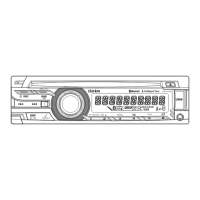
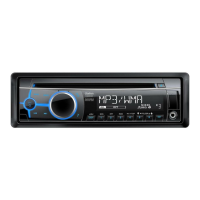
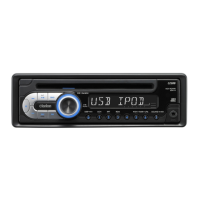
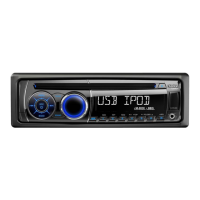
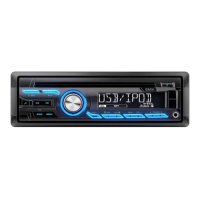
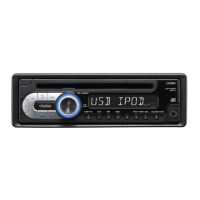
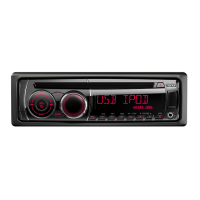
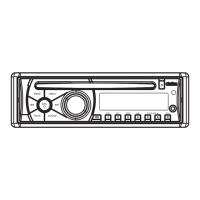
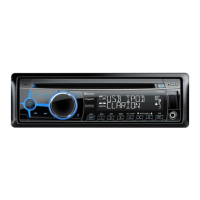
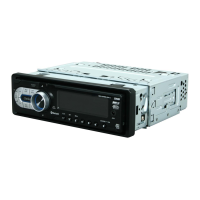
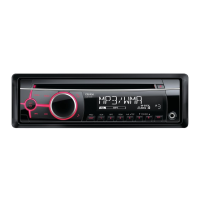
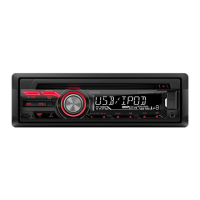
Clarion CZ215E - User Manual

Clarion CZ215E
25 pages
Print Icon
To Next Page IconTo Next Page
Loading...
®
®
®
®
®
®
®
®
®
®
Bluetooth CD/USB/MP3/WMA RECEIVER
LECTEUR CD/USB/MP3/WMA Bluetooth
Bluetooth -CD/USB/MP3/WMA-RECEIVER
SINTOLETTORE CD/USB/MP3/WMA Bluetooth
Bluetooth CD/USB/MP3/WMA-ONTVANGER
RECEPTOR CD/USB/MP3/WMA Bluetooth
Bluetooth CD/USB/MP3/WMA-RECEIVER
ODBIORNIK Bluetooth CD/USB/MP3/WMA
ΕΚΤΗΣ CD/USB/MP3/WMA Bluetooth
CD/USB/MP3/WMA RECEIVER
LECTEUR CD/USB/MP3/WMA
CD/USB/MP3/WMA-RECEIVER
SINTOLETTORE CD/USB/MP3/WMA
CD/USB/MP3/WMA-ONTVANGER
RECEPTOR CD/USB/MP3/WMA
CD/USB/MP3/WMA-RECEIVER
ODBIORNIK CD/USB/MP3/WMA
ΕΚΤΗΣ CD/USB/MP3/WMA
CZ215E
CZ315E
Owner’s manual & Installation manual
Mode d’emploi et manuel d’ Installation
CD/USB/MP3/WMA ПРИЕМНИК
Bluetooth CD/USB/MP3/WMA ПРИЕМНИК
Bedienungs- und Installationsanleitung
Manuale dell’utente e manuale di installazione
Gebruikershandleiding & Installatiehandleiding
Manual de instrucciones y manual de instalación
Bruksanvisning och installationshandbok
Instrukcja użytkownika i Instrukcja montażu
Руководство пользователя и инструкция по установке
Εγχειρίδιο κατόχου και Εγχειρίδιο εγκατάστασης
CZ315E&CZ215E Owner's Guide A6 1112.indd 12015/01/09 9:25:33

Questions and Answers

  • K
    Katherine SilvaAug 13, 2025
    Why won't my Clarion CZ215E turn on?
    • C
      Christopher HernandezAug 13, 2025
      If your Clarion Car Receiver isn't turning on, it could be due to a blown fuse. Replace the fuse with one of the same amperage. If it blows again, consult your dealer. Another potential cause is incorrect wiring, in which case you should also consult your dealer.
  • K
    Keith RamirezAug 17, 2025
    What to do if there is no sound from my Clarion CZ215E?
    • S
      Sean BrownAug 17, 2025
      If you're not hearing any sound, the speaker protection circuit might be activated. Try turning the sound volume down. You can also try turning the power off and on again to restore function. If the sound mutes again, consult our service department.
  • K
    kenneth33Aug 20, 2025
    What to do if no sound from Clarion CZ215E with amplifiers?
    • S
      Stephen RodriguezAug 20, 2025
      If there's no sound output when using amplifiers or a power antenna, the power antenna lead may be shorted to ground, or excessive current may be required. Here's what you can do: 1. Turn the unit off. 2. Remove all wires from the power antenna lead and check for shorts to ground using an ohm meter. 3. Turn the unit back on. 4. Reconnect each amplifier remote wire to the power antenna lead one by one. If the amplifiers turn off before all wires are attached, use an external relay to provide remote-on voltage.
  • S
    Sandra SawyerAug 25, 2025
    Why is there no sound from my Clarion Car Receiver when playing MP3/WMA files?
    • A
      Amy TurnerAug 25, 2025
      If you're not hearing any sound when playing MP3/WMA files, it could be due to several reasons: * The MP3/WMA files are absent from the disc. Write MP3/WMA files onto the disc properly. * The files are not recognized as MP3/WMA files. Use MP3/WMA files encoded properly. * The file system is incorrect. Use ISO9660 level 1, 2 or JOLIET or Romeo or APPLE ISO file system.
  • A
    Andrew CarterAug 27, 2025
    What to do if buttons don't work on Clarion CZ215E Car Receiver?
    • E
      Eric RiggsAug 27, 2025
      If nothing happens when you press the buttons and the display is not accurate, the DCP or main unit connectors may be dirty. Wipe the dirt off with a soft cloth moistened with cleaning alcohol.
  • K
    Kelly WilliamsSep 1, 2025
    Why does my Clarion Car Receiver show the wrong filename?
    • A
      Aaron WalterSep 1, 2025
      If you are seeing the wrong filename, the file system may not be correct. Use ISO9660 level 1, 2 or JOLIET or Romeo or APPLE ISO file system.
  • R
    Rebecca PowersSep 4, 2025
    Why is the sound bad when Clarion Car Receiver is turned on?
    • J
      Jeffrey MooreSep 4, 2025
      If the sound is bad immediately after turning the power on, water droplets may have formed on the internal lens due to humidity. Let it dry for about 1 hour with the power on.
  • W
    wmooreSep 8, 2025
    What to do if Clarion CZ215E doesn't recognize device?
    • H
      hsmithSep 8, 2025
      If your Clarion Car Receiver isn’t recognizing the device, it could be damaged. Disconnect the device and reconnect it. If it's still not recognized, try replacing it with a different device.

Summary

CONTROLS

Button Function Details

Detailed explanations of each button's operation and functions.

OPERATIONS

Basic Operations

Covers power, source selection, volume, mute, title scroll, and clock setup.

Audio Setup

Adjusting sound effects, tone quality, and graphic equalizer settings.

System Setup

Configuration options for Bluetooth, display, audio, and memory reset.

CD;MP3;WMA Operations

Playing and managing CD, MP3, and WMA files, including precautions.

CD;MP3;WMA Operations

USB Operations

USB Device Usage

Connecting and operating USB devices for music playback.

iPod Operations

Bluetooth Operations (CZ315 E only)

Bluetooth Pairing and Audio

Pairing devices and performing Bluetooth audio streaming.

Bluetooth Telephone Functions

Managing calls, phonebook, and call history via Bluetooth.

TROUBLESHOOTING

General Troubleshooting

Solutions for common problems like power, sound, and button issues.

Clarion CZ215E Specifications

General IconGeneral
Display TypeLCD
BluetoothYes
USB PortYes
Tuner TypeFM/AM
AUX InputYes
Bluetooth ProfilesA2DP, AVRCP, HFP
Remote ControlYes
Power Output4 x 50 Watts
Audio Formats SupportedMP3, WMA
Number of Preset Stations18 FM / 6 AM
Steering Wheel ControlYes

Related product manuals