EasyManua.ls Logo

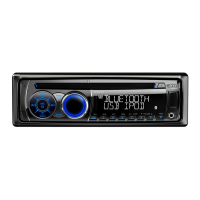
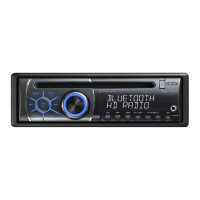
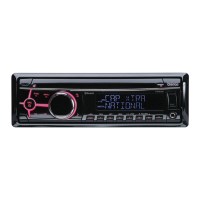
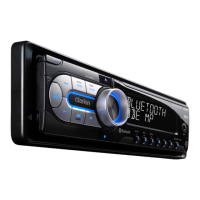
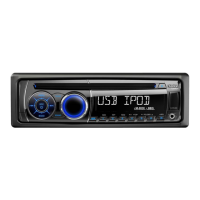
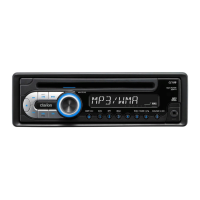
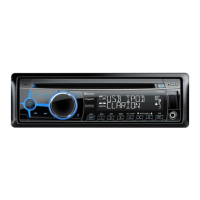
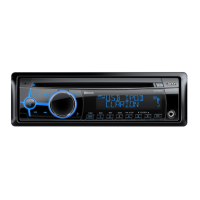
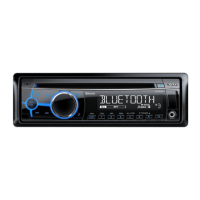
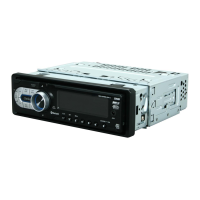
Clarion CZ509 - User Manual

Clarion CZ509
39 pages
Print Icon
To Next Page IconTo Next Page
Loading...
Bluetooth
CD/USB/MP3/WMA/AAC RECEIVER WITH
CeNET CONTROL
LECTEUR CD/USB/MP3/WMA/AAC Bluetooth
AVEC
COMMANDE CeNET
RECEPTOR DE CD/USB/MP3/WMA/AAC Bluetooth
CON CONTROL CeNET
CZ509
Owner’s manual
Mode d’emploi
Manual de instrucciones
®
®
®
CZ509_ENG.book Page 1 Tuesday, January 13, 2009 10:20 AM

Questions and Answers

  • C
    Christopher Cook DDSJul 30, 2025
    How to fix a Clarion Car Receiver that won't turn on?
    • M
      michael66Jul 30, 2025
      If your Clarion Car Receiver isn't turning on and no sound is produced, it could be due to a blown fuse. Replace it with a fuse of the same amperage. If it blows again, consult your store of purchase. Another potential cause is incorrect wiring, in which case you should also consult your store of purchase.
  • M
    Matthew WestAug 5, 2025
    What to do if my Clarion CZ509 Car Receiver has no sound with amplifiers or power antenna?
    • W
      William CookAug 5, 2025
      If you're not getting any sound output from your Clarion Car Receiver when using amplifiers or a power antenna, the power antenna lead might be shorted to ground, or there might be excessive current required for remote-on the amplifiers or power antenna. To resolve this: 1. Turn the unit off. 2. Remove all wires attached to the power antenna lead and check each wire for a possible short to ground using an ohm meter. 3. Turn the unit back on. 4. Reconnect each amplifier remote wire to the power antenna lead one by one. If the amplifiers turn off before all wires are attached, use an external relay to provide remote-on voltage (excessive current required).
  • D
    Deborah BarronAug 11, 2025
    Why are the buttons on my Clarion CZ509 Car Receiver not working?
    • D
      Daniel RodriguezAug 11, 2025
      If the buttons on your Clarion Car Receiver aren't responding and the display is inaccurate, the microprocessor may have malfunctioned. To fix this, turn off the power, then press the [OPEN] button and remove the DCP. Press the reset button for about 2 seconds with a thin rod. If the RESET button is pressed when a disc is loaded, please eject the disc and load it once again before attempting to play it. Another cause might be dirty DCP or main unit connectors. Wipe them off with a soft cloth moistened with cleaning alcohol.
  • K
    Krystal ConradAug 16, 2025
    What to do if Clarion CZ509 Car Receiver doesn't recognize the device?
    • E
      Edward RoseAug 16, 2025
      If your Clarion Car Receiver isn't recognized, the device may be damaged. Disconnect the device and reconnect it. If it's still not recognized, try a different device. A communication fault may also be caused according to the state of operation on the device, so disconnect and reconnect the device.
  • H
    hrodriguezAug 22, 2025
    What to do if no sound is heard from Clarion CZ509 Car Receiver with a disc?
    • C
      Cheryl RivasAug 22, 2025
      If you are not hearing any sound from your Clarion Car Receiver and are using a disc, make sure that MP3/WMA/AAC files are present on the disc. If not, write MP3/WMA/AAC files onto the disc properly. Also, ensure that the files are recognized as an MP3/WMA/AAC file and use MP3/WMA/AAC files encoded properly. Finally, verify that the file system is correct, using ISO9660 level 1, 2 or JOLIET or Romeo or APPLE ISO file system.

Summary

Clarion CZ509 Features

Clarion CZ509 Precautions

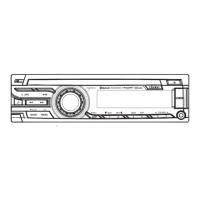
Clarion CZ509 Controls Overview

Names of the Buttons and Their Main Functions

Identifies and describes the functions of the unit's buttons.

Clarion CZ509 Detachable Control Panel (DCP)

Removing the DCP

Instructions on how to detach and remove the control panel unit.

Storing the DCP in the DCP Case

Guidance on safely storing the detached control panel unit.

Attaching the DCP

Instructions on how to reattach the control panel unit.

Clarion CZ509 Remote Control Operations

Functions of Remote Control Unit Buttons

Details the functions of each button on the remote control unit.

Inserting the Battery

Step-by-step guide for installing the battery in the remote control.

Clarion CZ509 Operations

Basic Operations

Covers fundamental operations like power, mode selection, and volume adjustment.

Radio Operations

Explains how to operate the radio tuner, including tuning and presets.

CD;MP3;WMA;AAC Operations

Details playback and management of various disc and file formats.

Bluetooth Operations

Covers pairing, making calls, and managing Bluetooth connections.

Clarion CZ509 Accessories and Modes

USB;MTP Operations

Explains how to use USB memory devices and MTP for media playback.

iPod Operations

Describes how to connect and operate an iPod through the unit.

Satellite Radio Operations

Instructions for operating the satellite radio receiver.

CD Changer Operations

Details how to control an external CD changer.

Clarion CZ509 Troubleshooting Guide

Clarion CZ509 Error Displays

Clarion CZ509 Specifications

Clarion CZ509 Other Information

Clarion CZ509 Specifications

General IconGeneral
BrandClarion
ModelCZ509
CategoryCar Receiver
LanguageEnglish

Related product manuals