EasyManua.ls Logo

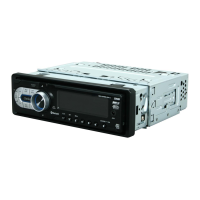
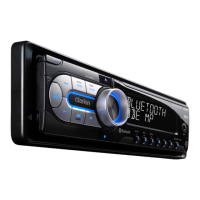
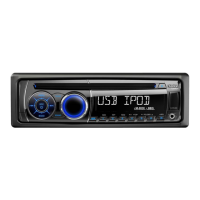
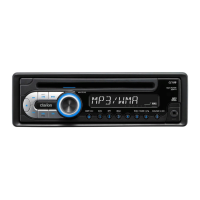
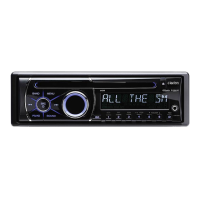
Clarion CZ501 - User Manual

Clarion CZ501
34 pages
Print Icon
To Next Page IconTo Next Page
Loading...
Owner's manual & Installation manual
Mode d'emploi et manuel d'installation
Manual de instrucciones y de instalación
Bluetooth
®
CD/USB/MP3/WMA RECEIVER
LECTEUR CD/USB/MP3/WMA Bluetooth
®
RECEPTOR Bluetooth
®
CD/USB/MP3/WMA
CMB1525194A(Z501) manual.indb 1 2010-11-26 15:50:58

Questions and Answers

  • J
    Juan GrayAug 18, 2025
    Why does my Clarion Car Receiver reset itself when the engine is off?
    • M
      Mr. Glenn RiosAug 18, 2025
      If your Clarion Car Receiver resets itself when the engine is off, there may be an incorrect connection between the ACC and the Battery. Check the wiring and correct it.
  • M
    Mary WagnerAug 20, 2025
    Why is the audio quality poor after connecting my Clarion Car Receiver with a Bluetooth-enabled device?
    • J
      Julie ThomasAug 20, 2025
      If the audio quality is poor after connecting your Clarion Car Receiver with a Bluetooth-enabled device, the microphone may not be correctly positioned. Adjust the position of the microphone, such as sticking it onto the dashboard near the driver. Also, poor Bluetooth reception can cause this issue. Move the device closer to the car audio system or remove any obstacles between the device and the system.
  • L
    laurafisherAug 23, 2025
    Why won't my Clarion Car Receiver power on?
    • D
      Dr. Alexander GibsonAug 23, 2025
      If your Clarion Car Receiver will not power on, the unit fuse or car battery fuse may be blown. Replace the blown fuse with a new fuse of the correct rating.
  • C
    Christian KleinAug 26, 2025
    What to do if my Clarion Car Receiver has no or low audio output?
    • A
      Angela MunozAug 26, 2025
      If you are experiencing no or low audio output from your Clarion Car Receiver, consider the following: * Check the wiring and correct any improper audio output connections. * Increase the volume level if it is set too low. * Replace any damaged speakers. * Adjust the channel balance to the center position if heavily biased. * Insulate all speaker wiring connections to prevent contact with metal parts of the car.
  • S
    Stephanie SchmidtAug 27, 2025
    Why is my Clarion Car Receiver remote control not working?
    • J
      Jennifer BurgessAug 27, 2025
      If the remote control for your Clarion Car Receiver is not working, the battery may be depleted or installed incorrectly. Try changing the battery or ensuring it is installed correctly.
  • A
    Anna MeyerAug 30, 2025
    Why is the sound quality poor or distorted on my Clarion Car Receiver?
    • J
      Joshua CamposAug 30, 2025
      Poor sound quality or distortion on your Clarion Car Receiver may be due to several reasons: * Using a non-standard disc. Use a standard disc instead. * Speakers that don't match the unit's power rating. Replace the speakers. * Incorrect wiring. Check and correct the wiring. * A shorted speaker. Check the wiring and correct it.
  • D
    Dylan SmithSep 1, 2025
    What to do if my Clarion Car Receiver won't power on, buttons don't work, and the display is inaccurate?
    • B
      brian30Sep 1, 2025
      If your Clarion Car Receiver won't power on, the buttons aren't working, and the display is inaccurate, the microprocessor may have malfunctioned. Turn off the power and remove the DCP. Press the [RESET] button with a thin rod. Note that pressing the [RESET] button will clear stored radio frequencies and titles.
  • G
    graystevenSep 3, 2025
    Why does the sound skip or is noisy on my Clarion Car Receiver?
    • D
      Debbie CarrilloSep 4, 2025
      If the sound skips or is noisy on your Clarion Car Receiver, it could be due to a dirty or damaged compact disc. Clean the disc with a soft cloth or replace it with one that is not scratched.
  • A
    Anne EdwardsSep 5, 2025
    What to do if my Clarion Car Receiver does not recognize the USB device?
    • M
      Mariah FigueroaSep 6, 2025
      If your Clarion Car Receiver does not recognize the USB device, the USB device may be damaged. Disconnect and reconnect the USB device. If it's still not recognized, try a different USB device.
  • W
    William RodriguezSep 8, 2025
    What to do if a disc cannot be loaded into my Clarion Car Receiver?
    • M
      morganbrownSep 8, 2025
      If a disc cannot be loaded into your Clarion Car Receiver, it may be because another disc is already loaded. Eject the current disc before loading a new one. Alternatively, there might be an object inside the unit, which you should remove.

Summary

Precautions

Front Panel and Generalities

Cautions for handling and cleaning the unit's front panel and body.

USB Port Guidelines

Guidelines and warnings for using the USB port with memory sticks.

Detachable Control Panel (DCP) Removal

Instructions on how to detach and remove the detachable control panel (DCP).

Detachable Control Panel (DCP) Attachment

Steps for reattaching the detachable control panel (DCP) to the unit.

Controls Overview

Operational Panel Layout

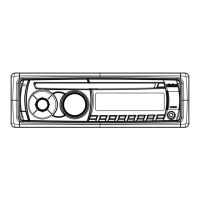
Diagram and labels for the unit's front operational panel buttons.

Cautions on Handling

Operations

System Setup

Guide to configuring various system settings like Clock, Password, and Input Sensitivity.

Audio Setup

Configuration options for sound effects, equalizer settings, and audio output.

Radio Operations

Detailed instructions for tuning, scanning, storing, and recalling radio stations.

CD;MP3;WMA Operations

Instructions for playing and managing CD, MP3, and WMA discs and files.

USB Operations

Steps for connecting, operating, and safely removing USB devices for audio playback.

iPod & iPhone Operations

How to connect and operate iPod and iPhone devices for music and video playback.

Bluetooth Operations

Instructions for pairing, making calls, and audio streaming using Bluetooth connectivity.

Trouble Shooting

Error Displays

Installation and Wire Connection Guide

Wiring and Connections

Diagram and explanation of how to connect the unit's wiring harness to the vehicle and accessories.

Clarion CZ501 Specifications

General IconGeneral
Display TypeLCD
Radio TunerAM/FM
BluetoothYes
USB PortYes
Preamp Outputs3 (Front, Rear, Subwoofer)
DIN SizeSingle DIN
Subwoofer Preamp OutputYes
AUX InputYes
USB InputYes
Memory Card ReaderNo
HD RadioNo
CD PlaybackYes
MP3 PlaybackYes
WMA PlaybackYes
ID3 Tag DisplayYes
Remote ControlYes
Rear Camera InputNo
Steering Wheel Control CompatibleYes
Apple CarPlayNo
Android AutoNo
Max Power Output50W x 4
RMS Power Output22W x 4
Compatible FormatsMP3, WMA
Faceplate SecurityDetachable
Equalizer13-Band Graphic Equalizer
Dimensions7" x 2" x 6"
Satellite Radio ReadyYes (requires tuner)

Related product manuals