EasyManua.ls Logo

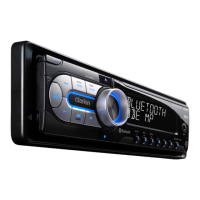
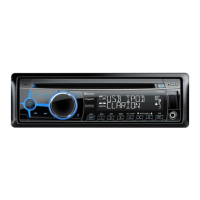
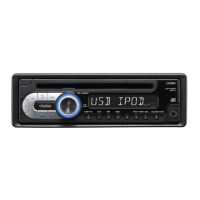
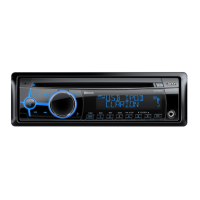
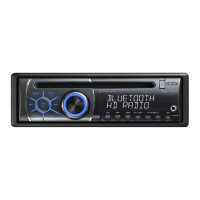
Clarion CZ500 - User Manual

Clarion CZ500
31 pages
Print Icon
To Next Page IconTo Next Page
Loading...
Owner’s manual & Installation manual
Mode d’emploi et manuel d’installation
Manual de instrucciones y de instalación
Bluetooth
®
CD/USB/MP3/WMA RECEIVER
LECTEUR CD/USB/MP3/WMA Bluetooth
®
RECEPTOR Bluetooth
®
CD/USB/MP3/WMA

Questions and Answers

  • K
    Kayla FordAug 20, 2025
    What to do if my Clarion CZ500 unit resets itself when the engine is off?
    • E
      Elizabeth AtkinsAug 20, 2025
      If the unit resets itself when the engine is off, there may be an incorrect connection between the ACC and the battery. Check the wiring and correct it.
  • A
    Anne JonesAug 22, 2025
    Why can't I pair my Bluetooth device with my Clarion Car Receiver?
    • K
      Karen ParkerAug 22, 2025
      If you cannot pair the Bluetooth enabled device, it may not support the profiles required for the system. Use another device to connect. Also, ensure that the Bluetooth function of the device is enabled by referring to its user manual.
  • K
    Kristen SmithAug 25, 2025
    Why is there no audio output from my Clarion CZ500 Car Receiver?
    • J
      Jill McneilAug 25, 2025
      If you're experiencing no or low audio output, several factors could be at play. First, check the wiring and correct any improper audio output connections. Ensure the volume isn't set too low and increase it if necessary. Damaged speakers can also cause this issue, so consider replacing them. Also, heavily biased volume balance or speaker wiring in contact with a metal part of the car can lead to this problem. Adjust the channel balance to the center position and insulate all speaker wiring connections.
  • R
    Robert DennisAug 26, 2025
    What to do if my Clarion CZ500 does not turn on?
    • K
      Kelly JacksonAug 27, 2025
      If your unit doesn't turn on, the unit fuse or car battery fuse may have blown. Install a new fuse with the correct rating.
  • A
    Anthony JohnsonAug 28, 2025
    How to fix poor sound quality or distortion on my Clarion CZ500 Car Receiver?
    • R
      Rebecca PageAug 28, 2025
      Poor sound quality or distortion can arise from several sources. Ensure you're using a standard disc. If the speaker power rating doesn't match the unit, replace the speakers. Check the wiring and correct any wrong connections, and ensure the speaker is not shorted.
  • A
    ayersjodyAug 30, 2025
    What to do if the remote control of my Clarion Car Receiver does not work?
    • C
      Carlos MarshallAug 30, 2025
      If the remote control isn't working, the battery may be depleted or installed incorrectly. Try changing the battery, and ensure it is installed correctly.
  • K
    Kyle AndersenSep 1, 2025
    What to do if I can't load a disc into my Clarion CZ500?
    • J
      Jay BallSep 1, 2025
      If a disc cannot be loaded, it may be because another disc is already loaded. Eject the disc before loading the new one. Alternatively, there might be a foreign object in place; in that case, eject the foreign object forcibly.
  • J
    Jacqueline LeonardSep 3, 2025
    Why does my Clarion Car Receiver sound skip or is noisy?
    • E
      Elizabeth KingSep 3, 2025
      Sound skipping or noise can occur if the compact disc is dirty. Clean the compact disc with a soft cloth. If the compact disc is heavily scratched or warped, replace it with one that has no scratches.
  • T
    trevinotiffanySep 5, 2025
    What to do if my Clarion Car Receiver unit does not turn on, buttons don't work, and the display is inaccurate?
    • J
      Julie SandovalSep 5, 2025
      This could be due to an illegal operation. Turn off the power and open the operation panel. Press the Reset button with a thin rod. Note that when the Reset button is pressed, turn off the ACC power. When the Reset button is pressed, frequencies of radio stations, titles, etc. stored in memory are cleared.
  • E
    Eric PerezSep 7, 2025
    Why is the sound bad directly after I turn on my Clarion CZ500 Car Receiver?
    • R
      Ruth GreenSep 7, 2025
      If the sound quality is poor immediately after turning on the power, water droplets may have formed on the internal lens when the car was parked in a humid place. Let it dry for about one hour with the power on.

Summary

Features Overview

Expanding Systems

Illustrates how the Clarion CZ500 connects to other audio components and amplifiers.

Precautions and Safety

General Operating Precautions

Covers handling condensation, vibrations, and internal unit care to prevent damage.

Regulatory Compliance

Details FCC Part 15 compliance for Class B digital devices and interference.

Compatibility and Trademarks

Explains 'Made for iPod/iPhone' and lists trademarks for SIRIUS XM and HD Radio.

Controls and Interface

Operational Panel Layout

Diagram and explanation of the buttons and controls on the main unit's front panel.

Front Panel Button Functions

Detailed descriptions of each button's function on the unit's operational panel.

Remote Control Functions

Details the functions of each button on the included IR remote control.

Remote Control Operation

Instructions on how to use the remote control and insert its battery.

Handling and Care

Disc Handling Precautions

Guidelines for handling discs, including cleaning, storage, and preventing damage.

Disc Cleaning Procedures

Instructions for removing fingerprints and dust from discs using a soft cloth.

Disc Loading and Storage

Precautions for loading discs and avoiding exposure to sunlight, heat, humidity, or dust.

Operations and Functions

Basic Unit Operations

Covers power on/off, volume adjustment, source selection, and display settings.

Radio Tuning and Presets

Details on selecting radio bands, tuning, storing, and recalling stations.

Satellite Radio Operations

Instructions for accessing, searching, and storing satellite radio stations.

HD Radio Features

Explains HD Radio technology, tuning, multicast channels, and preset storage.

iTunes Tagging Function

How to tag songs from HD Radio for later purchase via iTunes.

CD;MP3;WMA Playback

Guide to playing CDs, MP3, and WMA files, including file formats and playback controls.

USB Device Usage

Instructions for connecting and using USB storage devices for audio playback.

iPod and iPhone Connectivity

How to connect and navigate music from iPod and iPhone devices.

Auxiliary Input Usage

How to connect and adjust sensitivity for external audio devices via AUX input.

Bluetooth Connectivity and Calls

Setup, pairing, making calls, and managing phone features via Bluetooth.

Bluetooth Audio Streaming

Explanation of audio streaming, playback controls, and device compatibility.

Audio Settings and EQ

How to adjust sound effects, EQ, balance, fader, and subwoofer settings.

System Configuration

Settings for clock, display dimmer, beep, 12/24 hour format, auto connect, and PIN code.

Troubleshooting Guide

General Unit Troubleshooting

Common problems like unit not turning on, no sound, or display issues and their solutions.

Disc Player Troubleshooting

Solutions for disc loading errors, sound skipping, noise, or bad sound quality.

USB Device Troubleshooting

Resolving issues with USB device insertion, recognition, and file playback.

Bluetooth Connection Issues

Tips for pairing problems and poor audio quality when using Bluetooth.

Error Display Solutions

Error Display Solutions

Explains common error displays like 'ERROR' for disc issues and how to resolve them.

Technical Specifications

Tuner Specifications

Technical details for FM and AM tuner frequency ranges, sensitivity, and response.

Disc Playback Specifications

Technical data for CD, MP3, and WMA playback, including sampling rates and bit rates.

Connectivity Specifications

Technical details for USB and Bluetooth connectivity, including versions and profiles.

Amplifier and Input Specs

Specifications for maximum power output, speaker impedance, and audio input sensitivity.

Unit Dimensions and Power

Physical dimensions of the unit and remote, power supply voltage, and fuse rating.

Installation and Wiring Guide

Installation Preparation

Important steps before installation, including power disconnection and safety checks.

Package Contents List

Lists all items included in the package, such as the source unit, panel, and accessories.

General Installation Precautions

Warnings regarding opening the case, cleaning, and avoiding damage during installation.

Installation Environment Cautions

Guidelines on unit placement, drilling, and using correct screws to prevent damage.

Source Unit Installation Steps

Step-by-step instructions for mounting the unit into the dashboard bracket.

Source Unit Removal

Procedure for safely removing the unit from the dashboard, including trim ring disassembly.

Wiring Diagram and Connections

Detailed diagram and explanation of all wire connections for the unit and accessories.

Accessory Connection Guide

Instructions for connecting external amplifiers and other accessories to the unit.

Clarion CZ500 Specifications

General IconGeneral
BrandClarion
ModelCZ500
CategoryCar Receiver
LanguageEnglish

Related product manuals