EasyManua.ls Logo

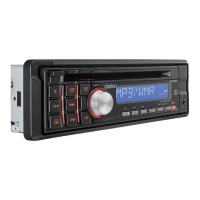
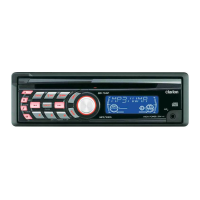
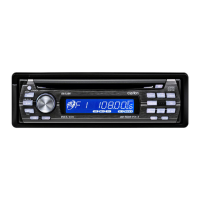
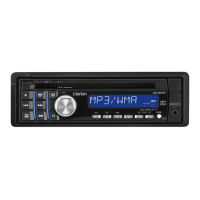
Clarion DB188RMP - User Manual

Clarion DB188RMP
27 pages
Print Icon
To Next Page IconTo Next Page
Loading...
CD/MP3/WMA RECEIVER
AUTORADIO CD/MP3/WMA
CD/MP3/WMA-RECEIVER
SINTOLETTORE CD/MP3/WMA
CD/MP3/WMA-RADIO-COMBINATIE
RECEPTOR
CD/MP3/WMA
CD/MP3/WMA-RADIO
RECEPTOR CD/MP3/WMA
Owner’s manual
Mode d’emploi
Bedienungsanleitung
Istruzioni per l’uso
Gebruiksaanwijzing
Manual de instrucciones
Bruksanvisning
Manual de instruções
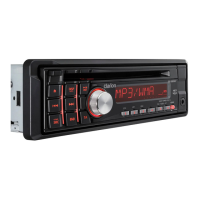
DB188RMP
DB189RMP
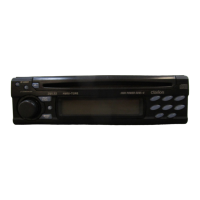
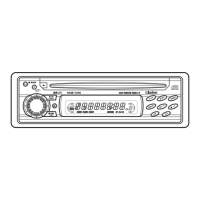
DB189 RGM P

Other manuals for Clarion DB188RMP

Questions and Answers

  • T
    Timothy EstradaAug 20, 2025
    Why does my Clarion DB188RMP power not turn on?
    • E
      Edward JensenAug 20, 2025
      The Clarion Car Receiver may not turn on due to a blown fuse. Replace it with a fuse of the same amperage. If it blows again, consult your store of purchase. Another cause could be incorrect wiring, in which case you should also consult your store of purchase.
  • J
    John MorganAug 22, 2025
    What to do if my Clarion DB188RMP Car Receiver has no sound heard?
    • H
      Heather BrownAug 22, 2025
      The absence of sound from your Clarion Car Receiver may be due to several reasons: * The speaker protection circuit might be operating. Try turning down the sound volume or turning the power off and on again. Note that speaker volume is reduced automatically when the speaker protection circuit operates. If the sound is muted again, consult our service department. * MP3/WMA files might be absent in a disc. Write MP3/WMA files onto the disc properly. * Files might not be recognized as an MP3/WMA file. Use MP3/WMA files encoded properly. * The file system might be incorrect. Use ISO9660 level 1, 2 or JOLIET or Romeo file system.
  • J
    James SimsAug 25, 2025
    What to do if nothing happens when buttons are pressed on Clarion Car Receiver?
    • C
      Chloe GarrettAug 25, 2025
      If nothing happens when you press the buttons on your Clarion Car Receiver, and the display is inaccurate, it could be due to a microprocessor malfunction caused by noise. Try turning off the power, then press Reset button the [RELEASE] button and remove the DCP. Press the reset button for about 2 seconds with a thin rod. Alternatively, the DCP or main unit connectors might be dirty. Wipe them off with a soft cloth moistened with cleaning alcohol.
  • R
    Richard RussellAug 26, 2025
    How to fix sound skips or noisy sound on Clarion Car Receiver?
    • A
      April ThomasAug 26, 2025
      If the sound skips or is noisy on your Clarion Car Receiver, it could be because the compact disc is dirty. Clean it with a soft cloth. Alternatively, the compact disc may be heavily scratched or warped, in which case you should replace it with a compact disc with no scratches.
  • J
    Joshua McfarlandAug 28, 2025
    What to do if Clarion DB188RMP has no sound output with amplifiers or power antenna?
    • K
      khortonAug 28, 2025
      If there's no sound output when operating your Clarion Car Receiver with amplifiers or a power antenna attached, it could be because the power antenna lead is shorted to ground, or excessive current is required for remote-on the amplifiers or power antenna. To resolve this: 1. Turn the unit off. 2. Remove all wires attached to the power antenna lead and check each wire for a possible short to ground using an ohm meter. 3. Turn the unit back on. 4. Reconnect each amplifier remote wire to the power antenna lead one by one. If the amplifiers turn off before all wires are attached, use an external relay to provide remote-on voltage (excessive current required).
  • J
    Joshua RodriguezAug 30, 2025
    Why is the sound bad directly after power on Clarion DB188RMP?
    • M
      Megan ShahAug 30, 2025
      If the sound is bad directly after powering on your Clarion Car Receiver, water droplets may have formed on the internal lens when the car was parked in a humid place. Let it dry for about 1 hour with the power on.
  • A
    Alexander MurraySep 1, 2025
    Why is sound cut or skipped on my Clarion DB188RMP?
    • T
      tsextonSep 1, 2025
      If the sound is cut or skipped, or if noise is generated or mixed with the sound on your Clarion Car Receiver, the MP3/WMA files may not be encoded properly. Use MP3/WMA files encoded properly.
  • K
    Kurt HullSep 3, 2025
    Why won't my Clarion DB188RMP turn on?
    • B
      Bryan HerreraSep 3, 2025
      If your Clarion Car Receiver isn't turning on, there are a couple of potential reasons. First, the fuse might be blown; if this is the case, replace it with a fuse of the same amperage. Second, the wiring might be incorrect. Double-check the "Installation/Wire connection Guide" to ensure everything is wired properly.
  • S
    Sherry WillisSep 5, 2025
    What to do if there is no sound from my Clarion DB188RMP?
    • J
      Jonathan ButlerSep 5, 2025
      If you're not hearing any sound from your Clarion Car Receiver, it's possible the speaker protection circuit is activated. Try turning down the sound volume. You can also restore function by turning the power off and on again. Note that the speaker volume reduces automatically when this circuit operates.
  • P
    Paula CervantesSep 7, 2025
    What to do if buttons on my Clarion Car Receiver don't work?
    • M
      Monica ChaseSep 7, 2025
      If the buttons on your Clarion Car Receiver aren't working or the display is inaccurate, it could be due to a microprocessor malfunction caused by noise or other factors, or due to dirty connectors. First, turn off the power, then press the Reset button [RELEASE] button and remove the DCP. Press the reset button for about 2 seconds with a thin rod. If that doesn't work, try wiping the DCP or main unit connectors with a soft cloth moistened with cleaning alcohol.

Summary

Safety and Laser Warnings

General Laser Product Caution

Appliance is a Class 1 Laser Product; read manual carefully.

Operational Hazard Warning

Avoid hazardous radiation exposure by following specified procedures.

1. FEATURES

Handling Compact Discs

3. CONTROLS

Button Functions Overview

Details the function of each button on the unit.

Display Indicator Meanings

Explains the meaning of various indicators shown on the display.

Display Screen Behavior

Describes the behavior of the display screen in different conditions.

4. DCP (DETACHABLE CONTROL PANEL)

DCP Storage Instructions

Instructions for storing the detachable control panel in its case.

DCP Removal Procedure

Step-by-step guide on how to detach the control panel from the main unit.

DCP Attachment Procedure

Step-by-step guide on how to attach the control panel to the main unit.

5. OPERATIONS

Basic Unit Operations

Covers fundamental operations like power, volume, and mode selection.

Sound and Tone Adjustment

Details how to adjust various sound settings like EQ, bass, treble, and balance.

Radio Tuning and Memory

Guide on tuning, memory, and scanning radio stations.

RDS Radio Features

Explains features like AF, REG, TA, and PTY for radio data services.

CD;MP3;WMA Playback

Instructions for playing CDs, MP3s, and WMAs, including file handling.

Common Mode Settings

Settings applicable across different modes, like screen saver and dimmer.

6. TROUBLESHOOTING

7. ERROR DISPLAYS

8. SPECIFICATIONS

Clarion DB188RMP Specifications

General IconGeneral
BrandClarion
ModelDB188RMP
TypeCar Receiver
Channels4
Built-in AmplifierYes
MP3 PlaybackYes
WMA PlaybackYes
AAC PlaybackNo
USB PortYes
AUX InputYes
BluetoothNo
CD PlayerYes
CD-R PlaybackYes
CD-RW PlaybackYes
Display TypeLCD
IlluminationRed
Button ColorBlack
Detachable FaceYes
Preamp Voltage2 V
RCA Preamp Outputs1 Pair
DIN Size1 DIN
Max Power Output50 W
Peak Output50 W

Related product manuals