14 DVS9755z
Pausing playback
Press the [ ] button to pause playback. Nor-
mal playback is resumed when the [ ] button
is pressed again.
• The disc is played back at 1/2 normal speed
when the [ ] button is pressed while disc
playback is paused.
Slow playback
The disc is played back at 1/2 normal speed while
the [ ] button is held down in pause mode.
• Slow playback cannot be performed in re-
verse direction. The sound is muted during
slow playback.
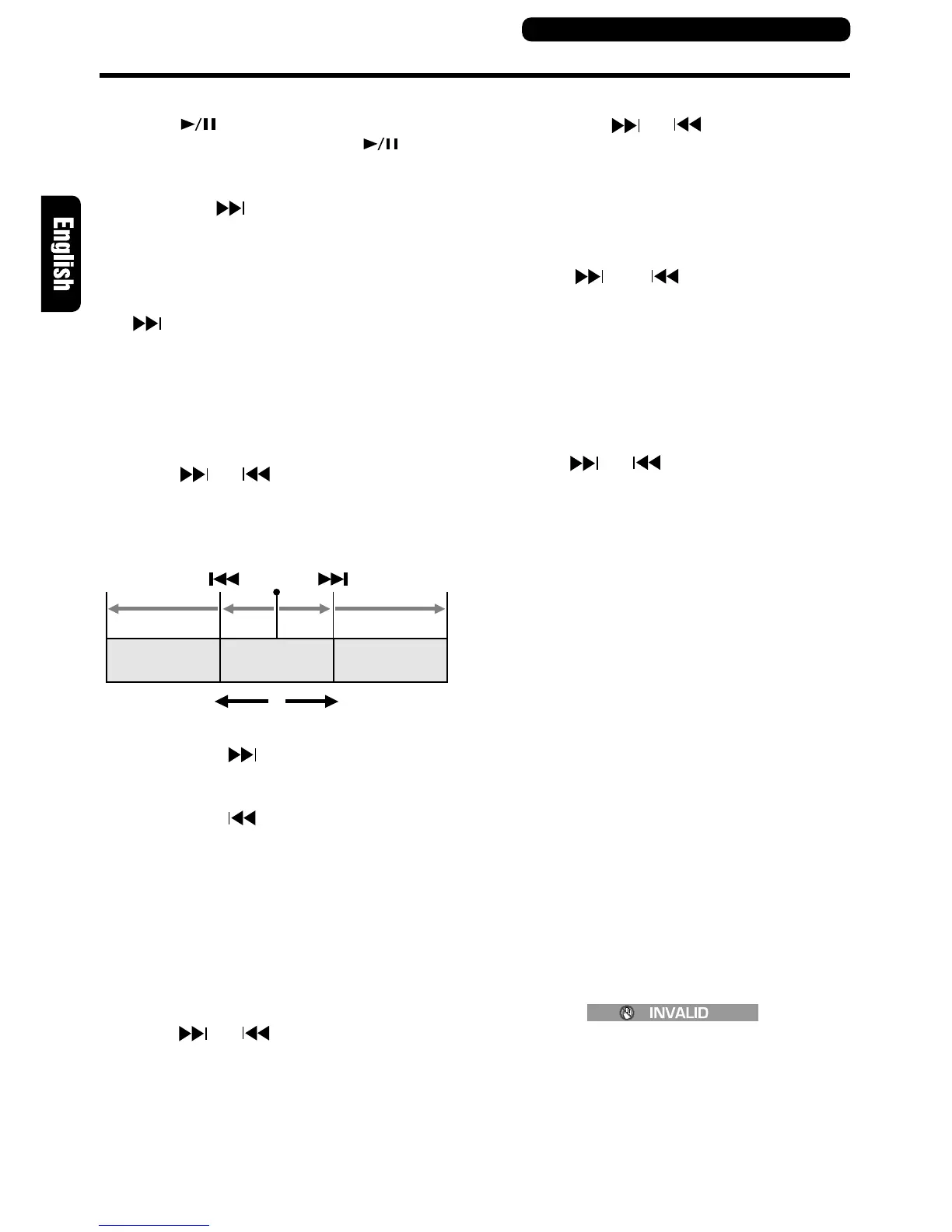
Skipping chapters/tracks (To locate
the beginning of a track or chapter)
Press the [ ] or [ ] button during playback.
Chapters or tracks corresponding to the number
of presses are skipped and playback is resumed.
• Press the [ ] button to start playback
from the beginning of the next chapter or
track.
• Press the [ ] button to start playback
from the beginning of the current chapter
or track.
When this button is pressed again within 1
sec, playback starts from the beginning of
the previous chapter or track.
• Chapter:
DVD video data is divided into smaller sec-
tions (chapters).
• The menu may be displayed again when
the [ ] or [ ] button is pressed.
Remote control unit button operations
Current
location
Chapter/track
Chapter/track Chapter/track
Reverse Forward
DVD Operations
Fast forward/fast backward
Hold down the [ ] or [ ] button during play-
back.
When one of these two buttons are held down,
the speed increases after 1 sec. Normal playback
speed is resumed when the button is released.
• The sound is muted during fast forward and
fast reverse playback.
• The [ ] and [ ] buttons are also used
to locate the beginning of a section. When
one of these buttons is held down for 1 sec
or less, the beginning of a section is located
and playback starts from there.
• Some buttons are not available depending
on the DVD video story. The speed of fast
forward/backward depends on the disc.
• The menu may be displayed again when
the [ ] or [ ] button is pressed.
Locating the beginning of a section
using title and chapter numbers
This function is used to locate the beginning of a
section using the title numbers and chapter num-
bers recorded on a DVD video disc.
1. Press the [SEARCH MODE] button during
playback to display title number input ([T
∗∗
]).
Each press of the button toggles the display
between title number input ([T
∗∗
]) and chapter
number input ([C
∗∗∗
]).
• Title
DVD video data is divided into larger sec-
tions (titles).
• Chapter
DVD video data is divided into smaller sec-
tions (chapters).
2. Use the [10KEYS] buttons to enter the num-
ber of the title or chapter you wish to play back.
• The following error message is displayed
when a non-existing title number is entered
or when the beginning of a section cannot
be located using a title number.
3. Press the [SELECT] button to start playback
from the entered title number or chapter num-
ber.



 To Next Page