E
N
G
L
I
S
H
9
INSTALLATION
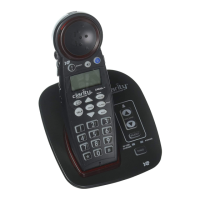
Mounting Bracket
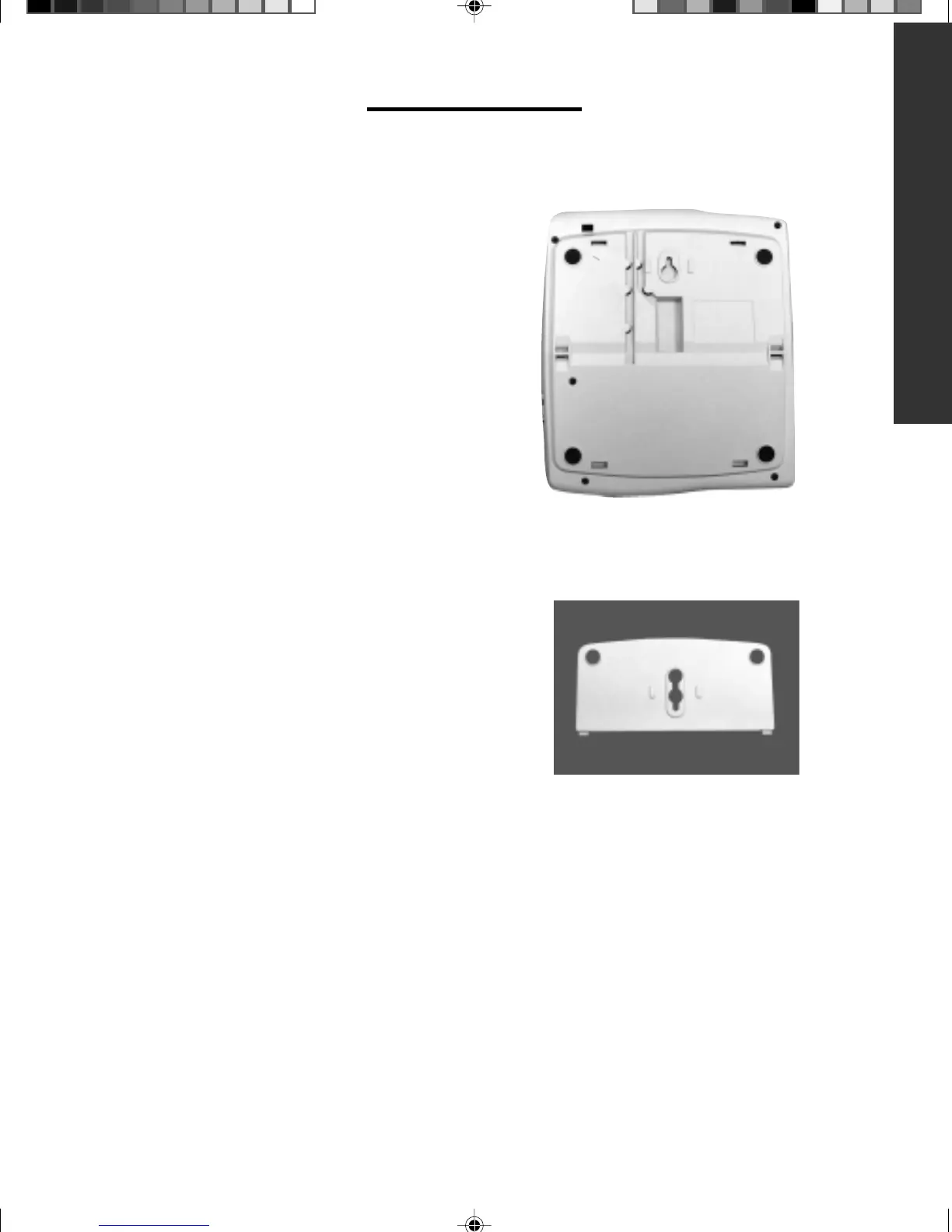
Back of phone
To Install As a Wall Unit:
Important: A modular wall jack with raised
mounting pins is required for installation as
a Wall Unit.
• Insert AC Adapter into the jack located on
the top side of the telephone.
• Locate the hinge slots located on the right
and left side of the back of the telephone.
• Insert AC Power cord into the
straight groove located on the back
of the telephone.
• Turn bracket so that the wide end (end
with rubber feet) of the bracket is towards
the bottom.
• Install bracket by inserting the tabs on the
bracket into the hinged slots.
• Feed power cord through opening at the
bottom of the bracket. The cord will run
underneath the bracket.
• Press down on the bottom of the bracket
to lock into place.
• Plug AC adapter directly into standard
120 volt outlet.
• Plug one end of the telephone line cord
into the back of the C320 telephone.
• Plug the other end of the telephone line
cord into the wall jack.



 To Next Page