Need help?
Do you have a question about the Clarity P300 and is the answer not in the manual?
Instructions to read and understand before operating the telephone equipment.
General safety precautions to reduce risk of fire, electric shock, and injury.
Information on obtaining warranty service for the phone.
Importance of saving the sales receipt for warranty claims.
Contact information for customer support.
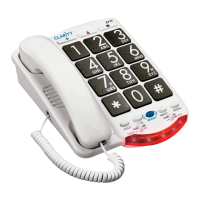
Explanation of buttons like FLASH, REDIAL, BOOST, HOLD, PROG and controls.
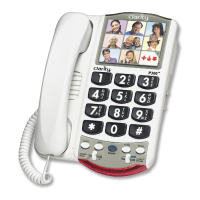
Description of photo memory buttons, keypad, and indicators.
Steps for installing the phone on a desk.
Steps for mounting the phone on a wall.
Instructions for installing an optional 9-volt battery.
Guide to programming up to nine photo-dial memory buttons.
Steps to program phone numbers into memory buttons.
How to dial programmed phone numbers using memory buttons.
Explanation of the Clarity Power feature and its volume control.
How to use the BOOST button to amplify sound.
Adjusting ringer volume and tone (pitch).
Connecting assistive listening devices via the audio output jack.
How to enable or disable the BOOST feature's reset.
How to place a call on hold and its effects.
How to redial the last number called.
Using the flash button for special phone services.
Information on FCC Part 68 rules and equipment compliance.
Compliance with FCC Part 15 rules for digital devices.
Compliance with Industry Canada technical specifications and interference.
Clarity's one-year warranty for defects in materials and workmanship.
Conditions not covered by the warranty (accident, misuse, etc.).
Information on state-law implied warranties and their limitations.
Limitations on incidental or consequential damages.
Explanation of specific legal rights varying by state.
Procedures and required information for warranty claims.
 General
| Type | Analog telephone |
|---|---|
| Answering machine | No |
| Speakerphone | Yes |
| Phonebook capacity | - entries |
| Mounting type | Desk |
| Product color | White |

 To Next Page