Display 3-17
Section 3. Operator Compartment and Controls
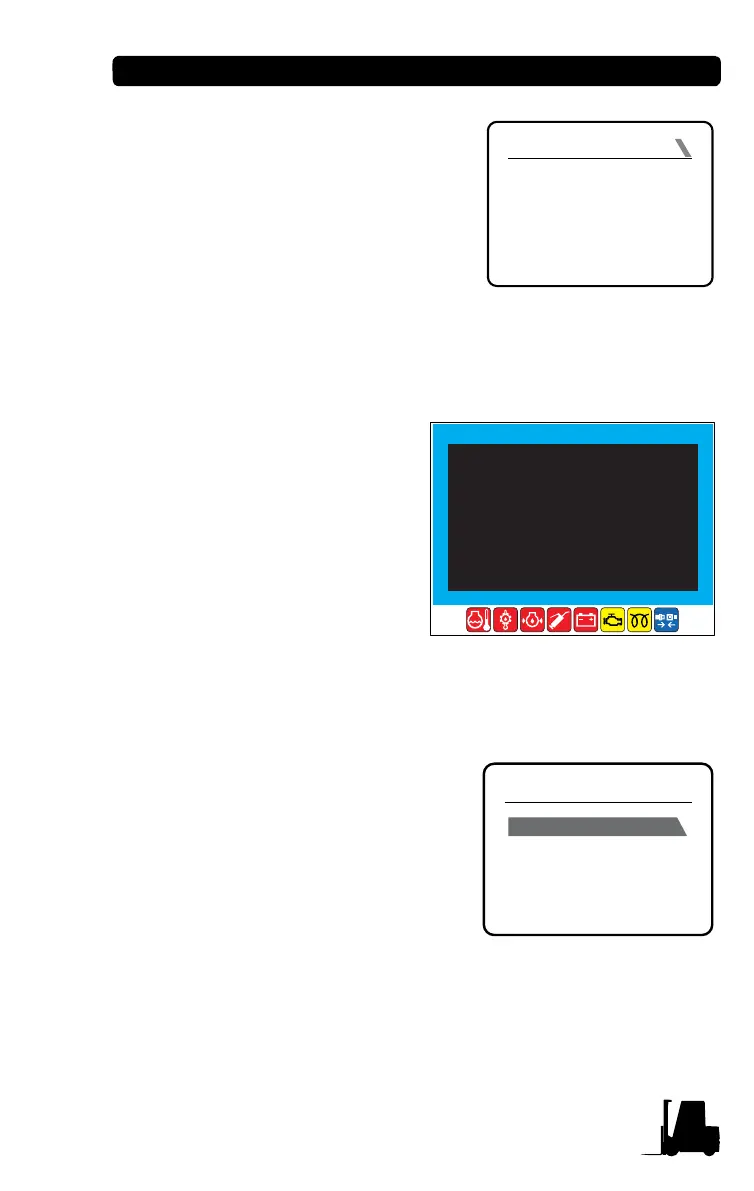
3. When you enter correct pass-
word, "PASSWORD OK" mes-
sage is displayed, and the buzzer
sounds.
4. When you enter wrong password,
"PASSWORD ERROR" message
is displayed, the buzzer sounds,
and Password Input screen is
prompted again.
(2) How to enter service menu mode if you forget the password
1. Press UP/DOWN buttons on
the basic main screen simul-
taneously for two seconds.
2. 8-digit Ref. No. 1, and 8-
digit No. 2 are displayed as
shown on the right figure.
3. Contact your dealer or
CLARK Service Center
with the numbers.
Driver Menu Mode
The driver menu mode is configured
as follows:
• Clock setup
• Trip distance reset
• Zero setting of load weight
• Forklift truck condition monitoring
(When setting ON in the service
menu mode)
• Alarm logbook (When setting ON in the service menu mode)
INPUT PASSWORD
PASSWORD
ERROR
REF No1. : 1 2 3 4 5 6 7 8
REF No2. : 1 2 3 4 5 6 7 8
INPUT PW : * * * * *
MENU
SETUP
MONITOR
ALARM LOGBOOK
DEVICES INFORMATION


 To Next Page