5
English
Listening to apreset station
Press [ MODE ] to select apreset station. Every time you press [ MODE ] you will advance
to thenext preset station.
Volume
1. Turn [ ON/OFF ] clockwise to raise thevolume.
2. Turn [ ON/OFF ] anticlockwise to lower thevolume.
AUX-IN (External audio source input socket)
1. Connect anexternal audio source with a3.5mm plug to theAUX-IN socket.
2. The Bluetooth/radio function will automatically be disconnected.
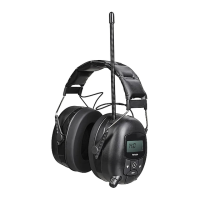
3. “AUX” will appear on thedisplay when theaudio cable is connected to theear defenders.
4. Start playback on thedevice. Set thedesired volume levels both on theexternal
device and theear defenders. Playback can be controlled directly from your
external device.
Note: When anexternal audio source has been connected to theAUX-IN socket,
theBluetooth/radio function will automatically be disconnected. User still receives/
answers call via Bluetooth if paired.
Playback from anexternal device via Bluetooth
1. Turn the [ OFF/ON ] switch clockwise to switch theradio on and set thedesired volume.
2. Activate Bluetooth on theexternal device that you wish to pair with theear
defenders (read theinstruction manual of thedevice if you are unsure about what
you need to do).
3. Press [
], to select BT.
4. “Off” will appear on thedisplay of theear defenders when Bluetooth is activated.
Hold in [
] to activate Bluetooth and start searching for adevice to pair with.
TheBluetooth symbol will appear in thelower left corner of thedisplay when
Bluetooth is activated. The ∙∙∙∙ symbol will flash on thedisplay while thesearch
is in progress.
5. Theear defenders will appear on your device as 40-9983, select them and pair
them with your device.
6. Once thedevices have been paired, “on” will appear on thedisplay of theear defenders.
7. Start playback on your device. Set thedesired volume levels both on theexternal
device and theear defenders. Playback can be controlled directly from theear
defenders or from your external device.
8. Press [ ▲ ] or [ ▼ ] to select thedesired track.
9. Press [ MODE ] to play/pause the music.


 To Next Page