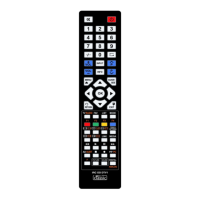
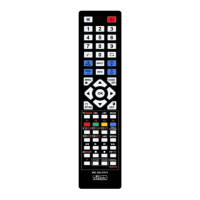
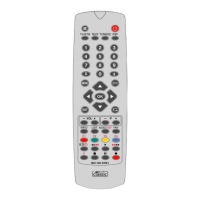
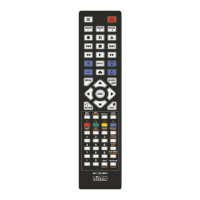
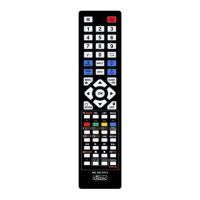
USER INSTRUCTIONS Classic wipe
INTRODUCTION
The Classic wipe is a learning universal remote control. It is able to learn and store
infrared commands from an original remote control. 28 buttons are labeled with the
most common everyday functions of TV sets and digital receivers. The wipe remote
control is ideal for nursing homes, hotels, hospitals but also in private homes for
elderly people and children. It can also be used for other devices provided they use
infrared signals. Functions of an already programmed wipe remote control can be
transferred to another wipe (Clone-Function).
INSERTING BATTERIES
Your new wipe remote control requires 2 Alkaline Batteries (LR03/AAA). Please use
only batteries of same type. The correct polarity is shown inside the battery
compartment.
LOW BATTERY WARNING
If the batteries in the wipe remote control get low, the red LED is blinking 10 times
after pressing any button. You should now replace the batteries. Please dispose of
used batteries according to local laws.
BASICS
Your new wipe remote control is supplied non-programmed. Prior to the rst use the
wipe remote control has to learn the desired functions (commands) of your original
remote control. Your original remote control should still work properly. Learned
commands don‘t get lost when batteries get low or taken out for replacement. The
wipe remote control stores all settings in a non-volatile memory.
A) LEARN-MODE
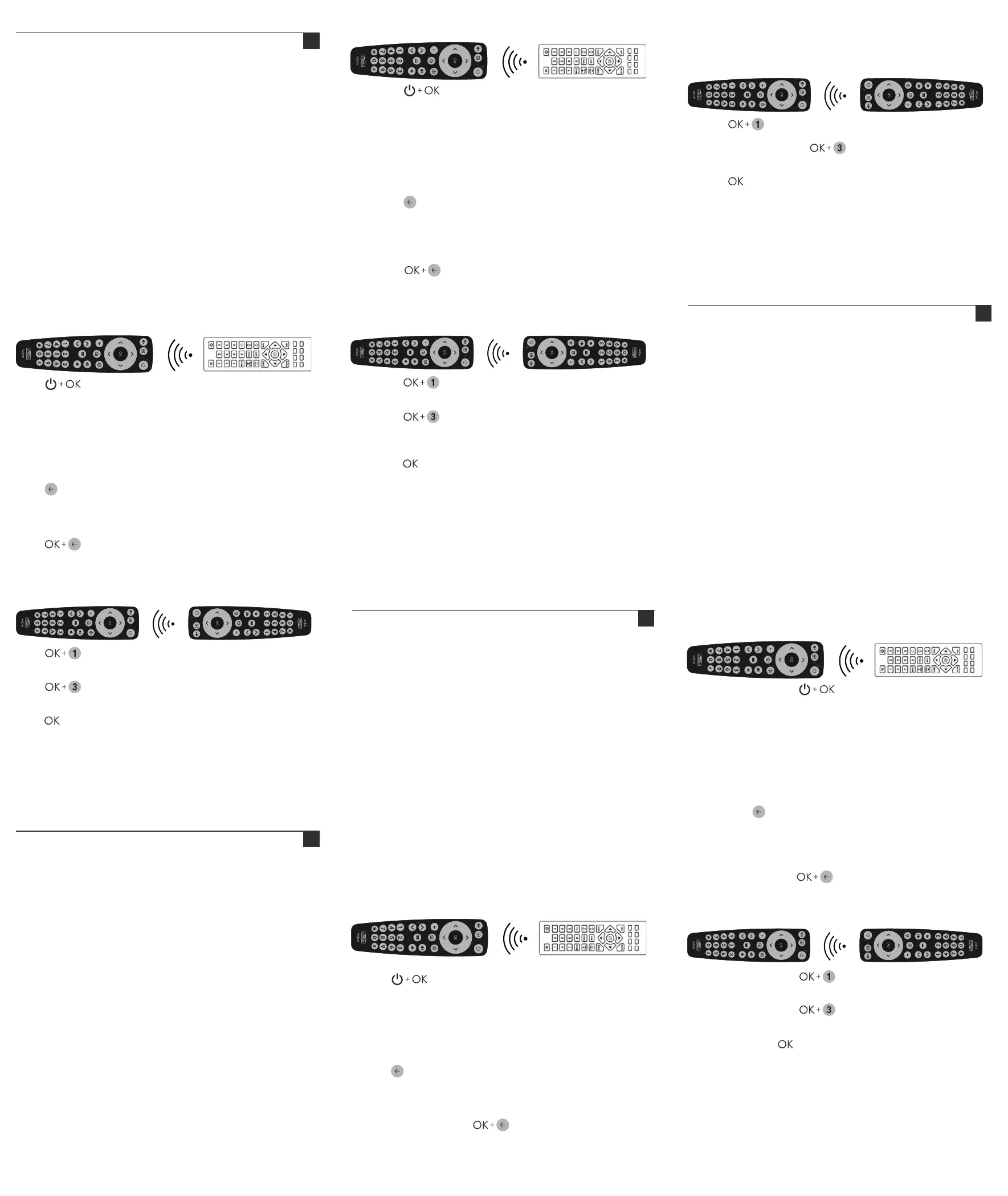
1. Place the wipe remote control and the original remote control head to head
(distance approx. 5cm).
wipe Original Remote Control (example)
2. Press simultaneously for min. 3 seconds until the red LED lights on
permanently. The wipe remote control is now in the learning-mode.
3. Now press the button on the wipe remote control you want to program (target
button). The LED blinks 1x and lights on permanently.
The wipe remote control is now in the receiving-mode.
4. Press the button on the original remote control you want to learn (source
button) for approx. 3 seconds. The LED blinks 3x and remains on. Command is
learned. To learn further functions repeat 3. and 4. Error message: LED blinks 5x
and remains on. Learning failed. Please repeat 4.
5. Press 2x to exit learning mode. The wipe remote control stores all learned
functions and can be used now.
Note: If in learning-mode no button is pressed within 30 seconds the wipe remote
control returns to normal mode without any changes.
B) ERASING ALL BUTTONS
1. Press simultaneously for min. 5 seconds. LED blinks 3x.
All buttons are erased now.
C) CLONE MODE
1. Place the programmed wipe remote control (transmitter) and the empty wipe
remote control (receiver) head to head (distance approx. 5cm).
wipe (receiver) wipe (transmitter)
2. Press on the transmitter simultaneously for min. 3 seconds.
Red LED lights on permanently. The transmitter wipe remote control is in the
transfer mode.
3. Press on the receiver simultaneously for min. 3 seconds.
LED lights on permanently. The receiver wipe remote control is in the
receiving mode and ready to receive the data.
4. Press on the transmitter for approx. 1 second. LEDs on transmitter and
receiver blink in the rhythm of data transfer until the cloning is nished. This
process can take up to 30 seconds. Please don‘t move transmitter and
receiver as long as the data transfer is running.
5. Once the data has been transferred completely, the LED on the transmitter lights
up permanently and the LED on the receiver will turn off. If the transmitter is
inactive for 120 seconds, the transmitter exits the cloning function and the LED
turns off. If no data is received in the cloning function for 120 seconds, the
receiver exits the cloning function and the LED turns off.
6. Repeat 3 & 4 to clone another empty wipe remote control.
BEDIENUNGSANLEITUNG Classic wipe
EINFÜHRUNG
Die Classic wipe ist eine lernfähige Universal-Fernbedienung. Sie kann Infrarot-
Befehle einer Original-Fernbedienung lernen und speichern. Die 28 Tasten sind
speziell für die gängigsten Alltagsfunktionen von TV-Geräten und Digital-Receivern
beschriftet. Die wipe Fernbedienung ist ideal für Seniorenheime, Hotels, Kranken-
häuser aber auch im privaten Bereich für ältere Menschen und Kinder. Sie lässt sich
auch mit Funktionen anderer Geräte belegen, wenn sie mit Infrarot bedient werden.
Funktionen einer bereits gelernten wipe Fernbedienung lassen sich direkt auf eine
andere wipe Fernbedienungen übertragen (Kopier-Funktion).
EINSETZEN DER BATTERIEN
Ihre neue wipe Fernbedienung benötigt 2 Alkaline Microzellen (LR03/AAA). Bitte
setzen Sie nur Batterien des gleichen Typs ein. Die richtige Polarität ist im Inneren
des Batteriefaches ersichtlich.
BATTERIEWARNUNG
Sind die Batterien Ihrer wipe Fernbedienung verbraucht, blinkt die rote LED nach
Betätigung einer Taste 10 Mal. Sie sollten jetzt die alten Batterien gegen zwei neue
austauschen. Bitte entsorgen Sie die leeren Batterien gemäß den geltenden
Umweltvorschriften.
GRUNDSÄTZLICHES
Ihre neue wipe Fernbedienung wird unprogrammiert geliefert. Vor dem ersten Einatz
muss die wipe Fernbedienung die gewünschten Funktionen (Befehle) Ihrer Original-
Fernbedienung lernen. Die Original-Fernbedienung sollte noch einwandfrei
funktionieren. Gelernte Befehle gehen auch bei leeren Batterien oder beim
Batteriewechsel nicht verloren. Die wipe Fernbedienung sichert alle Einstellungen in
einem nichtüchtigem Speicher.
A) LERN-MODUS
1. Positionieren Sie die wipe Fernbedienung und die Original Fernbedienung Kopf an
Kopf (Abstand ca. 5cm).
wipe Original-Fernbedienung (Beispiel)
2. Drücken Sie gleichzeitig für min. 3 Sekunden. Die rote LED leuchtet
dauerhaft. Die wipe Fernbedienung ist jetzt im Programmier-Modus.
3. Drücken Sie eine Taste auf der wipe Fernbedienung (Zieltaste), die Sie belegen
möchten. Die LED blinkt 1x und leuchtet dann dauerhaft. Die wipe Fernbedienung
ist jetzt im Empfangs-Modus.
4. Drücken Sie die Taste auf der Original Fernbedienung (Quelltaste), deren Befehl Sie
lernen möchten, für ca. 3 Sekunden. Die LED blinkt 3x und leuchtet dann dauer-
haft. Befehl gelernt. Um weitere Tasten zu lernen, wiederholen Sie die Schritte 3.
und 4. Fehlermeldung: LED blinkt 5x und leuchtet dann dauernd. Lernen ist
fehlgeschlagen. Wiederholen Sie Schritt 4.
5. Drücken Sie 2x, um den Programmiermodus zu verlassen. Die wipe
Fernbedienung speichert alle gelernten Funktionen und ist jetzt einsatzbereit.
Hinweis: Falls im Lern-Modus innerhalb 30 Sekunden keine Taste gedrückt wird, kehrt
die wipe Fernbedienung zum Normalbetrieb zurück, ohne Veränderungen zu
speichern.
B) ALLE TASTEN LÖSCHEN
1. Drücken Sie gleichzeitig für min. 5 Sekunden. Die rote LED blinkt 3x.
Alle Befehle sind nun gelöscht.
C) KOPIER MODUS
1. Positionieren Sie die programmierte wipe Fernbedienung (Sender) und die leere
wipe Fernbedienung (Empfänger) Kopf an Kopf (Abstand ca. 5cm).
wipe (Empfänger) wipe (Sender)
2. Drücken Sie gleichzeitig für min. 3 Sekunden auf dem Sender.
Die rote LED leuchtet dauerhaft. Die Sender wipe Fernbedienung bendet sich nun
im Transfer-Modus.
3. Drücken Sie gleichzeitig für min. 3 Sekunden auf dem Empfänger.
Die rote LED leuchtet dauerhaft.
Die Empfänger wipe Fernbedienung bendet sich nun im Empfangs-Modus und
ist bereit Daten zu empfangen.
4. Drücken Sie für min. 1 Sekunde.
Die LEDs der Sender und Empfänger blinken im Rhythmus der Datenübertragung
so lange bis das Kopieren beendet ist. Der Vorgang kann bis zu 30 Sekunden
dauern. Bitte bewegen Sie Sender und Empfänger während dieser Zeit nicht.
5. Sobald der Kopiervorgang beendet ist, leuchtet die LED der Senders dauerhaft und
die LED des Empfängers erlischt. Wenn der Sender für mehr als 120 Sekunden
inaktiv ist oder keine Daten erhält, beendet der Sender den Kopiermodus und die
LED erlischt. Wenn während des Kopiermodus 120 Sekunden lang keine Daten
empfangen werden, beendet der Empfänger den Kopiermodus und die LED
erlischt.
6. Wiederholen Sie Punkt 3 & 4, wenn Sie eine weitere leere wipe Fernbedienung
kopieren möchten.
ISTRUZIONI PER L'UTENTE Classic wipe
INTRODUZIONE
Classic wipe è un telecomando auto-apprendente universale. Può apprendere e
memorizzare le funzioni ad infrarossi di un telecomando originale. I 28 grandi tasti
sono etichettati per riprodurre le principali funzioni di utilizzo quotidiano di
apparecchi TV e ricevitori digitali.
wipe, è ideale per l'impiego in case di riposo, hotel, ospedali e per le persone anziane
o bambini. E' possibile la programmazione anche per altri apparecchi comandati ad
infrarossi. Le funzioni impostate su wipe si possono copiare facilmente su altri wipe
(Funzione Copia).
INSERIMENTO DELLE BATTERIE
Il suo nuovo telecomando wipe necessita di 2 batterie alcaline mini-stilo (LR03/AAA).
Inserire solo batterie di questo tipo. La polarità corretta è indicata all'interno del vano
batterie.
AVVERTENZA BATTERIE
Se le batterie del suo wipe sono scariche, il LED rosso lampeggia 10 volte. È
necessario sostituirle con due nuove. Smaltire le batterie usate al centro di raccolta
secondo le disposizioni locali.
FUNZIONI GENERALI
Il telecomando wipe nuovo, viene fornito non programmato. Prima di essere
impiegato wipe deve apprendere le funzioni desiderate dal telecomando originale.
E' necessario avere a disposizione il telecomando originale funzionante. In caso di
batterie scariche o sostituzione delle batterie, le funzioni apprese non vengono perse.
Le impostazioni rimangono memorizzate in una memoria ssa di wipe.
A) MODALITÀ DI APPRENDIMENTO
1. Posizionare wipe e il telecomando originale uno di fronte all'altro (distanza ca. 5cm).
wipe Telecomando originale (Esempio)
2. Premere contemporaneamente per min. 3 secondi. Il LED rosso rimane
acceso sso. wipe adesso è nel modo di apprendimento.
3. Premere un tasto su wipe (tasto di arrivo), che si vuole impostare. Il LED lampeggia
1x e poi rimane acceso sso. wipe adesso è nel modo di ricezione.
4. Premere il tasto del telecomando originale che si desidera apprendere (tasto
sorgente) per circa 3 secondi. Il LED lampeggia 3 volte e rimane acceso. Il comando
è stato appreso. Per apprendere altre funzioni ripetere i punti 3 e 4. Errore: Il LED
lampeggia 5x e poi resta acceso sso. Apprendimento è fallito. Ripeti il punto 4.
5. Premere 2x per uscire dalla modalità di apprendimento. Il telecomando wipe
memorizza tutte le funzioni apprese e può essere utilizzato subito.
Avvertenza: se nel modo apprendimento non viene premuto nessun tasto entro 30
secondi, wipe ritorna in modalità normale, senza salvare modiche.
B) CANCELLARE TUTTI I TASTI
1. Premere contemporaneamente per min. 5 secondi. Il LED lampeggia
tre volte. Tutti i tasti sono stati cancellati.
C) FUNZIONE COPIA
1. Posiziona lo wipe programmato (trasmettitore) e lo wipe vuoto (ricevitore) uno di
fronte all'altro (distanza ca. 5cm).
wipe (ricevitore) wipe (trasmettitore)
2. Premere contemporaneamente per 3 secondi sul trasmettitore.
Il LED resta acceso sso. Il telecomando wipe è in modalità di trasferimento.
3. Premere contemporaneamente sul ricevitore per almeno 3 secondi.
3 secondi. Il LED si accende in modo permanente. Il ricevitore wipe remote wipe
è in modalità di ricezione e pronto a ricevere i dati.
4. Premere sul trasmettitore per circa 1 secondo. I LED del trasmettitore e del
ricevitore lampeggiano al ritmo del trasferimento dei dati no al termine della
clonazione. Questo processo può richiedere no a 30 secondi. Non muovere il
trasmettitore e il ricevitore nché il trasferimento dei dati è in corso.
5. Una volta che i dati sono stati trasferiti completamente, il LED del trasmettitore si
accende in modo permanente e il LED del ricevitore si spegne. Se il trasmettitore
rimane inattivo per 120 secondi, esce dalla funzione di clonazione e il LED si
spegne. Se non vengono ricevuti dati nella funzione di clonazione per 120 secondi,
il ricevitore esce dalla funzione di clonazione e il LED si spegne.
6. Ripetere i punti 3 e 4 per clonare un altro telecomando wipe vuoto.
MODE D'EMPLOI Classic wipe
INTRODUCTION
Classic wipe est une télécommande universelle capable d'apprendre. Elle peut
apprendre et enregistrer les commandes infrarouges de votre télécommande
d'origine. Les 28 touches principales sont de préférence marquées pour les fonctions
quotidiennes les plus courantes de téléviseurs et récepteurs numériques. wipe est
idéal pour les maisons de retraite, hôtels, hôpitaux, mais aussi dans le secteur privé
pour les personnes âgées et les enfants. Elle peut être programmeé avec des
fonctionnalités d'autres appareils quand ils sont équipés avec infrarouge. Des
fonctions d'une wipe déjà programmée peuvent être transférées directement sur
une autre wipe (Fonction-Copie).
INSTALLATION DES PILES
Votre nouvelle télécommande wipe nécessite 2 piles alcalines (LR03/AAA). S'il vous
plaît utilisez uniquement des piles du même type. La polarité est indiquée à l'intérieur
du compartiment de la batterie.
AVERTISSEMENT BATTERIES
i les piles de la télécommande wipe sont déchargées, le voyant rouge clignote 10 fois
après avoir appuyé sur une touche. Vous devez maintenant remplacer les piles par
deux nouvelles. S'il vous plaît recycler les piles usagées conformément aux
réglementations environnementales.
GENERAL
Votre nouvelle télécommande wipe est fournie non programmée. Avant la première
utilisation la wipe doit apprendre les fonctions souhaitées de votre télécommande
d'origine. La télécommande d'origine devrait toujours fonctionner correctement. Les
commandes enregistrées ne seront pas perdus lorsque les batteries sont déchargées
ou lors du changement de la batterie. La télécommande wipe enregistre tous les
réglages dans une mémoire non volatile.
A) MODE D'APPRENTISSAGE
1. Placez la wipe et la télécommande d'origine face à face (distance env. 5cm).
wipe Télécommande d'origine (Exemple)
2. Appuyez simultanément sur pendant 3 secondes. La LED rouge est
allumée en continu. La télécommande wipe est maintenant en mode
d'apprentissage.
3. Appuyez sur une touche de la wipe (touche nale), que vous souhaitez
programmer. La LED clignote 1x , puis reste allumée. wipe est maintenant en mode
de réception.
4. Appuyez sur le bouton de la télécommande d'origine (source) dont la fonction que
vous souhaitez apprendre, pendant environ 3 secondes. La LED clignote 1x, puis
reste allumée . Fonction enregistrée. Pour programmer d'autres touches, répétez
point 3 et 4. Message d'erreur: LED clignote 5 fois puis reste allumée .
Programmation échouée. Répétez le point 4.
5. Appuyez 2x sur pour quitter le mode d'apprentissage. La télécommande wipe
mémorise toutes les fonctions apprises et peut être utilisée dès maintenant.
Remarque: Si, en mode apprentissage, aucune touche n'est appuyée dans les 30
secondes, la télécommande wipe revient en mode normal sans aucune
modication.
B) SUPPRIMER TOUTES LES TOUCHES
1. Appuyer simultanément sur pendant au moins 5 secondes. La LED
clignote 3x. Toutes les touches sont maintenant effacées.
C) MODE COPIE
1. Placez la wipe programmée et la wipe à programmer face à face (distance env. 5cm).
wipe (Récepteur) wipe ( Emetteur)
2. Appuyez simultanément sur pendant 3 secondes min. LED rouge
allumée en permanence. La télécommande wipe de l'émetteur est en mode
transfert.
3. Appuyez simultanément sur Récepteur pendant 3 secondes min. Le
LED rouge est allumé en permanence. La télécommande wipe est en mode
réception et prête à recevoir les données.
4. Appuyer sur le bouton de l'émetteur pendant environ 1 seconde. Les LED de
l'émetteur et du récepteur clignotent au rythme du transfert de données jusqu'à ce
que le clonage soit terminé. Ce processus peut durer jusqu'à 30 secondes. Veuillez
ne pas déplacer l'émetteur et le récepteur tant que le transfert de données est en
cours.
5. Une fois que les données ont été complètement transférées, la LED de l'émetteur
s'allume en permanence et la LED du récepteur s'éteint. Si l'émetteur est inactif
pendant 120 secondes, l'émetteur quitte la fonction de clonage et la LED s'éteint. Si
aucune donnée n'est reçue dans la fonction de clonage pendant 120 secondes, le
récepteur quitte la fonction de clonage et la LED s'éteint.
6. Répétez les étapes 3 et 4 pour cloner une autre télécommande wipe vide.
DE
GB
IT
FR


 To Previous Page
 Loading...