[
K
]
11
6. Load end of paper sheet through
paper path
[
K
]
.
7. Push unit up until the opening latch
clicks to securly close.
OPERATING INSTRUCTIONS
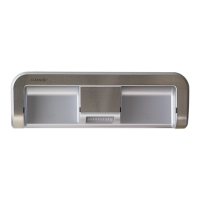
1. Place hand between LED sensors in the dispense zone.
NOTE: The CLEANCut™ is designed to dispense the amount of paper towel you desire.
For short sheets, briefl y hold your hand in the dispense zone. For longer sheets, hold your
hand in the dispense zone for a longer period of time.
2. Once the desired amount of paper has been dispensed, remove hand.
CAUTION: To prevent paper jams, do not try to remove the paper towel without cutting. The
CLEANCut™ is designed to give you the perfect size sheet regardless of the roll’s perferation.
3. To cut, place hand between LED sensors in the cutting zone.
4. Remove cut paper towel sheet from the bottom of the CLEANCut™ appliance.
CLEANING INSTRUCTIONS
is product contains no user-serviceable parts. Repair should be done only by
authorized service personnel.
1. Make sure the main body is opened or the power cord is removed before cleaning.
2. Small pieces of paper may remain in the paper path after numerous rolls are cut.
3. Clean with a mild, non-abrasive cleaner being careful not to soak the LED sensor windows.


 To Next Page