8
Instructions for use
1. On the dust collector press the buttons and for 5 seconds: The dust collector enters pairing mode. The three status LED's on the top lash green.
2. On the robot vacuum cleaner press the button for 5 seconds: The robot enters pairing mode. The two status LED's on the top lash green.
3. Place the Robot at the dust collector to charge. A voice prompt will conirm that pairing is/was successful.
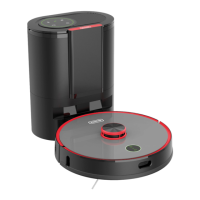
Robot vacuum cleaner
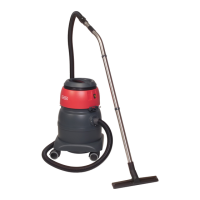
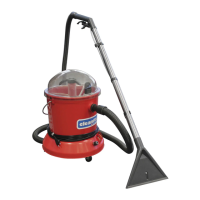
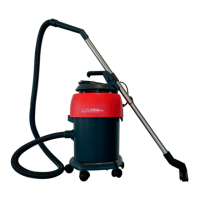
Dust collector
Pair dust collector and robot (paired in default factory settings)
Power on/o
Start/Stop button
Home button
Clean/Pause
Standby mode
Charging
Press and hold the button , to turn the robot on.
Aer startup, press and hold the , to shut down the system.
Note: When charging at the dust collector, the robot vacuum cleaner is
automatically switched on and cannot enter standby mode during the whole
charging process.
Short press: Start cleaning / Stop cleaning
Press for 3 seconds: Start spot cleaning
When switched on, short press the button , to start cleaning the entire
reachable area.
Press any button on the robot to stop cleaning.
If the battery is too low, cleaning will not start. Please charge the device irst
and then restart cleaning.
If the battery charge is not sucient during the cleaning process, the robot
vacuum cleaner automatically returns to the dust collector for recharging. As
soon as the battery reaches 80%, the robot will continue cleaning from the
previous position.
Note: It is recommended that the robot vacuum cleaner starts cleaning from
the suction station.
If no cleaning cycle is started for more than 20 minutes, the robot vacuum
cleaner automatically enters standby mode.
Note: The Robot Vacuum Cleaner does not enter sleep mode while charging.
Note: If the robot vacuum cleaner has been paused or has stopped by itself
and it has insucient battery, it will automatically shut down.
Automatic charging: The robot vacuum Ccleaner automatically returns to the
dust collector to recharge, when cleaning is complete or when the battery
charge is insucient.
Manual charging: Press the button , to send the robot back to the charging
station and start charging. Aer pausing/stopping the robot, you can also
manually place it to the dust collector for charging.
Note: Please make sure that the charging contacts have good contact and
are clean.
Short press: Return to the dust collector and start charging.
Press and hold for 3 seconds: Return to the dust collector, charge and then
continue cleaning at the previous position.


 To Next Page