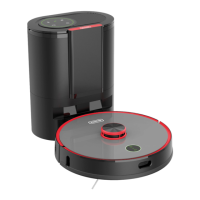
What to do if the Cleanfix S170 Navi Vacuum Cleaner temperature is abnormal?
- SsullivandanielleAug 3, 2025
If the device temperature is too high or too low, wait until the temperature returns to normal before restarting cleaning.
What to do if the Cleanfix S170 Navi Vacuum Cleaner temperature is abnormal?
If the device temperature is too high or too low, wait until the temperature returns to normal before restarting cleaning.
What to do if the dust bag is not installed correctly in my Cleanfix S170 Navi?
Check whether a dust bag is installed. If not, insert a new dust bag. Also, check that the dust bag is installed correctly and that the sensors of the dust bag holder detect the bag.
What to do if the Cleanfix S170 Navi charging process is abnormal?
If the charging process is abnormal, verify that you are using the original power cable and that it is correctly plugged in. Ensure the dust collector is on a level, flat surface, and clean the charging contacts.
What to do if my Cleanfix Vacuum Cleaner says to check the front bumper?
If you are prompted to check the front bumper, remove any foreign objects that might be interfering with it. The front bumper should be able to be pressed with little force.
What to do if my Cleanfix S170 Navi Vacuum Cleaner says the LiDAR sensor is blocked?
Check the LiDAR sensor for any dirt or foreign objects and remove them. Then, move the robot to another location and restart it.
What to do if my Cleanfix S170 Navi detects a strong magnetic field?
Move the Cleanfix Vacuum Cleaner to another location and try again.
What to do if my Cleanfix S170 Navi prompts me to clean the cliff sensor?
Clean the cliff sensors and place the robot in a new location. The position of the sensors can be found in this owner's manual.
Controls for starting, stopping, and pausing the robot.
Status lights for Wi-Fi connection and network configuration.
Button to return to the charging station or continue cleaning.
Steps to connect the robot to a Wi-Fi network.
Button for emergency shutdown of the device.
Instructions for pairing the robot with the dust collector.
Status lights for dust bag and dust tunnel status.
Status lights indicating charging status.
Status lights for fan operation and errors.
Controls for dust collection and charging.
Controls for starting, stopping, and spot cleaning.
Instructions for placing the dust collector unit correctly.
Explains the function of the dust collector unit.
How to turn the robot vacuum cleaner on and off.
Steps to start, pause, and stop cleaning.
Information on automatic and manual charging.
How the robot enters standby mode.
Function of the Home button for charging/cleaning.
Steps to pair the robot and dust collector.
Routine cleaning of the dust container and its filters.
How to clean and replace the side brush.
Specifications for the robot vacuum cleaner unit.
Specifications for the dust collector unit.
Compliance information and regulatory statements.
Troubleshooting for startup, cleaning, noise, and performance problems.
Solutions for recharging, returning to base, and positioning issues.
Troubleshooting for Wi-Fi, network, and mobile app pairing.
Solutions for scheduled cleaning and cleaning pauses.
Solutions for LiDAR and cliff sensor errors.
Solutions for magnetic field and bumper interference.
Solutions for abnormal temperature and charging issues.
Solutions for fan overheating and lid not closing properly.
Solutions for dust bag not installed or misplaced.
Steps to resolve failed pairing between robot and dust collector.
Controls for starting, stopping, and pausing the robot.
Status lights for Wi-Fi connection and network configuration.
Button to return to the charging station or continue cleaning.
Steps to connect the robot to a Wi-Fi network.
Button for emergency shutdown of the device.
Instructions for pairing the robot with the dust collector.
Status lights for dust bag and dust tunnel status.
Status lights indicating charging status.
Status lights for fan operation and errors.
Controls for dust collection and charging.
Controls for starting, stopping, and spot cleaning.
Instructions for placing the dust collector unit correctly.
Explains the function of the dust collector unit.
How to turn the robot vacuum cleaner on and off.
Steps to start, pause, and stop cleaning.
Information on automatic and manual charging.
How the robot enters standby mode.
Function of the Home button for charging/cleaning.
Steps to pair the robot and dust collector.
Routine cleaning of the dust container and its filters.
How to clean and replace the side brush.
Specifications for the robot vacuum cleaner unit.
Specifications for the dust collector unit.
Compliance information and regulatory statements.
Troubleshooting for startup, cleaning, noise, and performance problems.
Solutions for recharging, returning to base, and positioning issues.
Troubleshooting for Wi-Fi, network, and mobile app pairing.
Solutions for scheduled cleaning and cleaning pauses.
Solutions for LiDAR and cliff sensor errors.
Solutions for magnetic field and bumper interference.
Solutions for abnormal temperature and charging issues.
Solutions for fan overheating and lid not closing properly.
Solutions for dust bag not installed or misplaced.
Steps to resolve failed pairing between robot and dust collector.
| Weight | 8.8 kg |
|---|---|
| Dust Capacity | 0.6 L |
| Noise Level | 68 dB(A) |
| Cable Length | 10 m |
| Dust container type | Bagless |
| Filtration | HEPA |
| Width | 34 cm |
| Depth | 34 cm |